The Add Reward feature allows you to manually assign reward points to any customer. This is useful for compensation, loyalty bonuses, or special promotional rewards.
Step 1: Open the Retenzy Dashboard
Log in to your Retenzy dashboard.
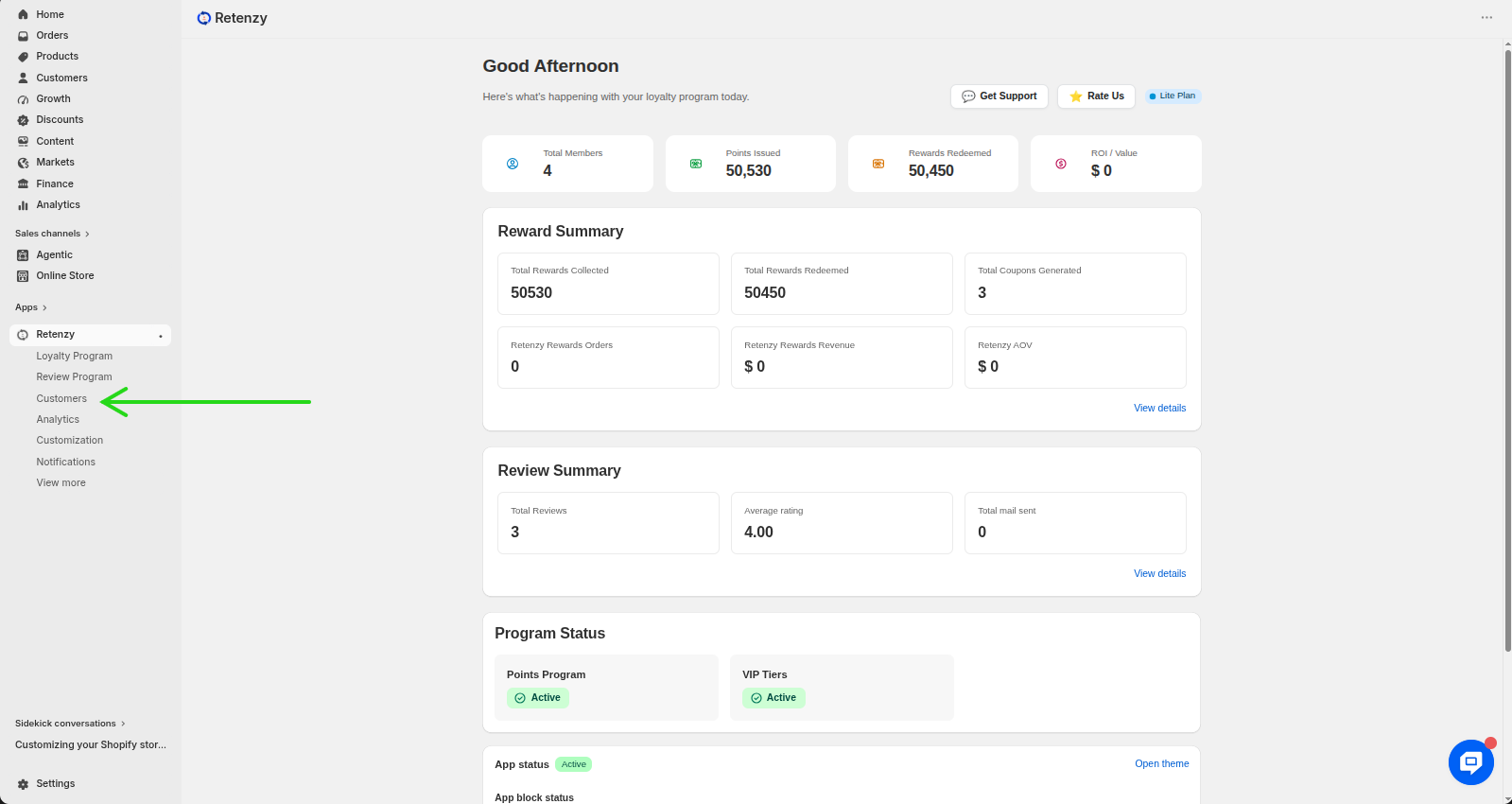
Step 2: Navigate to the Customers Section
From the left-hand menu, click on Customers.
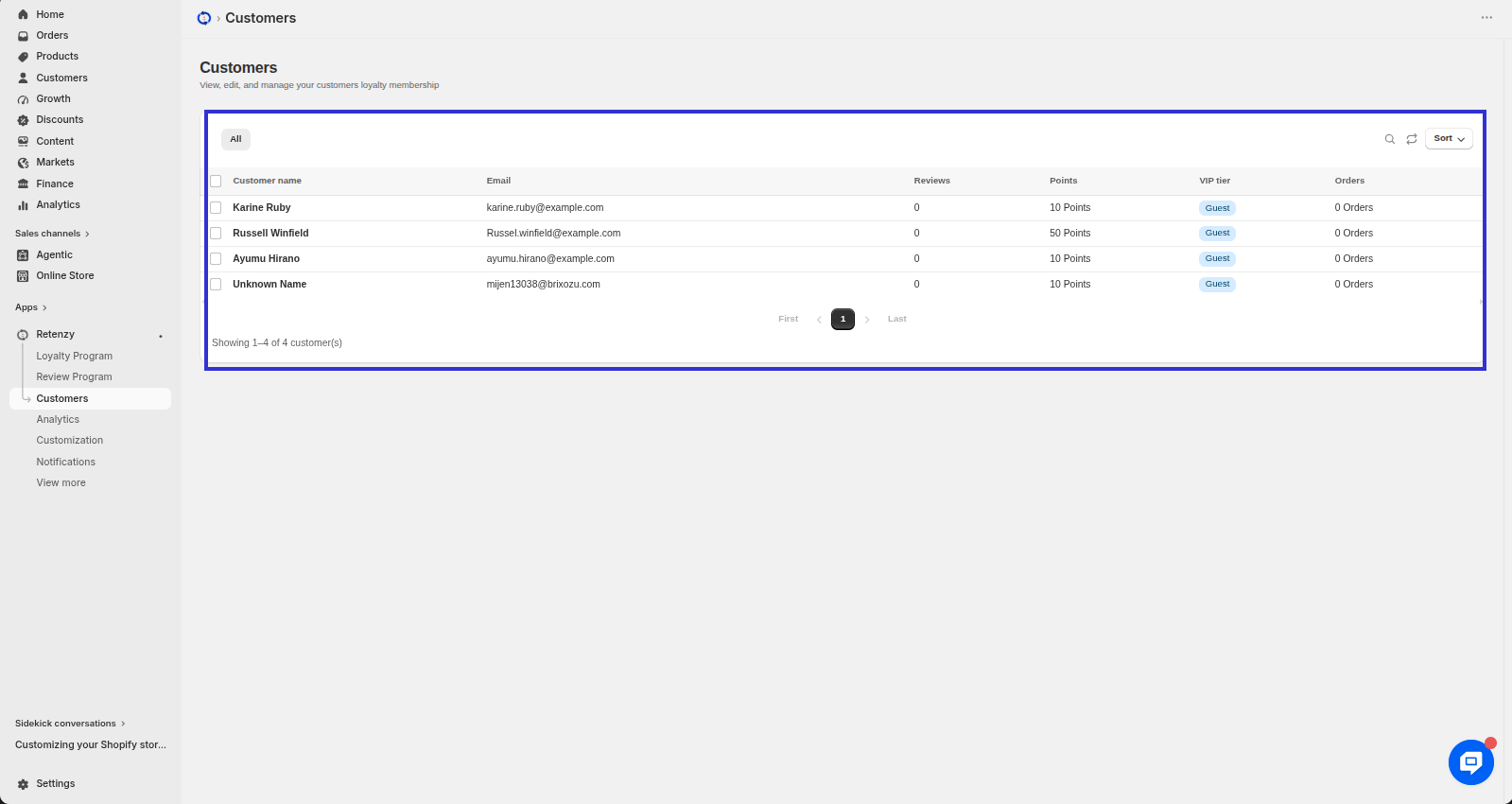
Step 3: Select a Customer
Find the customer you want to reward manually and click on their name to open their profile.
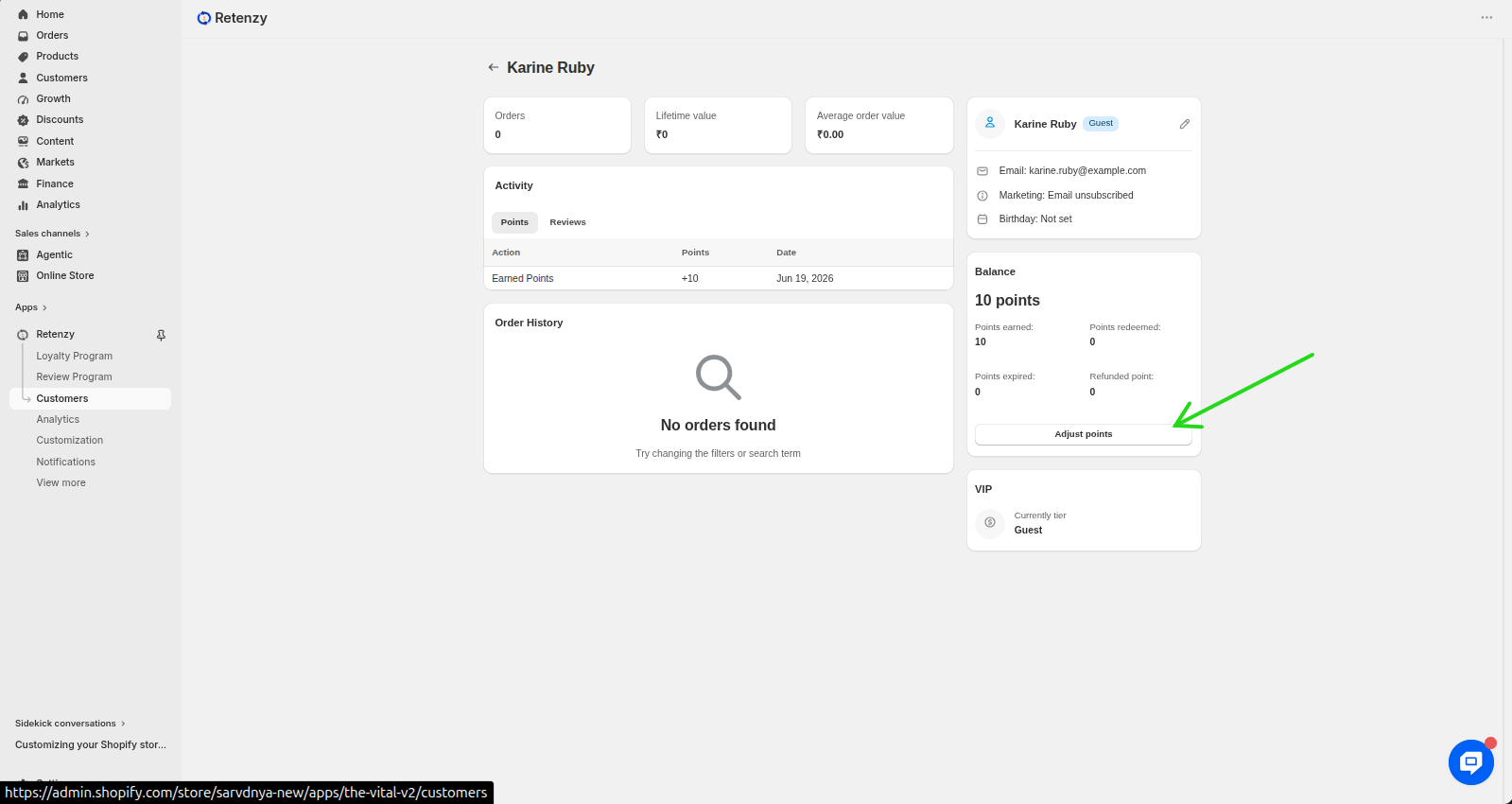
Step 4: Adjust the Customer's Points
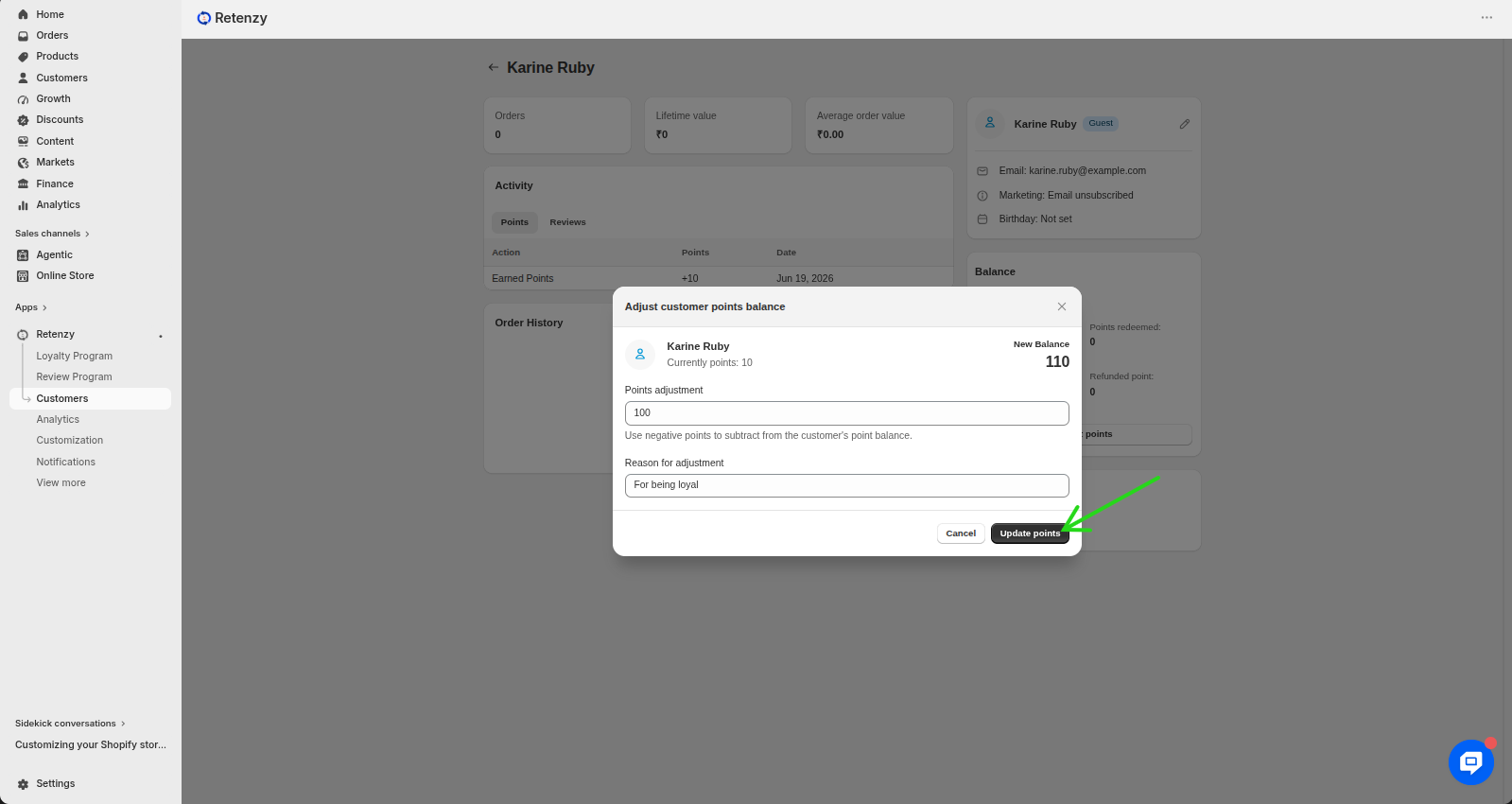
On the customer's profile, click Adjust Points.
Step 5: Enter the Reward Details
Enter the number of points you want to award to the customer. Then, add a reason for the adjustment, such as Loyal Customer.
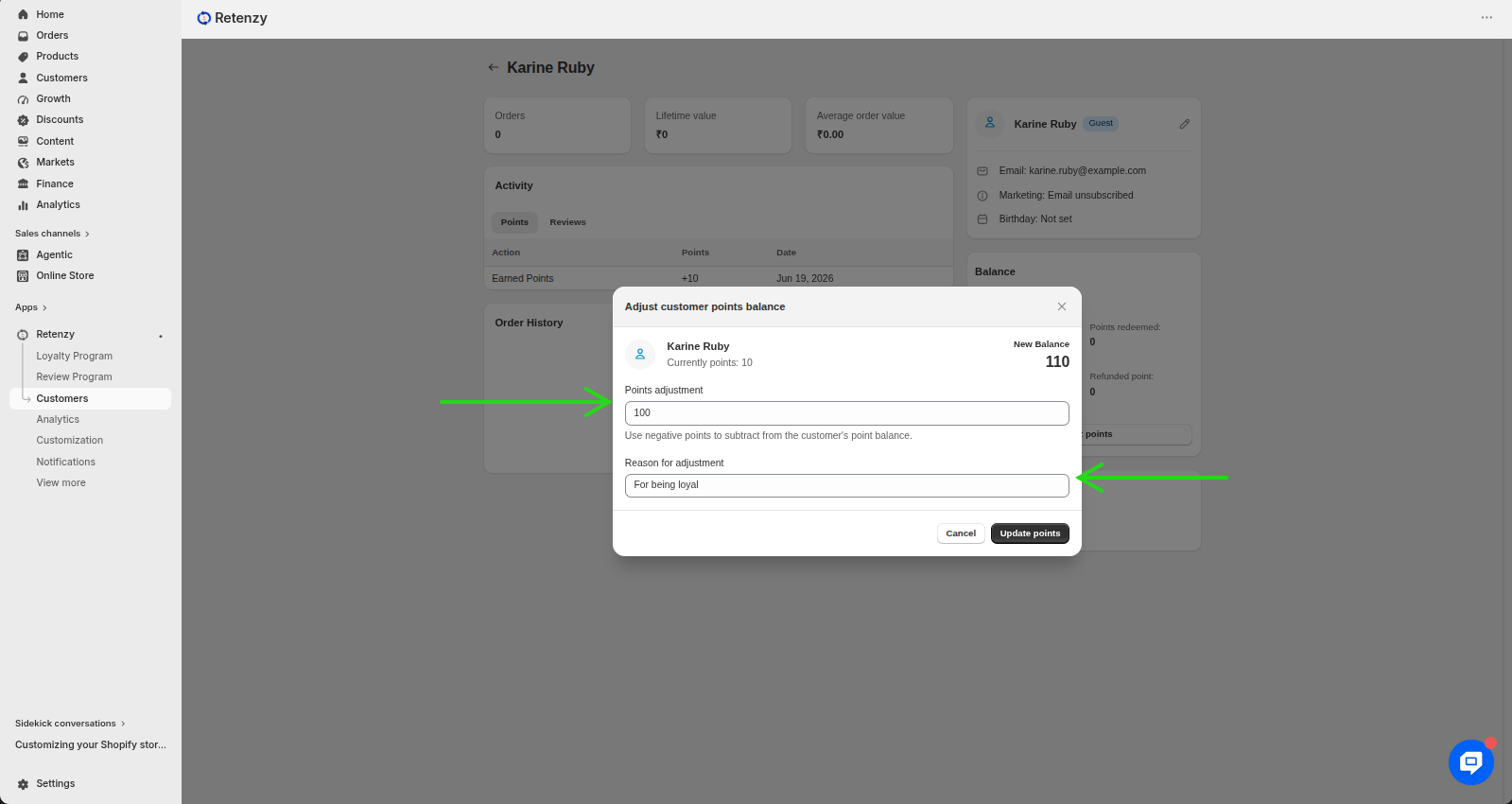
Step 6: Save the Updates
Click Update Points to save the updates. The customer's points balance will be updated immediately, and they can use those points to redeem rewards and discount codes in your store.
Need a visual walk through? If any of the steps weren't clear, watch the video tutorial to see the entire process demonstrated step by step.
