The Customer Rewards section provides a detailed view of each customer’s order activity and reward balance. This helps you monitor customer engagement, track loyalty, and manage rewards effectively.
Step 1: Open the Retenzy Dashboard
Log in to your Retenzy dashboard.
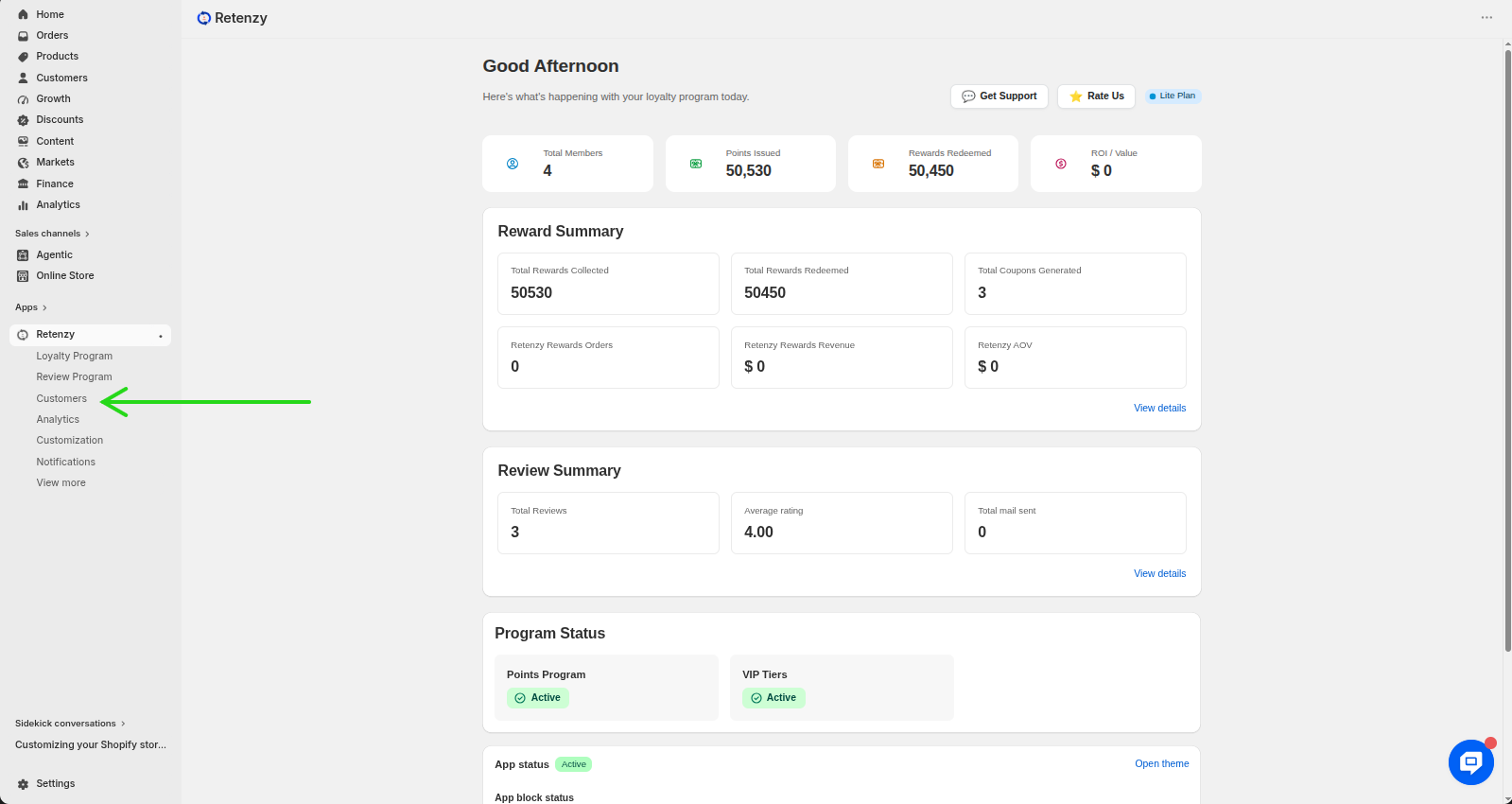
Step 2: Navigate to the Customers Section
From the left-hand menu, click on Customers.
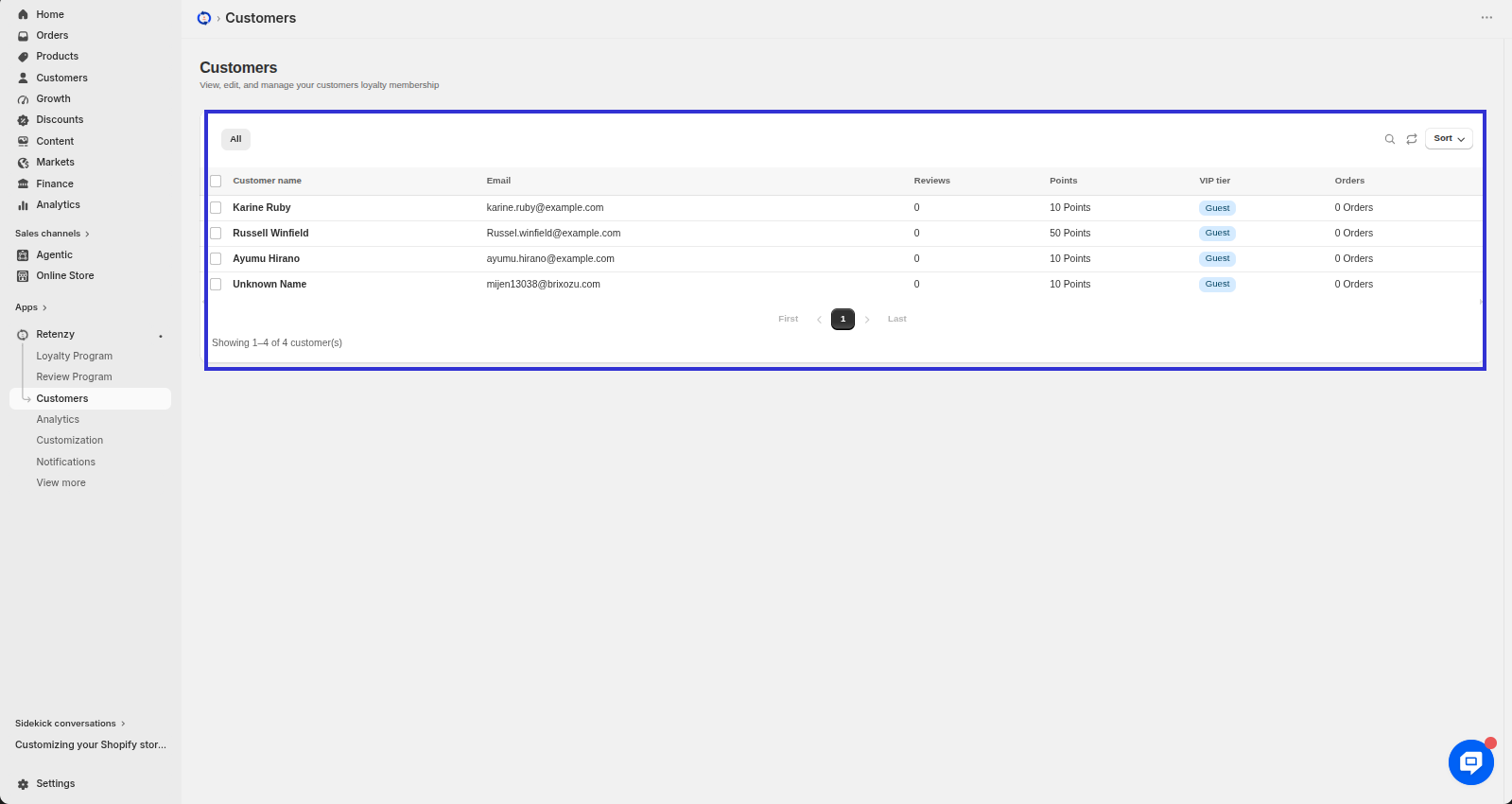
Step 3: Select a Customer
From the customer list, click on the customer whose details you want to view.
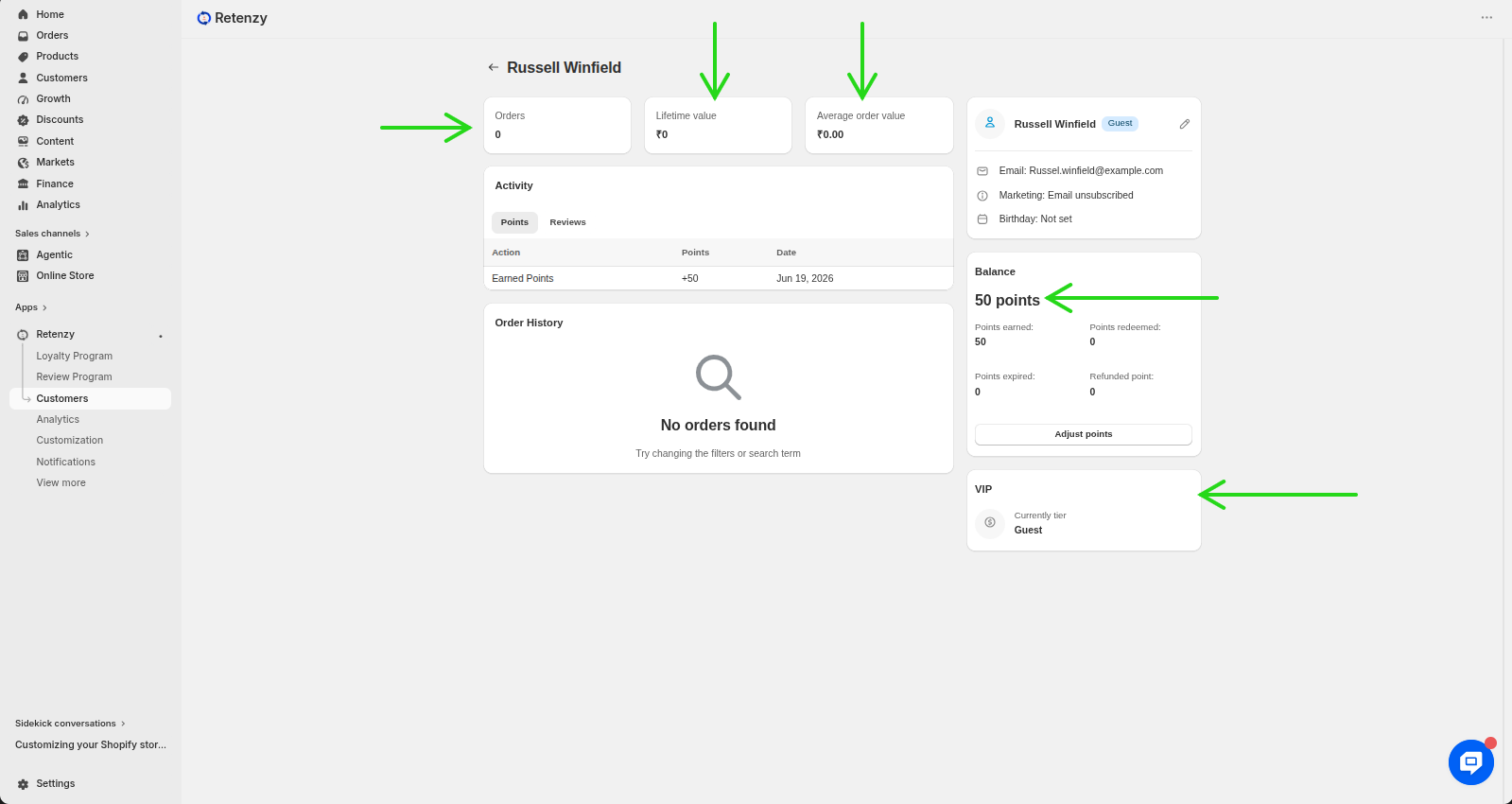
Step 4: View Customer Orders and Reward Details
On the customer's profile, you can view detailed information, including:
- Total Orders
- Lifetime Value
- Average Order Value
- Reward Points Balance
- VIP Tier
Need a visual walk through? If any of the steps weren't clear, watch the video tutorial to see the entire process demonstrated step by step.
Video:-
