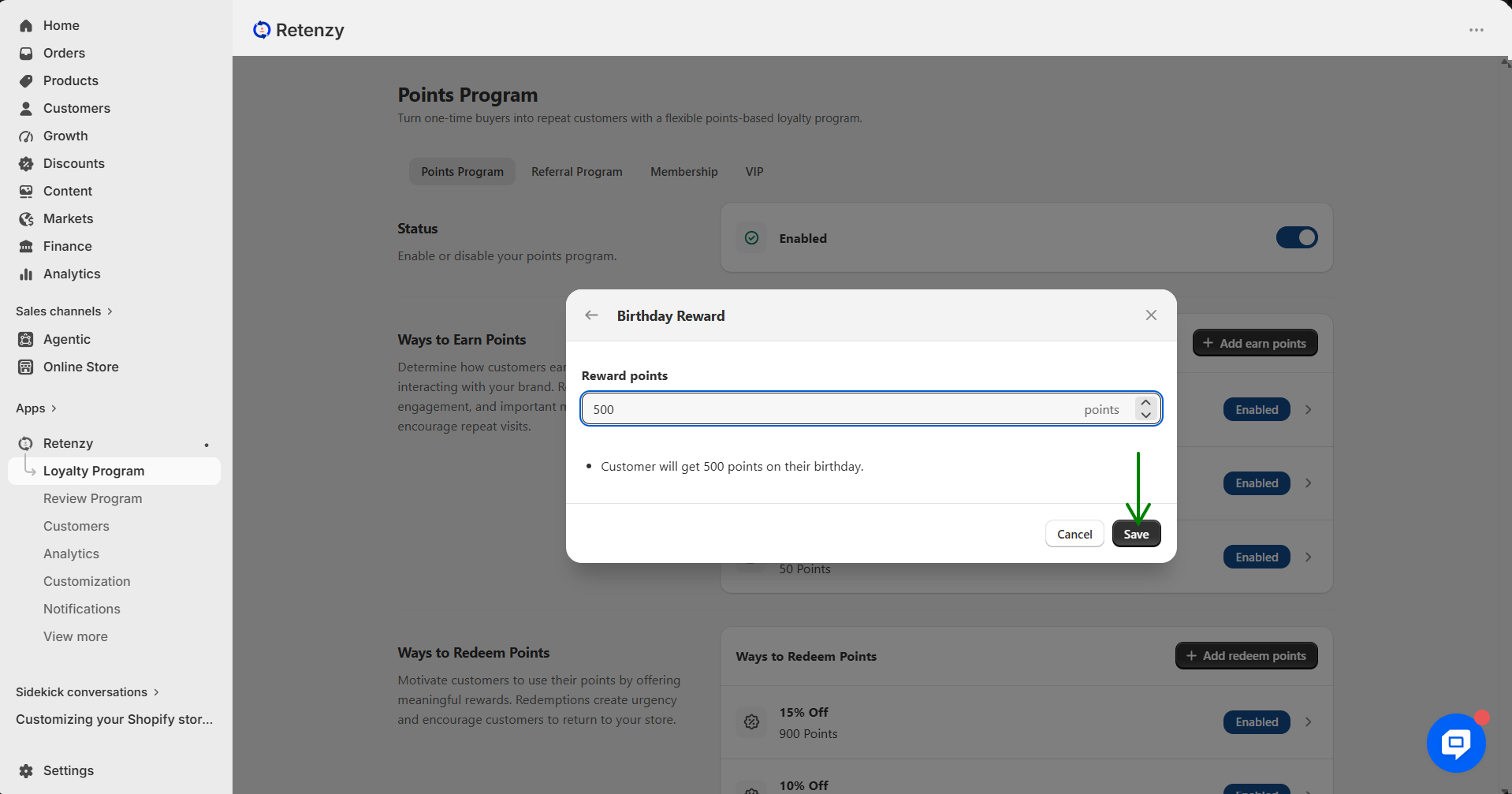
The Birthday Reward, Anniversary Reward, and let you reward customers with loyalty points for important milestones and actions, helping increase engagement and build long-term customer loyalty.
Step 1: Open the Retenzy Dashboard
Log in to your Retenzy dashboard to access your store settings.
Step 2: Navigate to the Loyalty Program
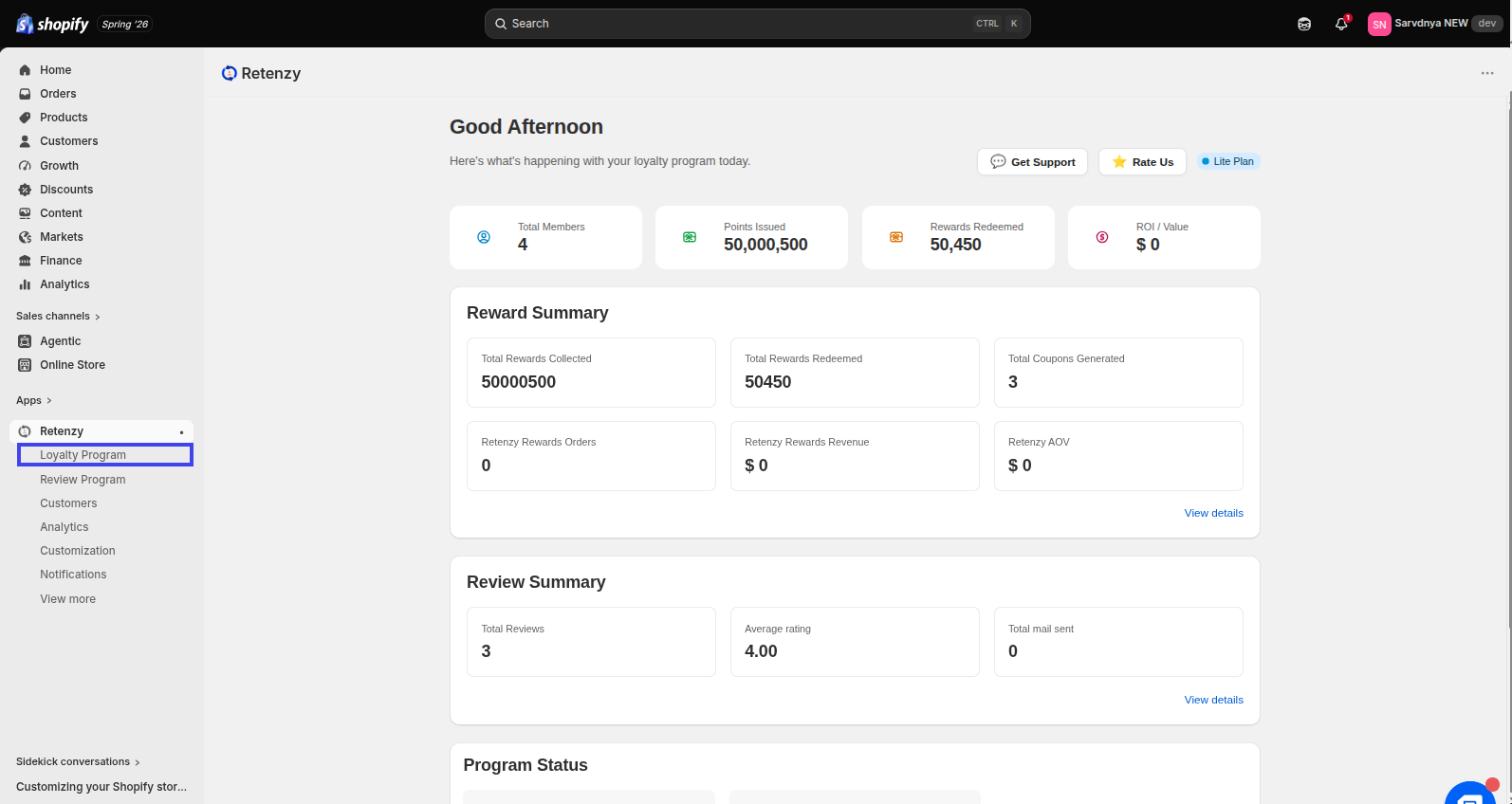
From the dashboard, click on Loyalty Program.
Step 3: Open Ways to Earn Points
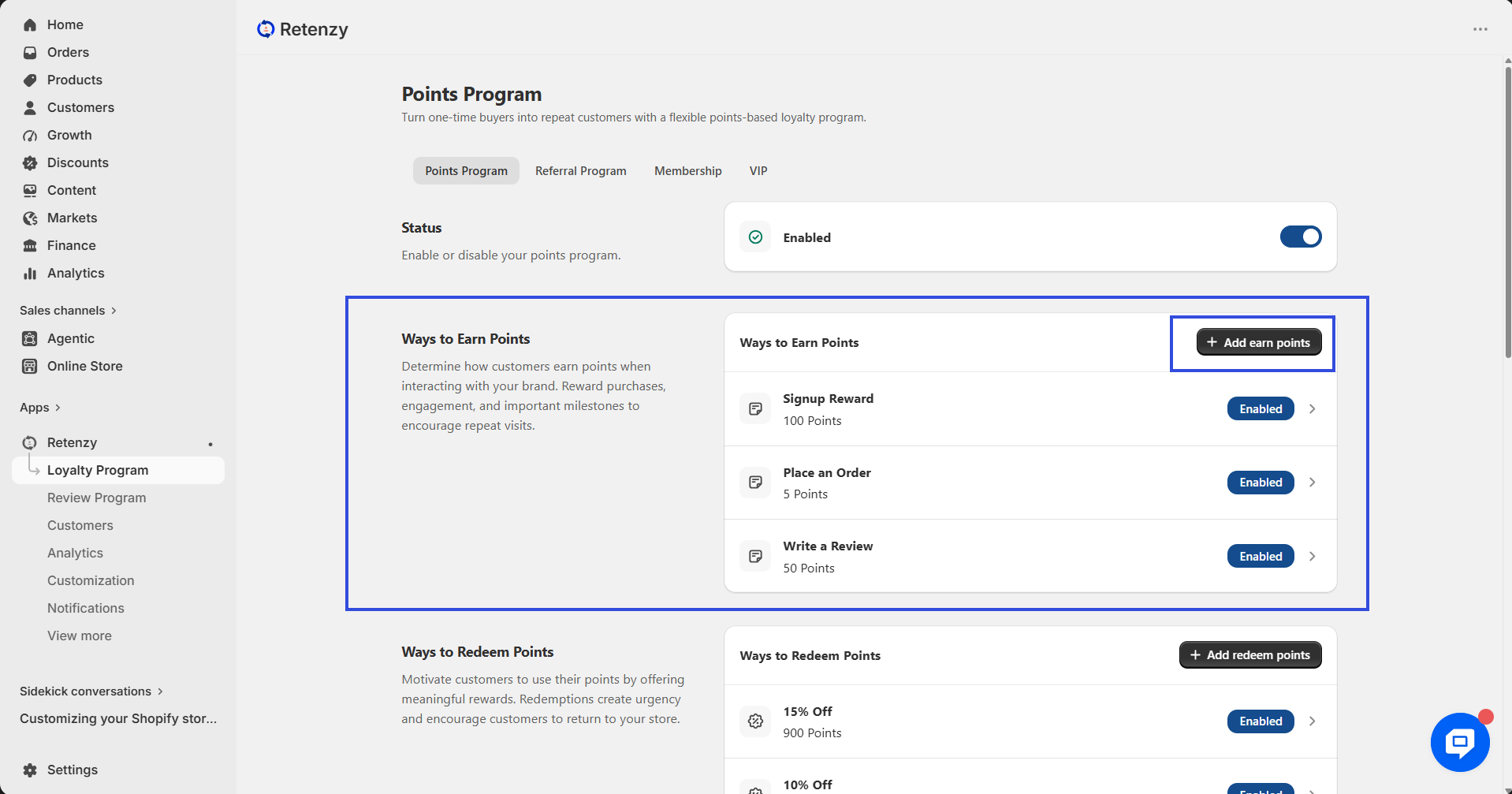
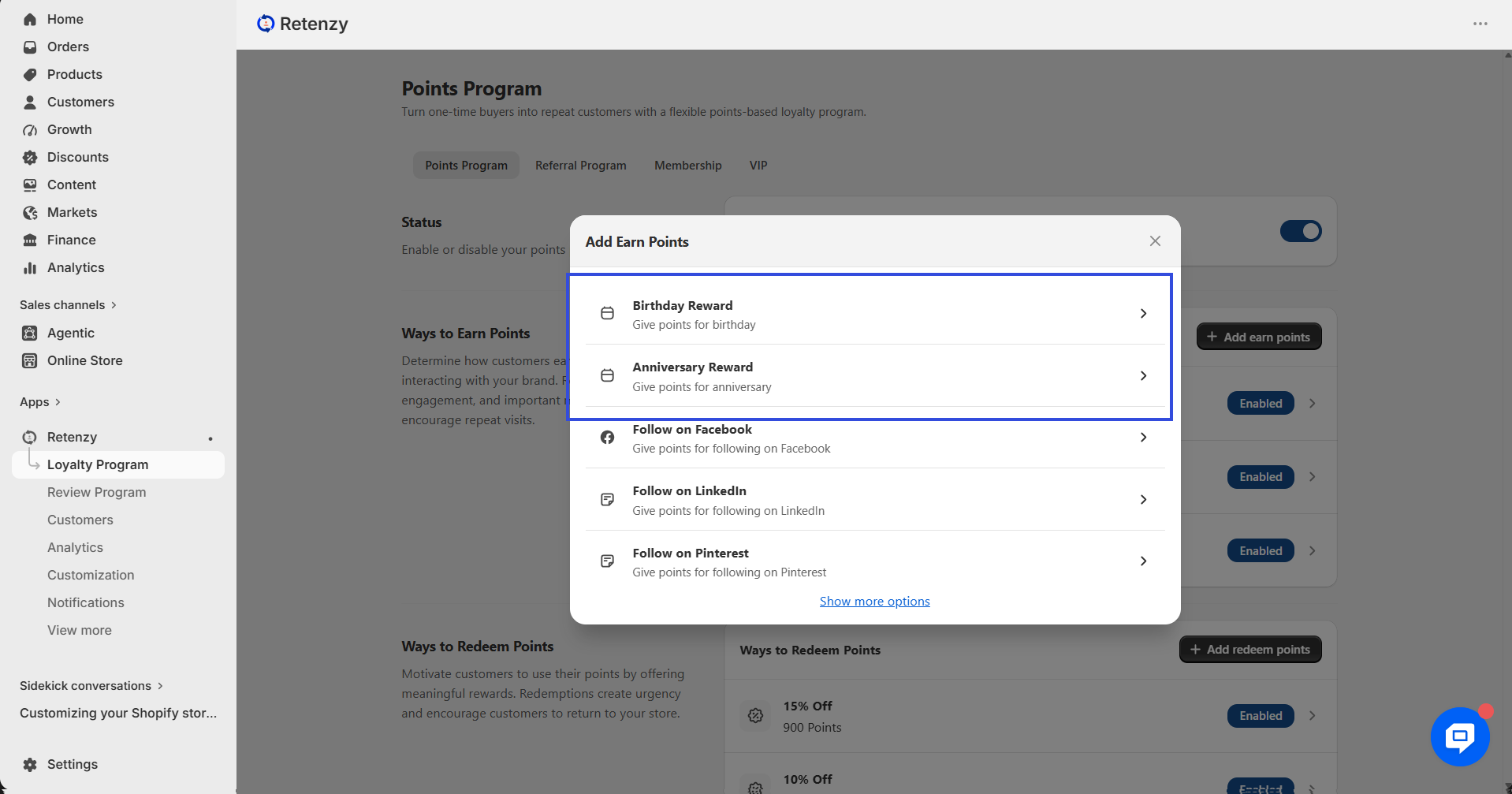
Within the Loyalty Program, open the Points Program. Then, navigate to Ways to Earn Points, click Add Earn Points to view all available earning options.
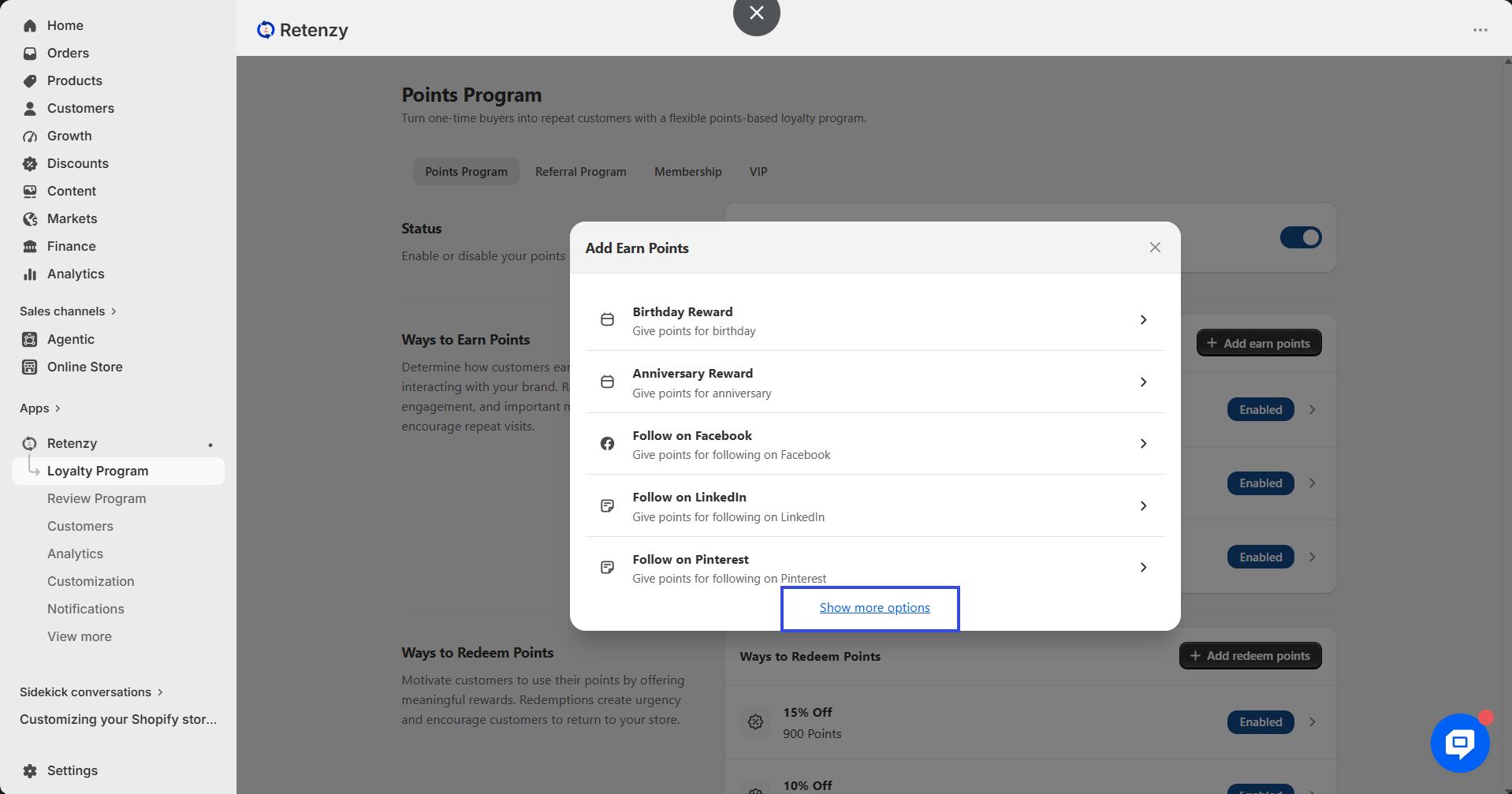
Step 4: Select the Reward Type
Scroll through the available options and select one of the following:
- Birthday Reward
- Anniversary Reward
Step 5: Configure the Reward Points
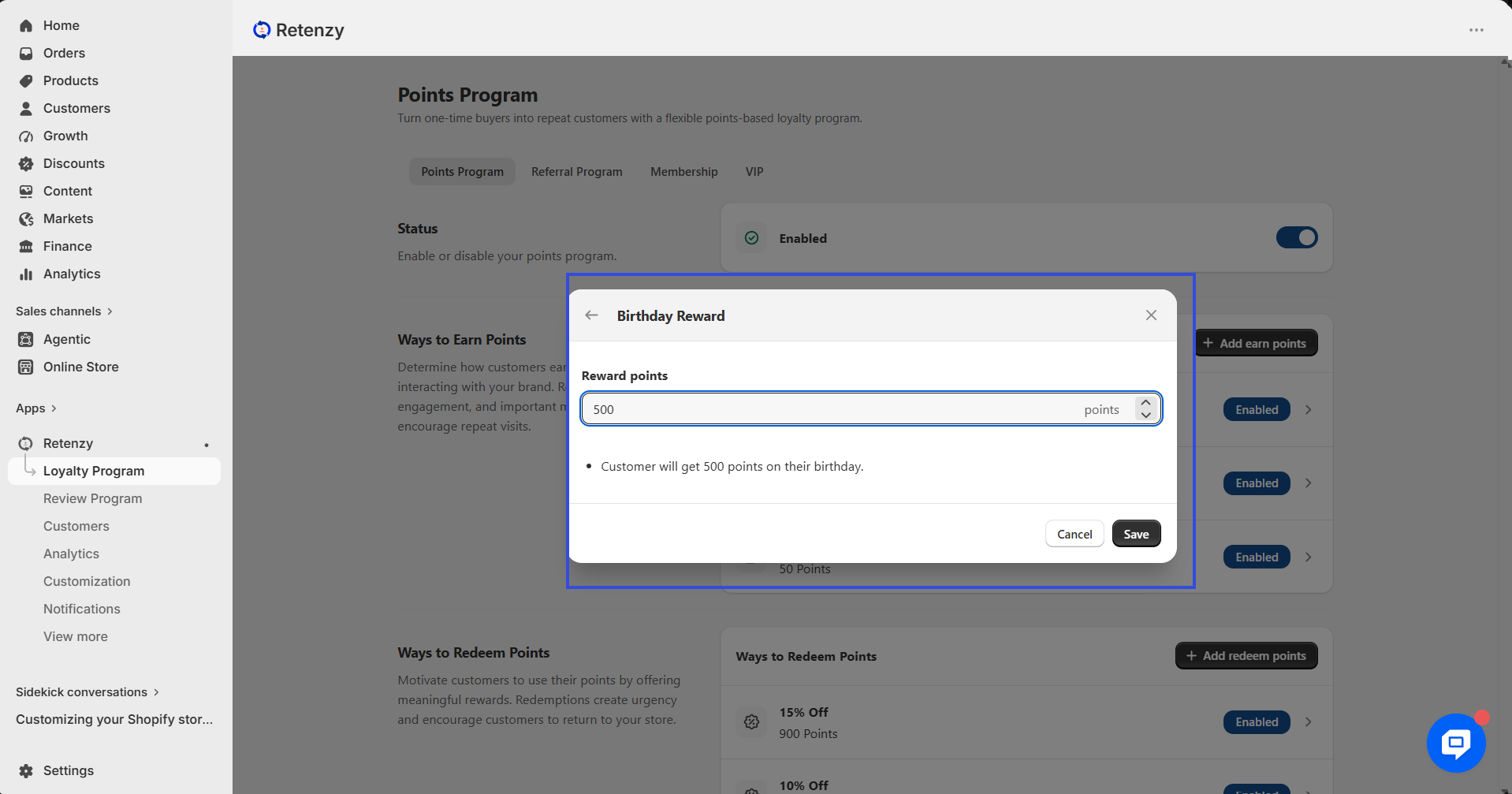
Enter the number of Reward Points you want customers to receive for the selected reward.
Step 6: Save the Reward Settings
Click Save to add the selected reward to your loyalty program.