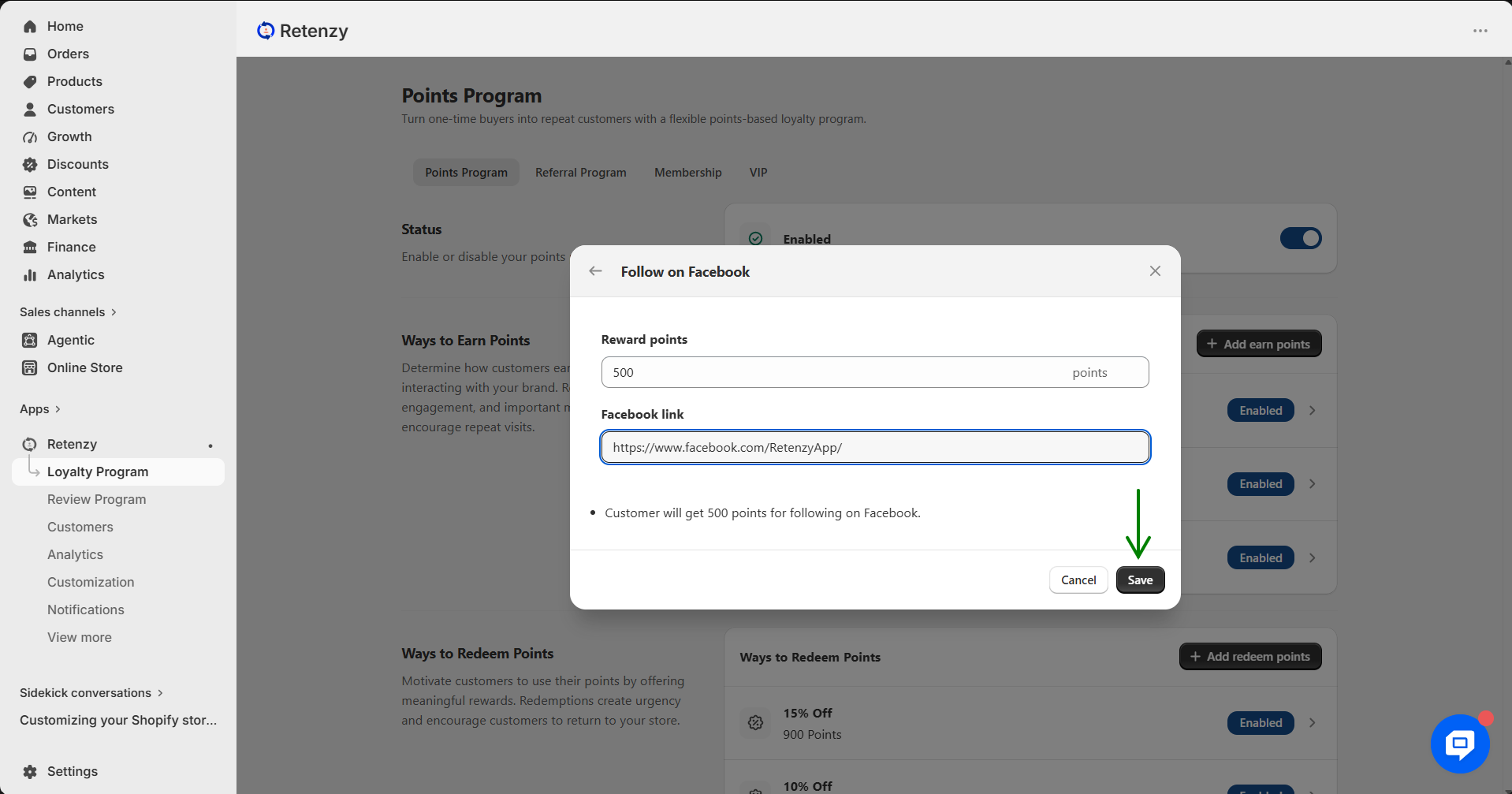
This rule allows you to reward customers with points when they follow or share your brand on social media platforms like Facebook, Instagram, X (Twitter), TikTok, LinkedIn, or Pinterest. It helps grow your community and strengthen brand presence.
Steps to Set Up Social Media Follow & Reward Rule
How to Add a Ways to Earn Points Reward
Step 1: Open the Retenzy Dashboard
Log in to your Retenzy dashboard to access your store settings.
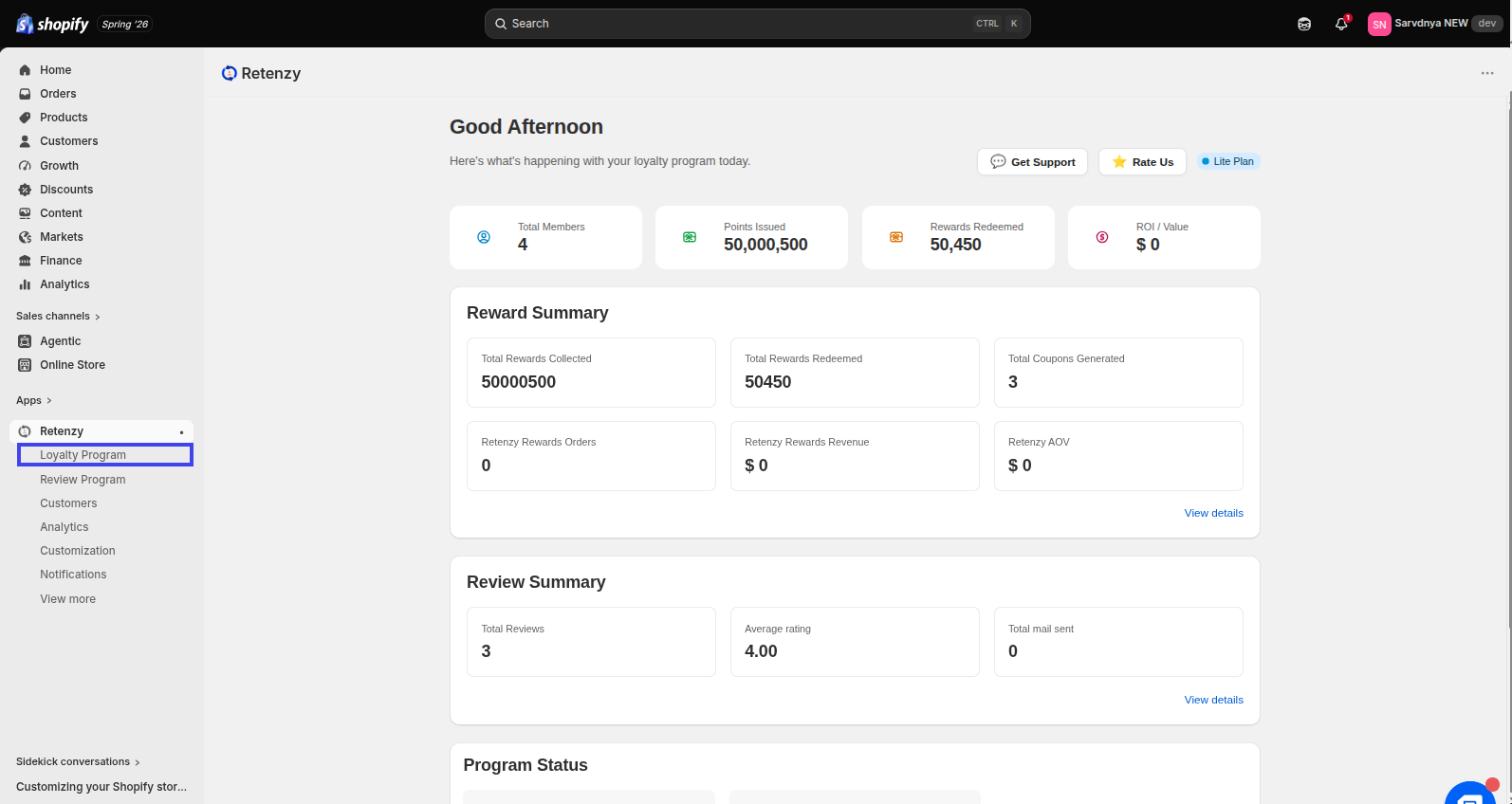
Step 2: Navigate to the Loyalty Program
From the dashboard, click on Loyalty Program.
Step 3: Open Ways to Earn Points
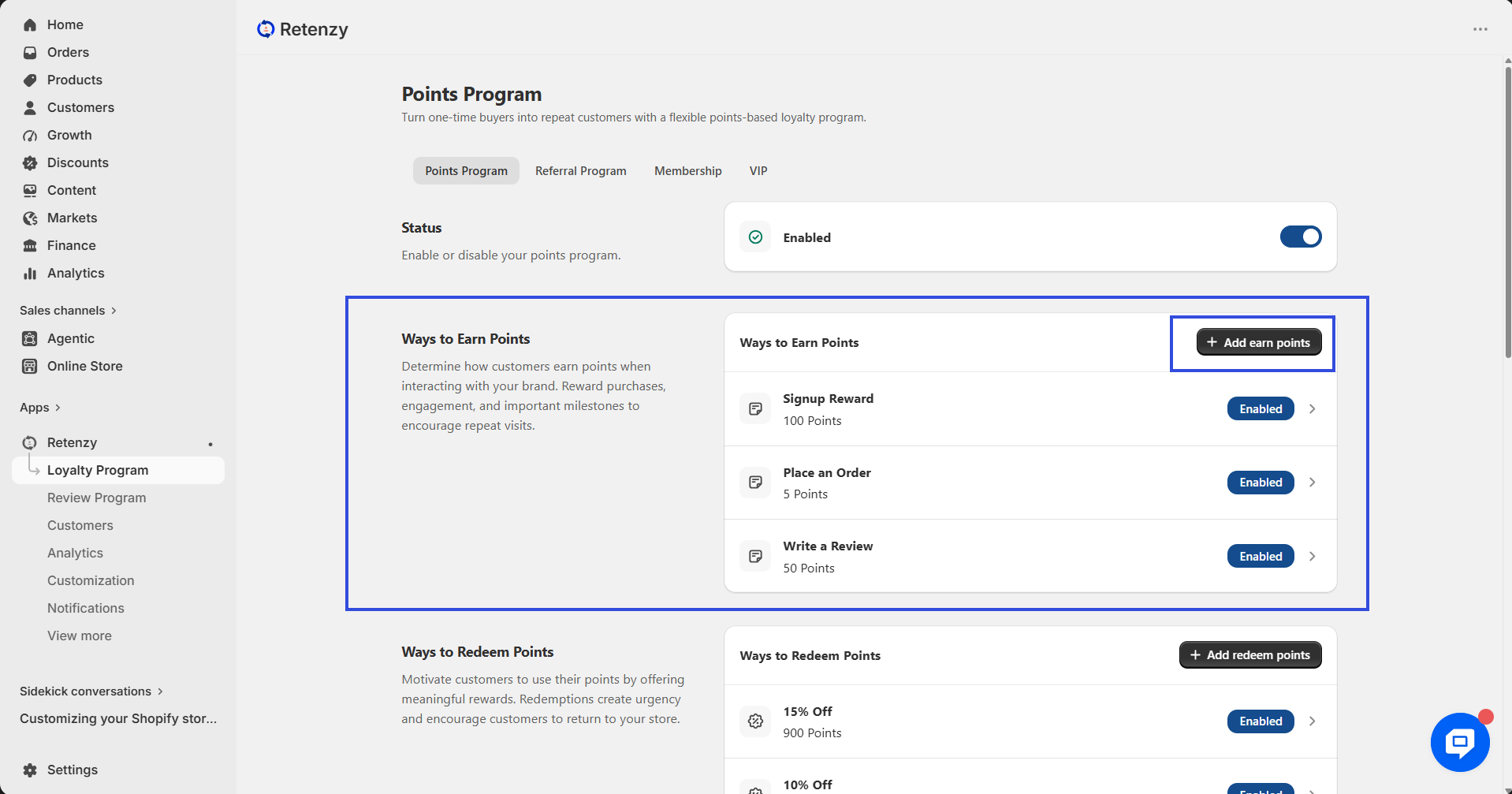
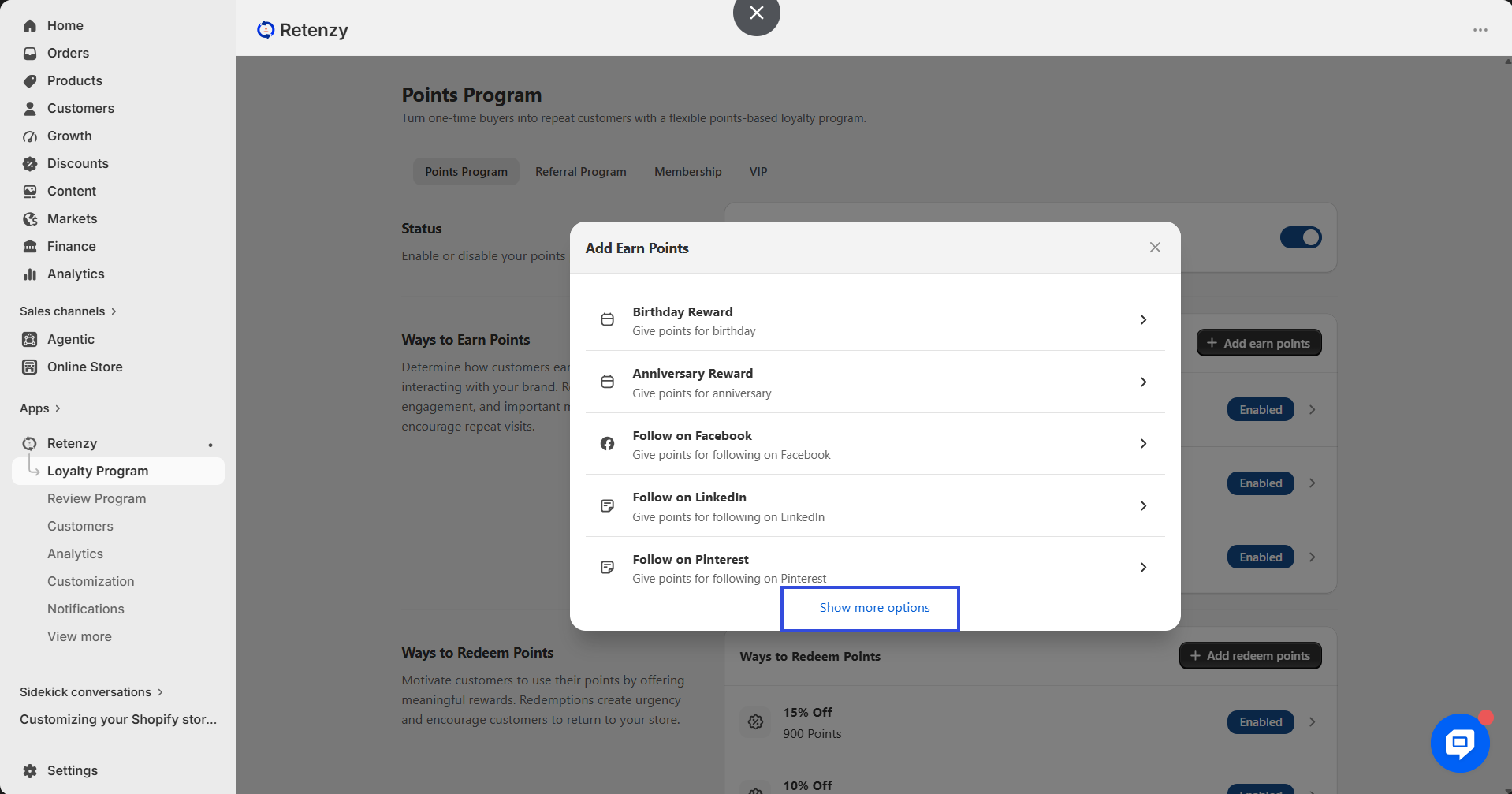
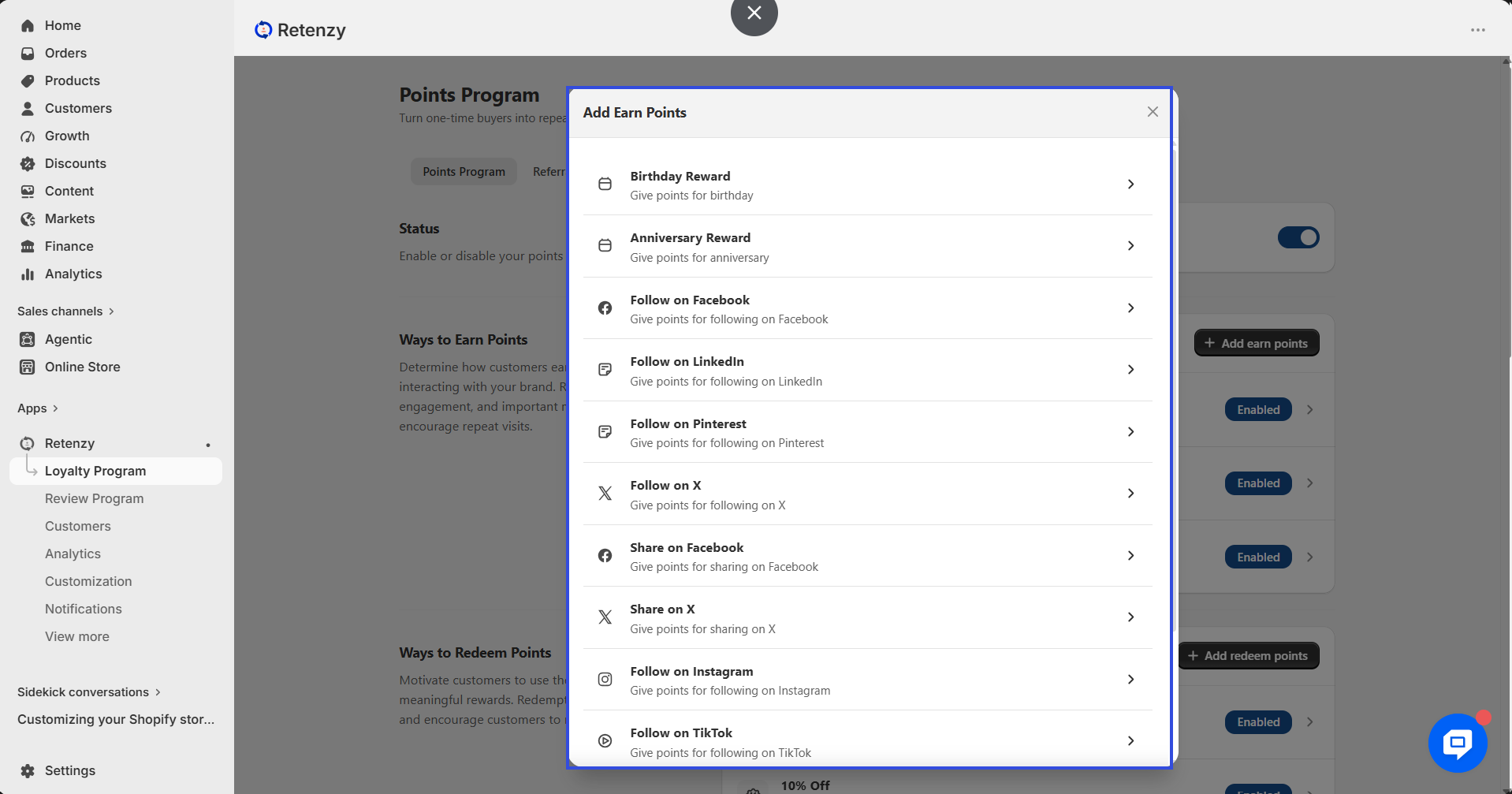
Within the Loyalty Program, open the Points Program. Then, navigate to Ways to Earn Points, click Add Earn Points, and select Show More to view all available earning options.
Step 4: Select the Earning Activity
Scroll through the available options and select the earning activity you want to add, such as:
-
Birthday Reward
-
Follow on Facebook
-
Follow on Instagram
-
Follow on LinkedIn
-
Follow on Pinterest
-
Follow on TikTok
-
Follow on X
-
Share on Facebook
-
Share on X
-
Subscribe to YouTube
-
Newsletter Subscribe
Step 5: Configure the Reward
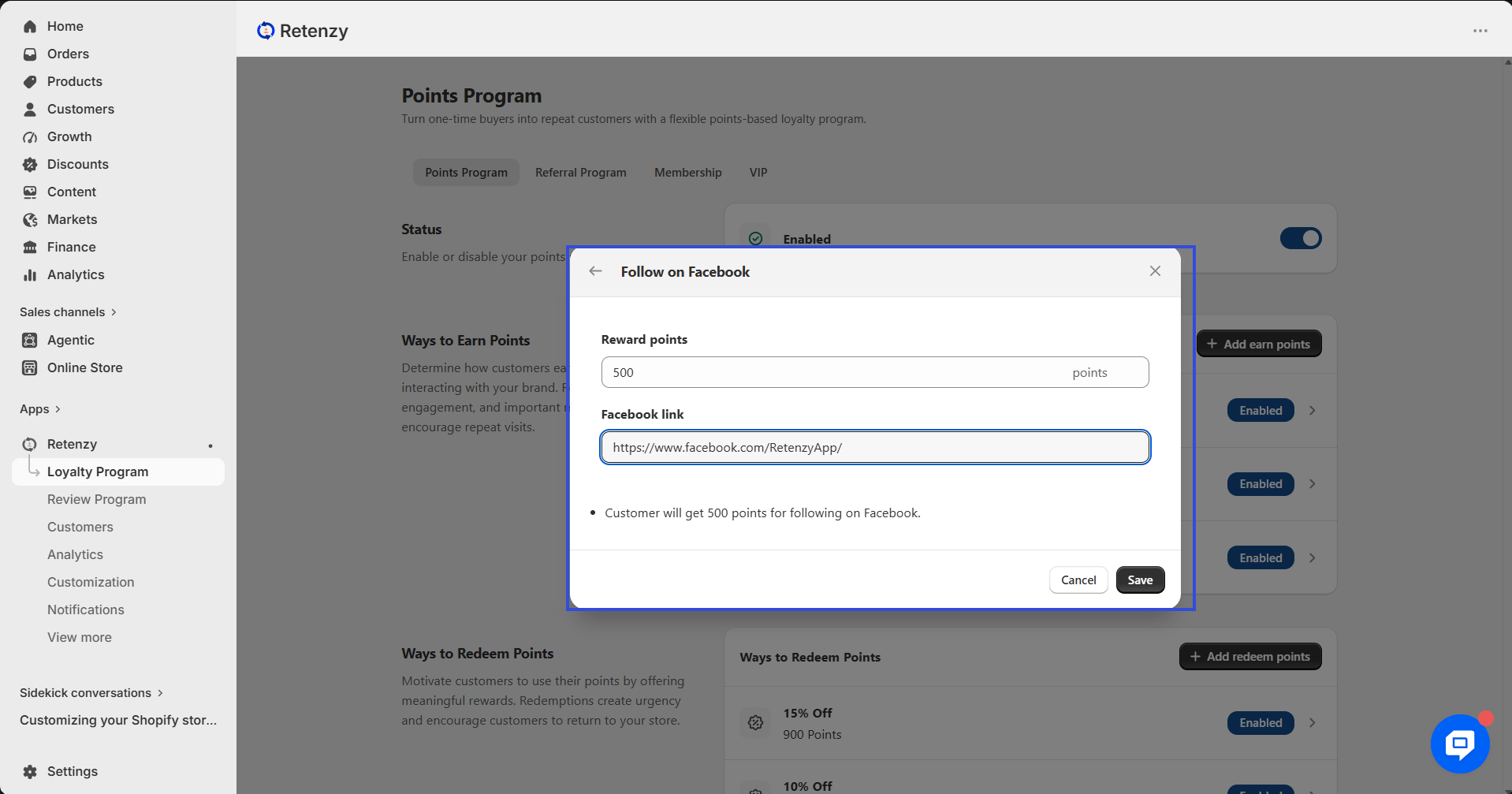
Enter the number of Reward Points you want to offer.
If the selected activity requires additional information, enter the required details:
-
Subscribe to YouTube – Paste your YouTube Channel Link.
-
Follow on Facebook – Paste your Facebook Page Link.
-
Follow on Instagram – Paste your Instagram Profile Link.
-
Follow on LinkedIn – Paste your LinkedIn Page Link.
-
Follow on Pinterest – Paste your Pinterest Profile Link.
-
Follow on TikTok – Paste your TikTok Profile Link.
-
Follow on X – Paste your X (Twitter) Profile Link.
-
Share on Facebook – Paste the Facebook Share Link, if required.
-
Share on X – Paste the X (Twitter) Share Link, if required.
-
Birthday Reward, Anniversary Reward, and Newsletter Subscribe only require you to set the reward points.
Step 6: Save the Reward
Click Save to add the selected Ways to Earn Points reward to your loyalty program.