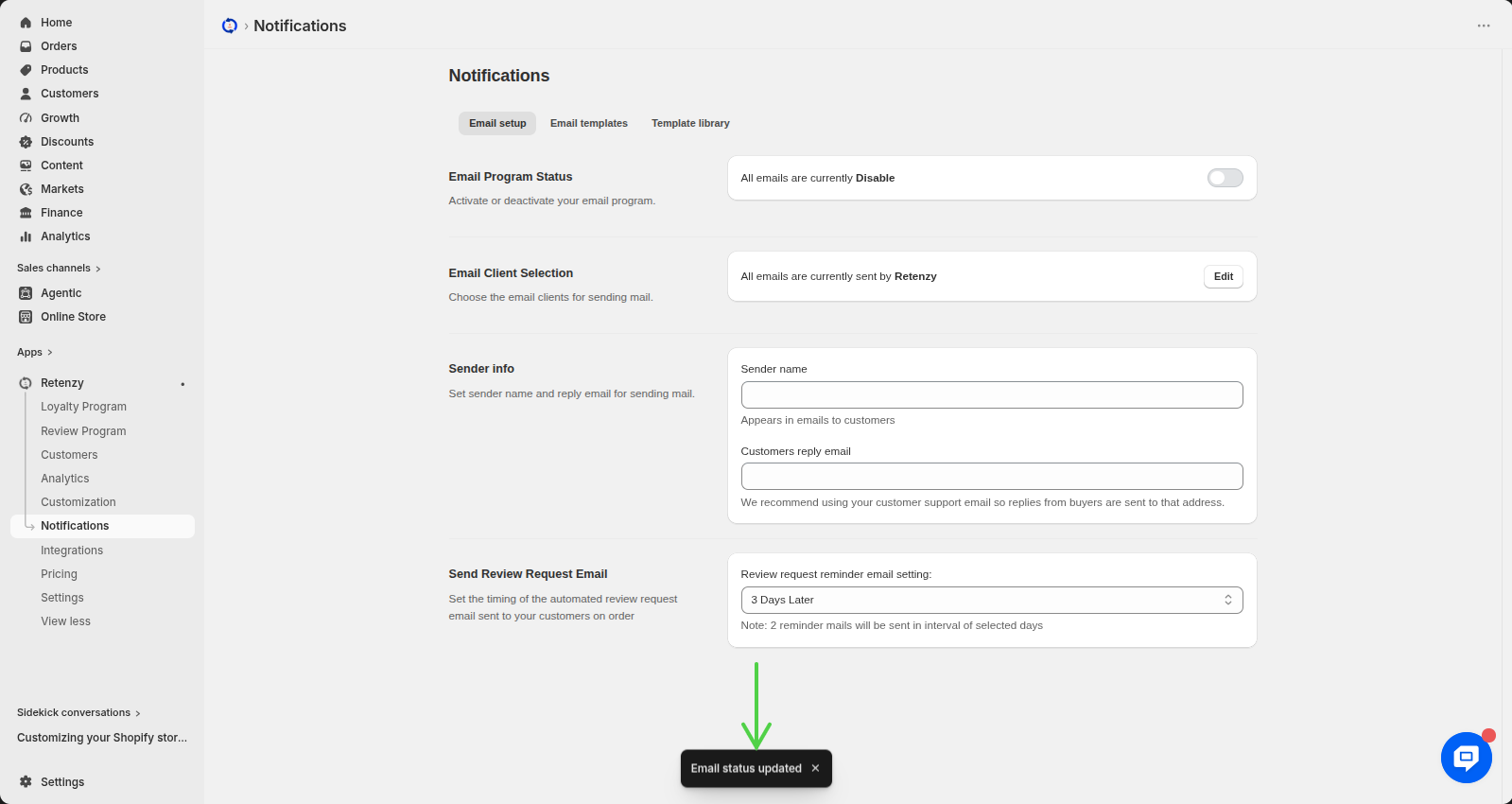
You can control whether customers receive emails from your store by turning the email program on or off.
Steps:
Step 1: Open the Retenzy Dashboard
- Log in to your Retenzy dashboard.
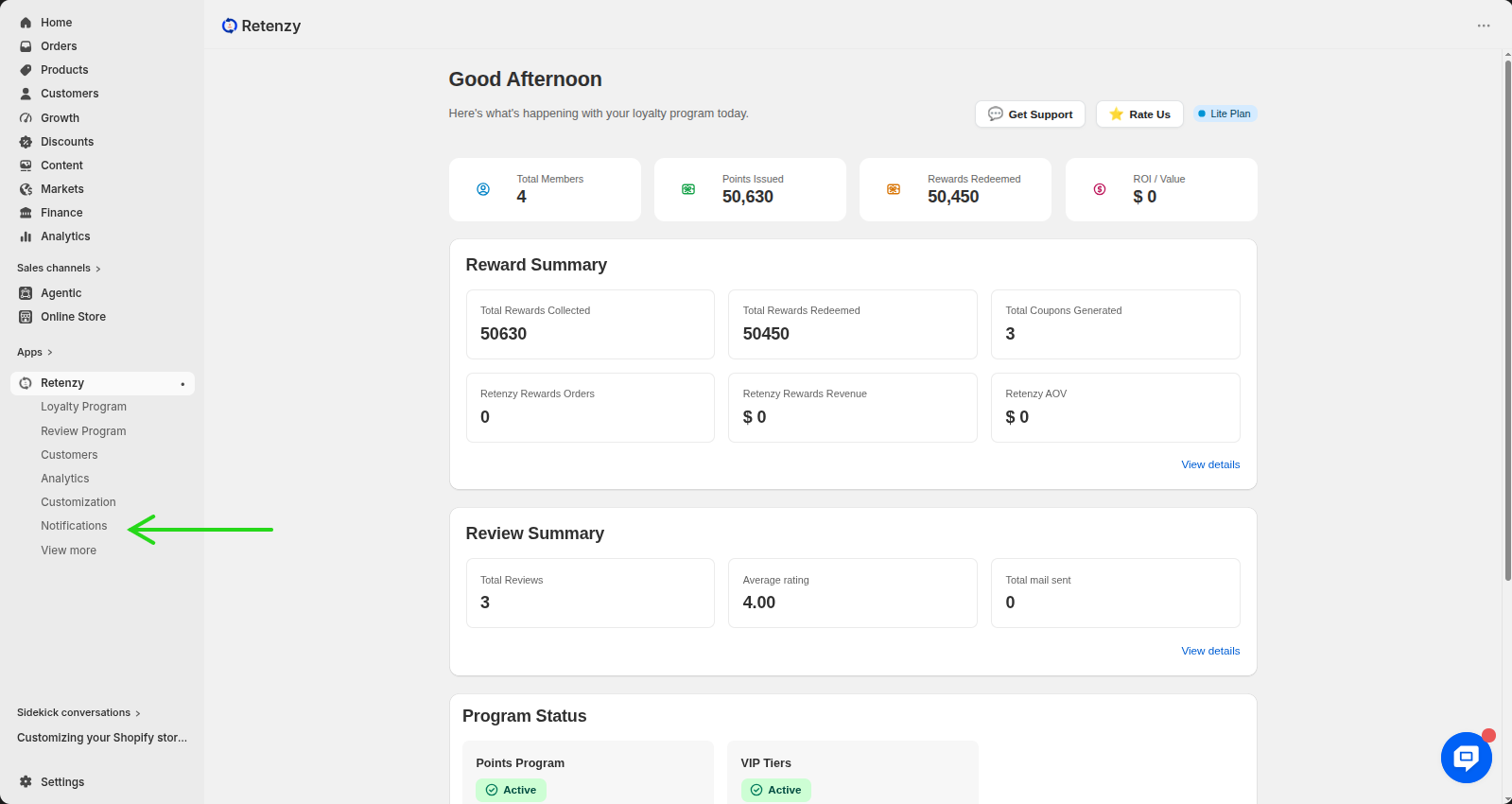
Step 2: Navigate to the Notifications Section
- From the left-hand menu, click on Notifications.
Step 3: Open Email Setup
- Under the Communication section, click on Email Setup.
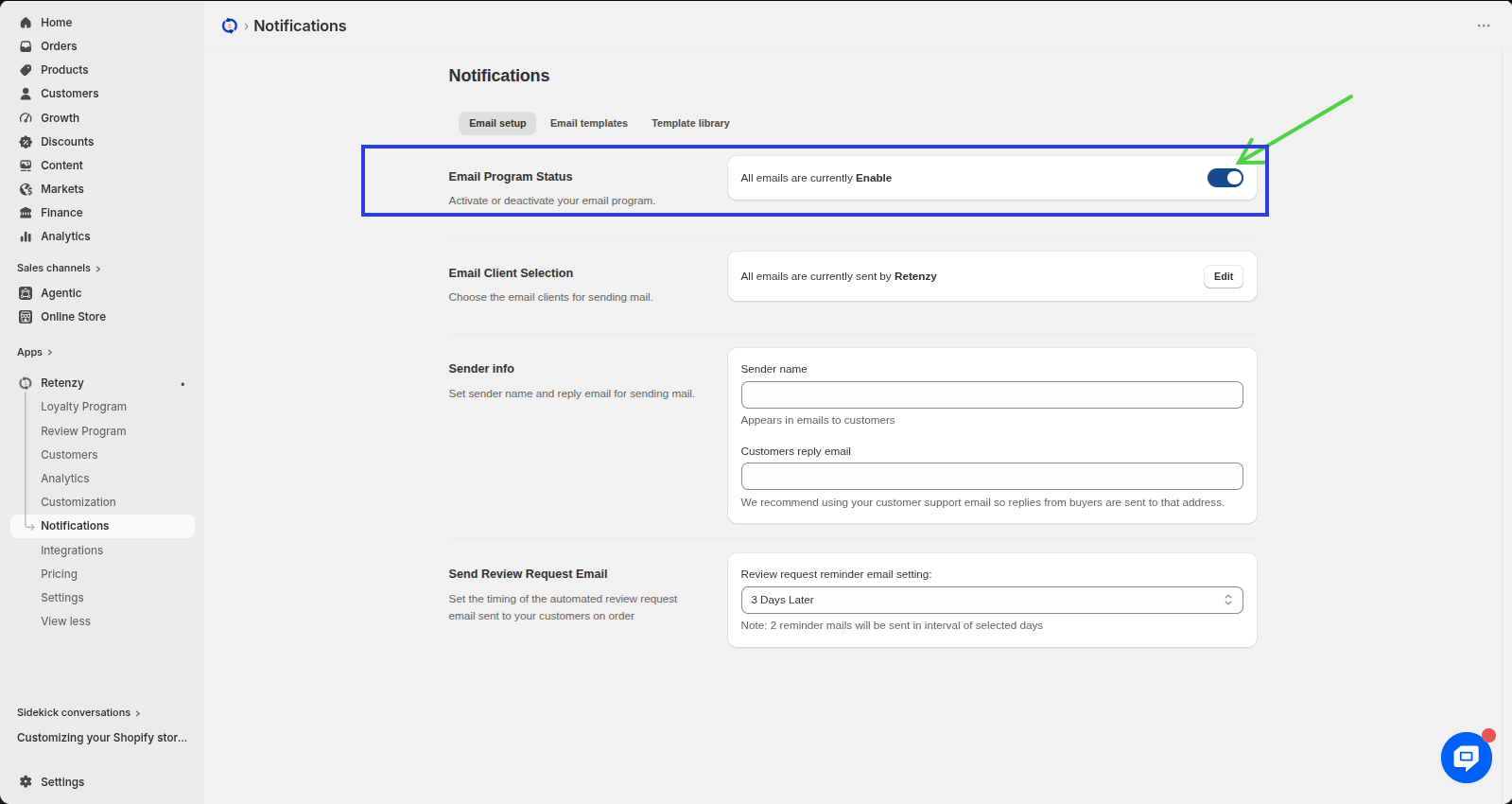
Step 4: Manage the Email Program Status
On the Email Setup page, locate the Email Program Status section. Here, you can see whether your email program is currently Enabled or Disabled.
-
To Enable email notifications, switch the toggle On.
-
To Disable email notifications, switch the toggle Off.
The changes will be updated automatically.