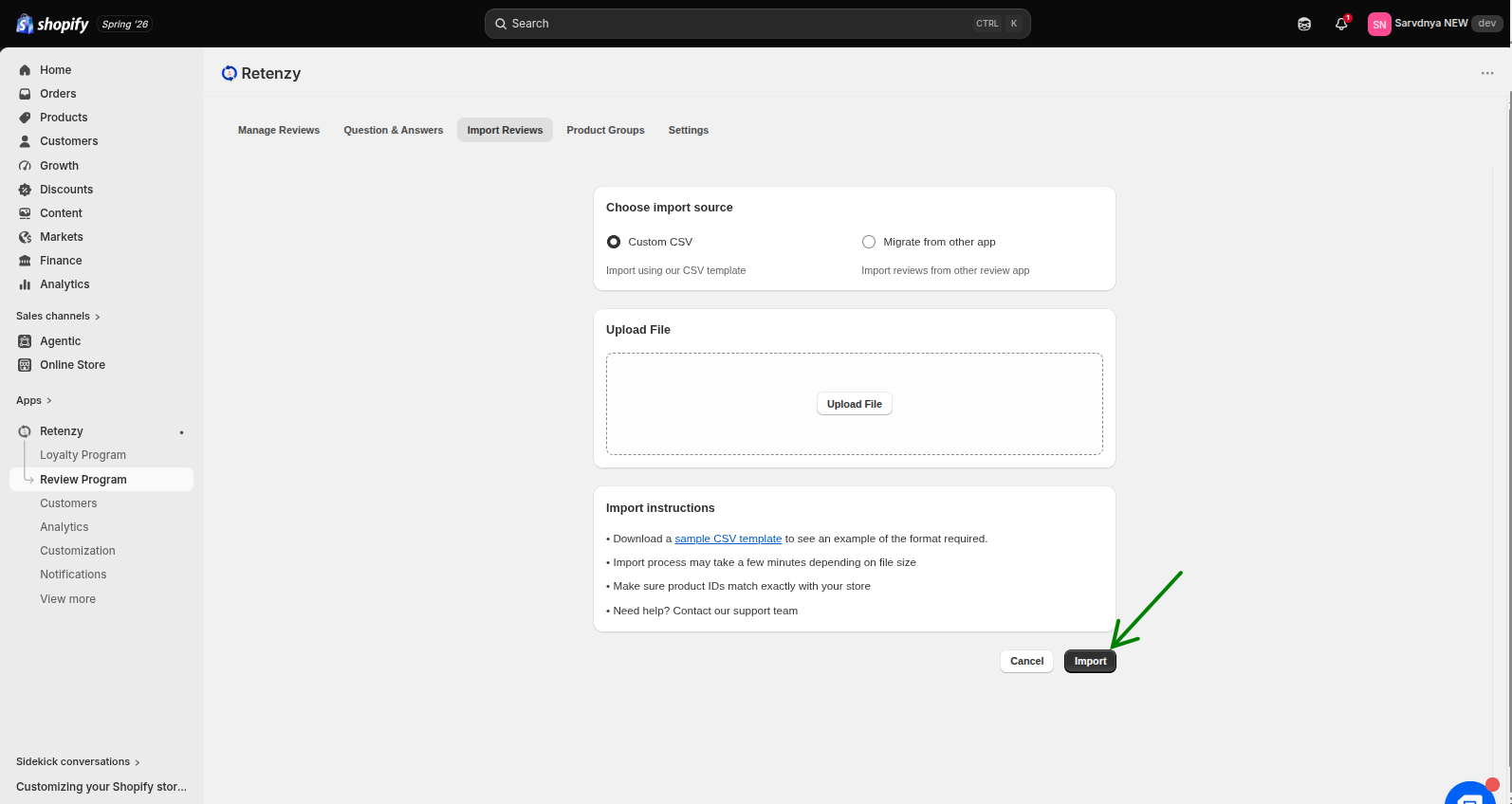
The Import Reviews feature allows you to upload reviews in bulk using a CSV file. This makes it easy to migrate reviews from other platforms or upload multiple customer reviews at once without manual entry.
Step-by-Step:-
Step 1: Open the Retenzy Dashboard
Log in to your Retenzy dashboard to access your store settings.
Step 2: Navigate to the Review Program
From the dashboard, click on Review Program.
l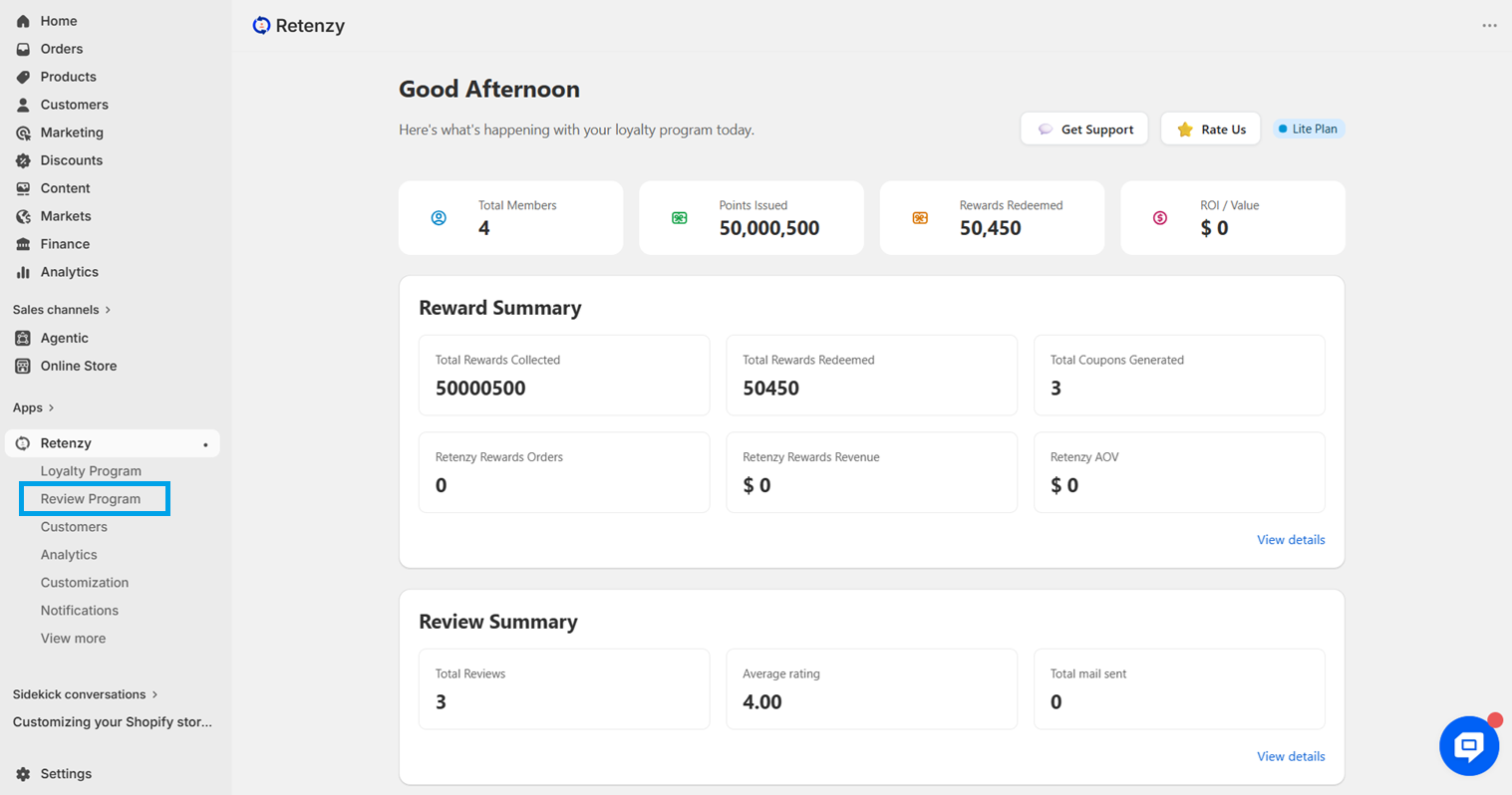
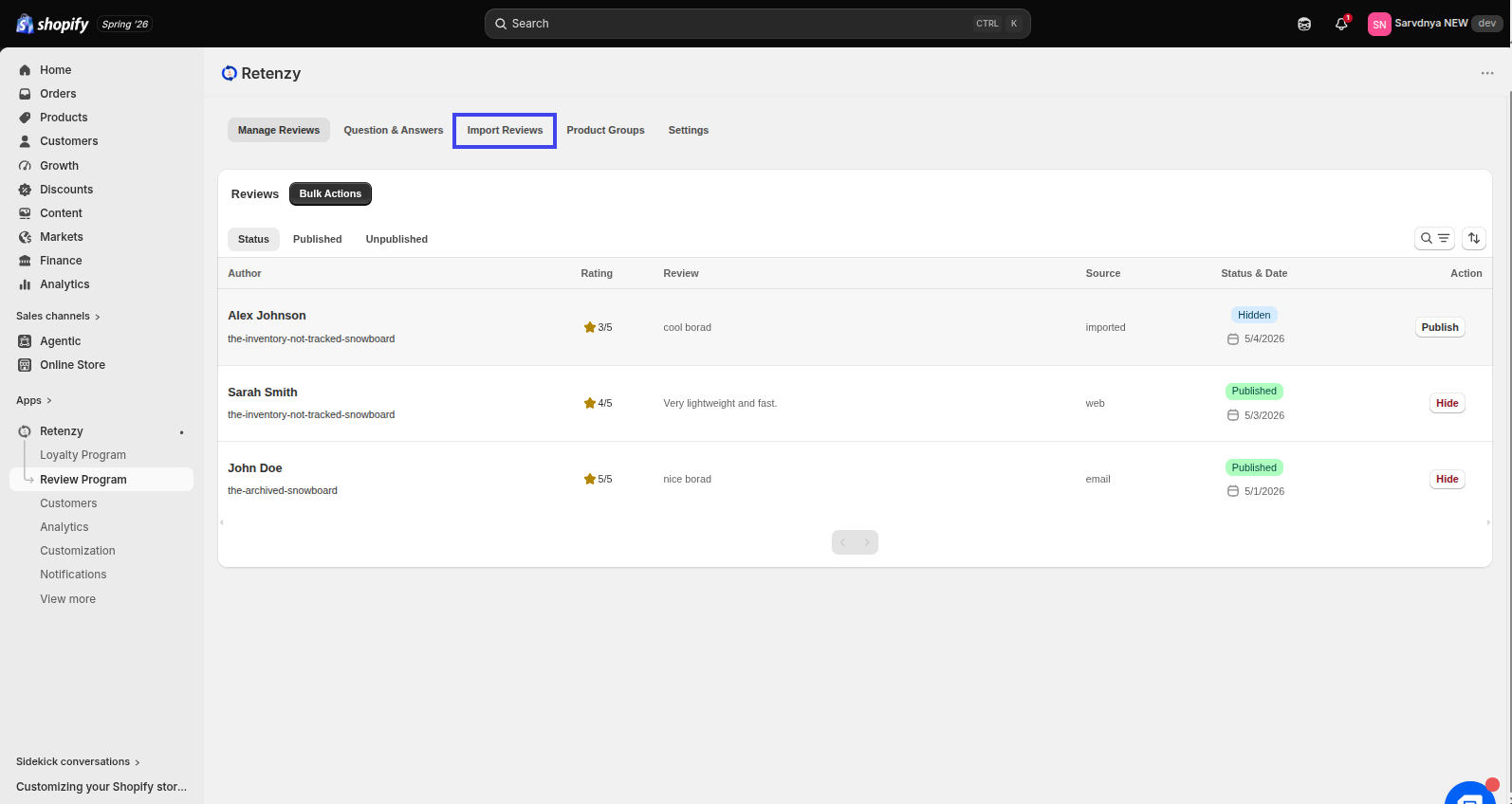
Step 3: Open Import Review
Within the Review Program , click on the Import Reviews tab.
Step 4: Open Custom CSV Import
From the Import Reviews section, click on Custom CSV.
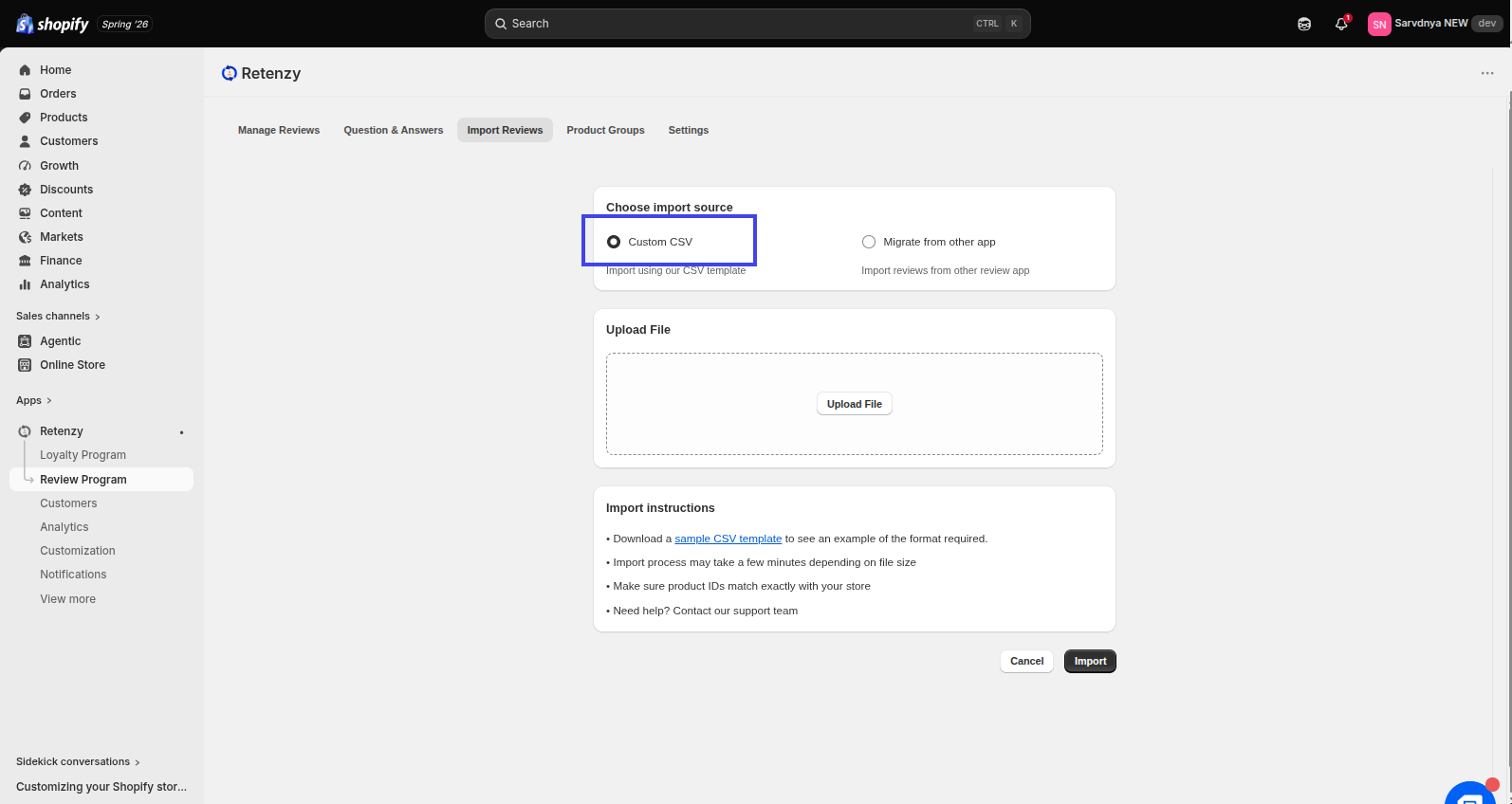
Step 5: Upload Your CSV File
In the Upload File section, click Upload File and select the CSV file containing your reviews.
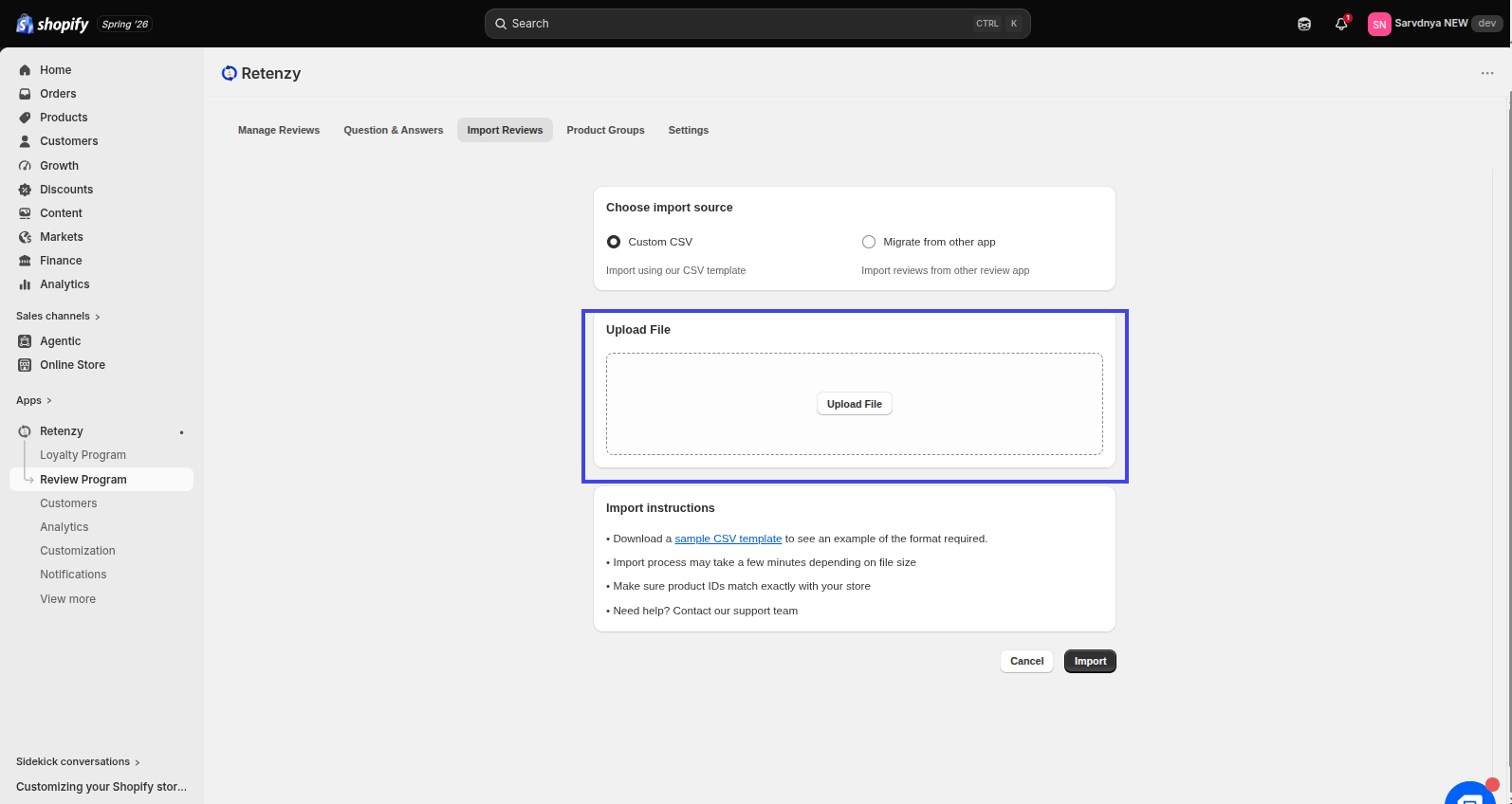
Step 6: Import Your Reviews
After your file has been uploaded successfully, click Import to begin importing your reviews into Retenzy.