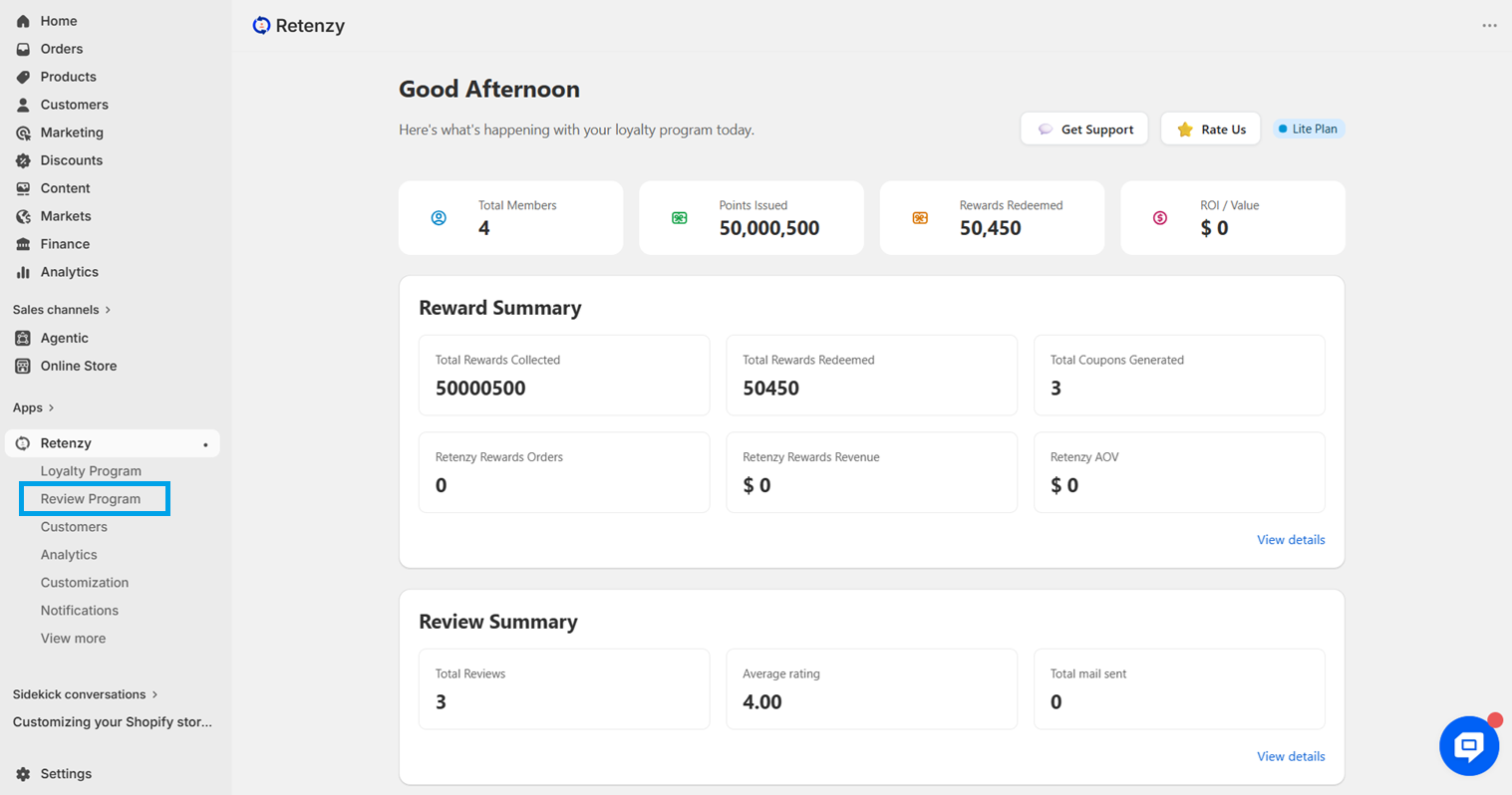
Step 1: Open the Retenzy Dashboard
Log in to your Retenzy dashboard to access your store settings.
Step 2: Navigate to the Review Program
From the dashboard, click on Review Program.
Step 3: Navigate to Question & Answer
-
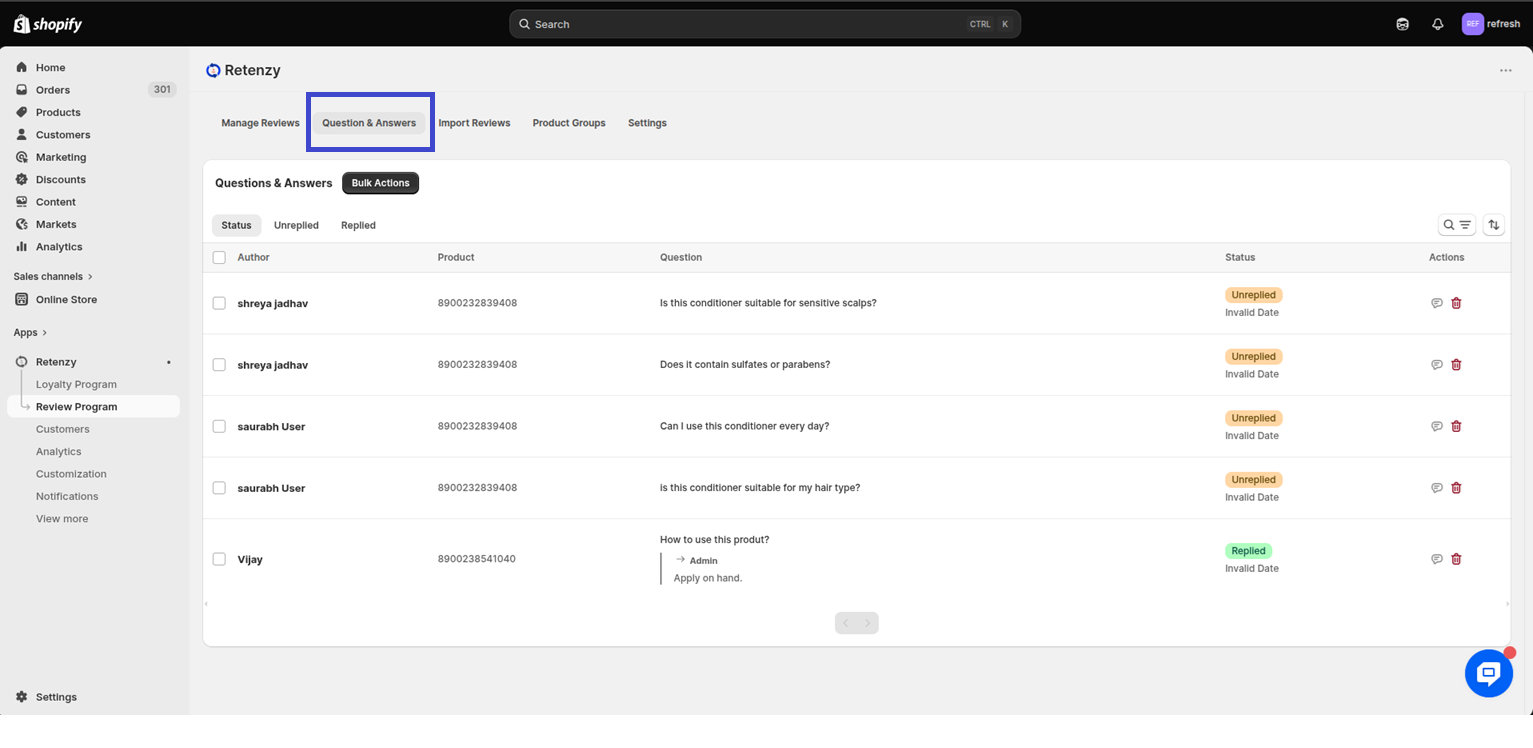
On the Review program page, go to the Question & Answer section.
-
In this section, all customer questions will be displayed.
-
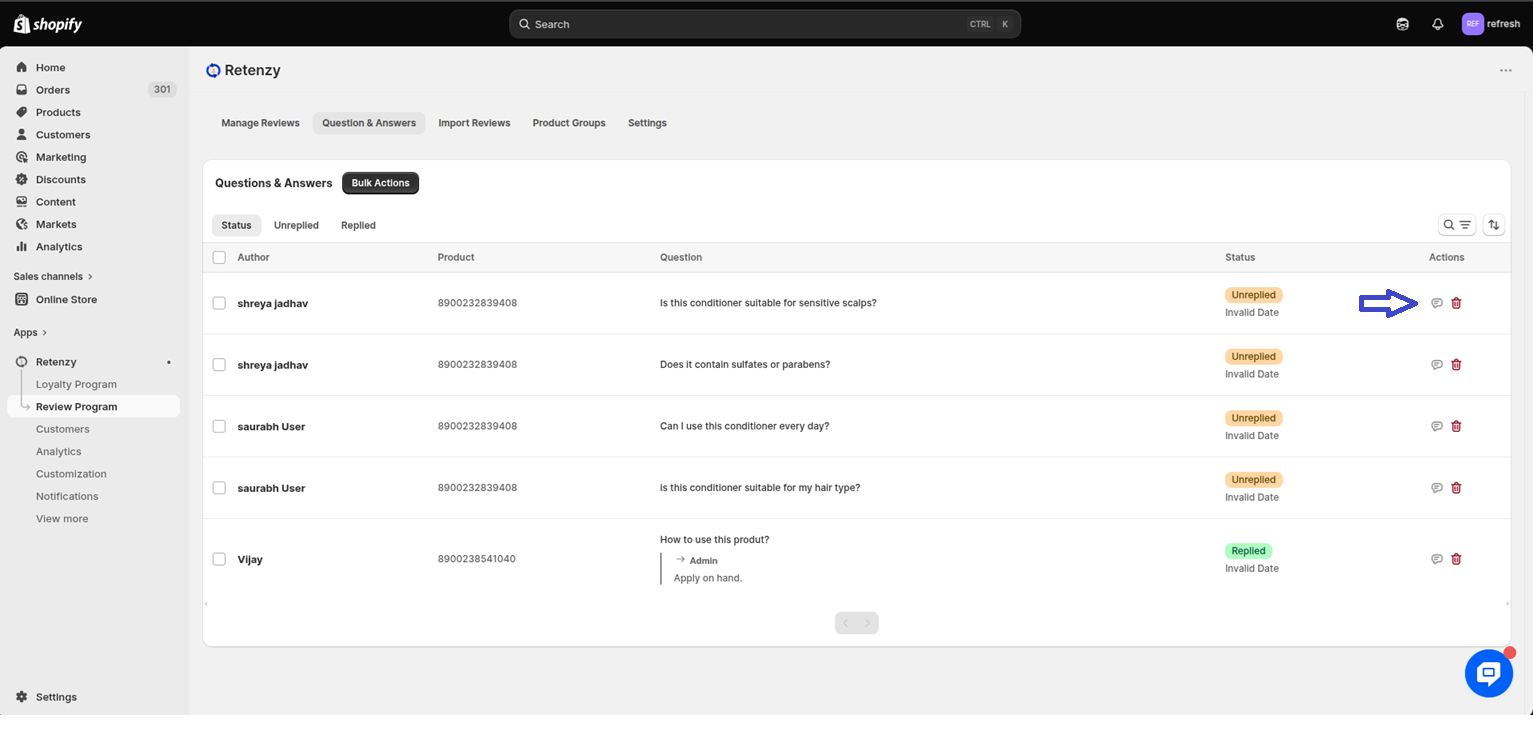
You can directly answer questions from here to provide accurate information and assist your customers.
Step 4: Reply to Reviews
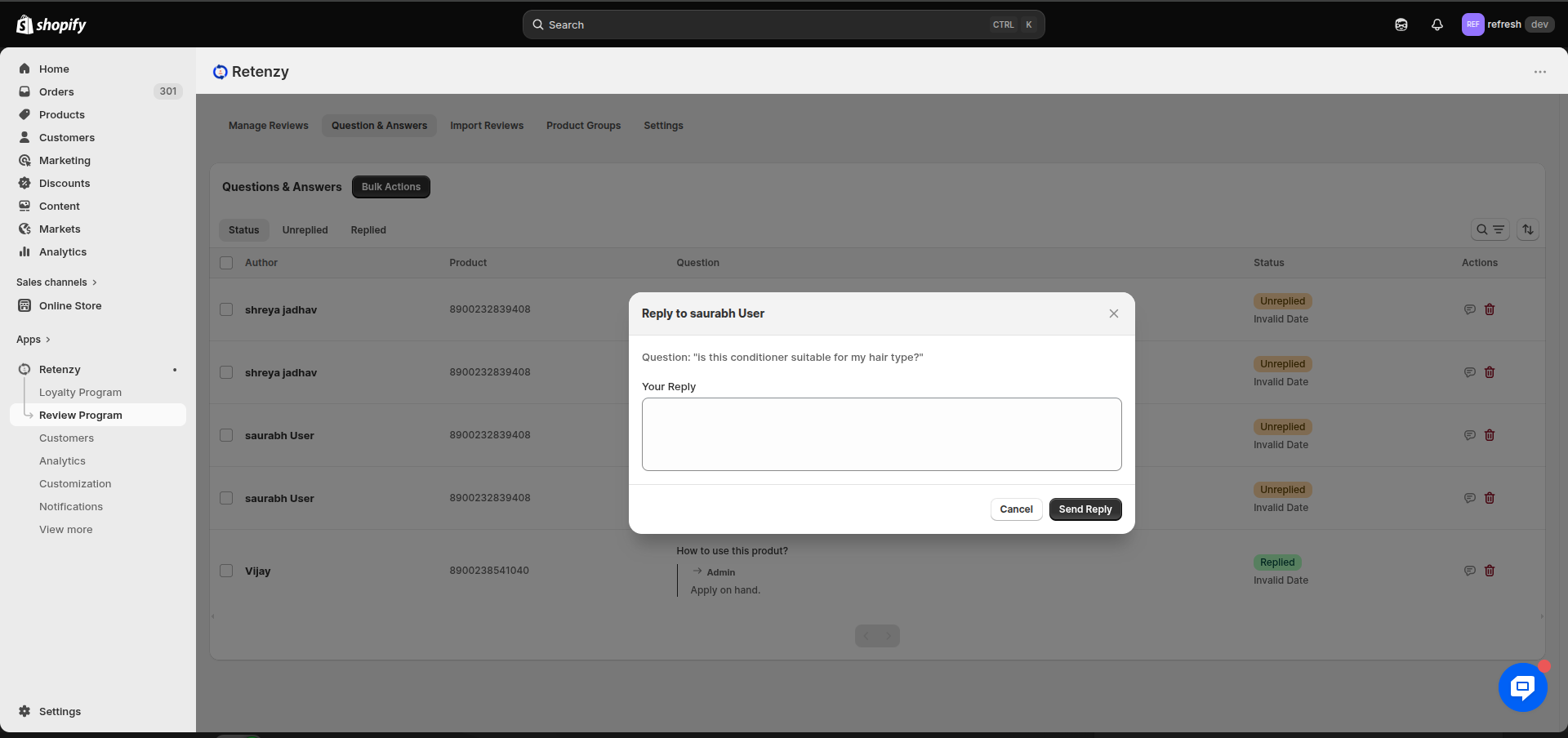
On the Questions page, you will see all the customer reviews. For each review, click the Reply icon. This will allow you to write and submit a reply to that review.