Step 1: Open the Retenzy Dashboard
-
Log in to your Retenzy dashboard to access your store settings.
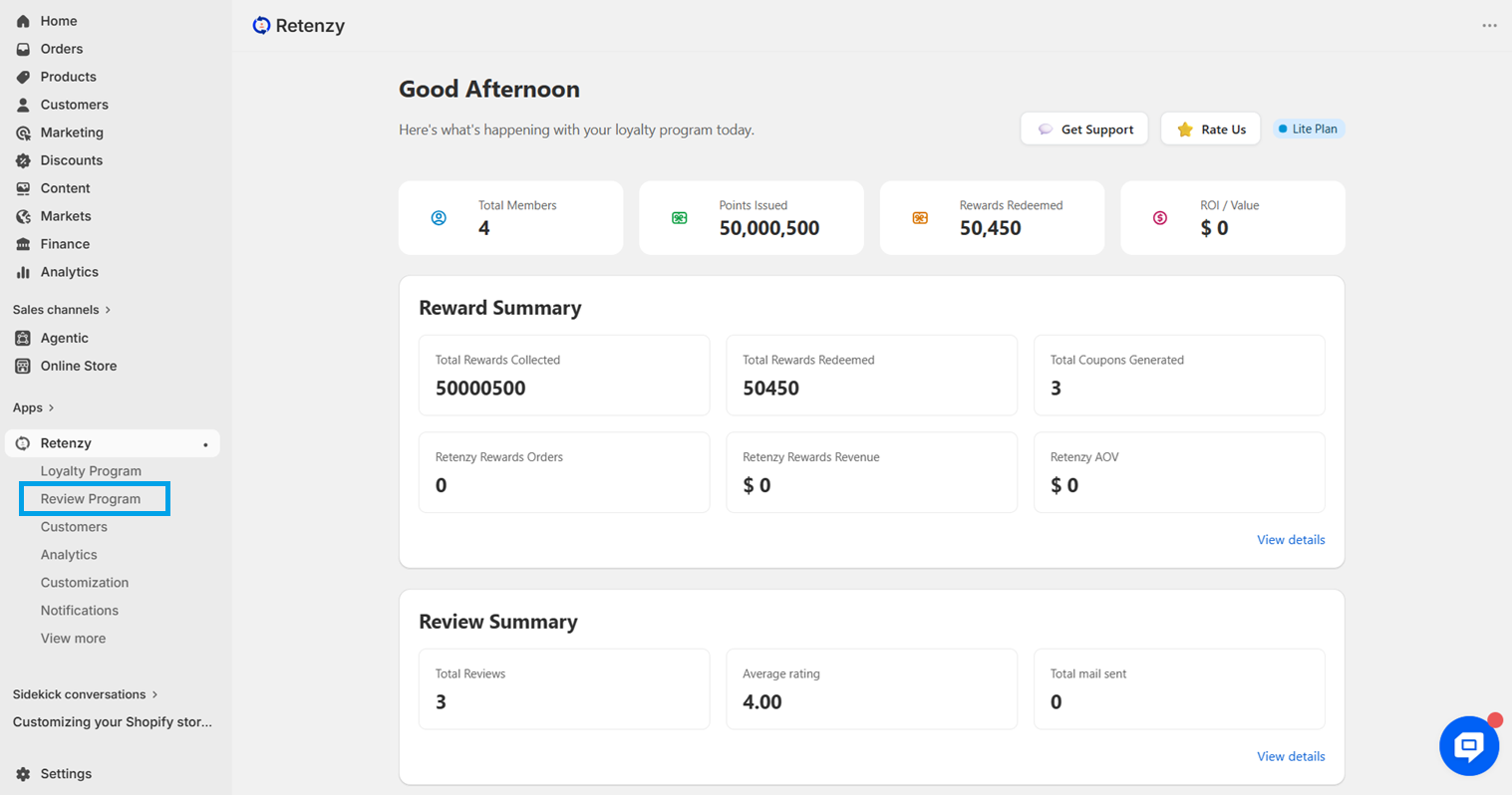
Step 2: Navigate to the Review Program
From the dashboard, click on Review Program.
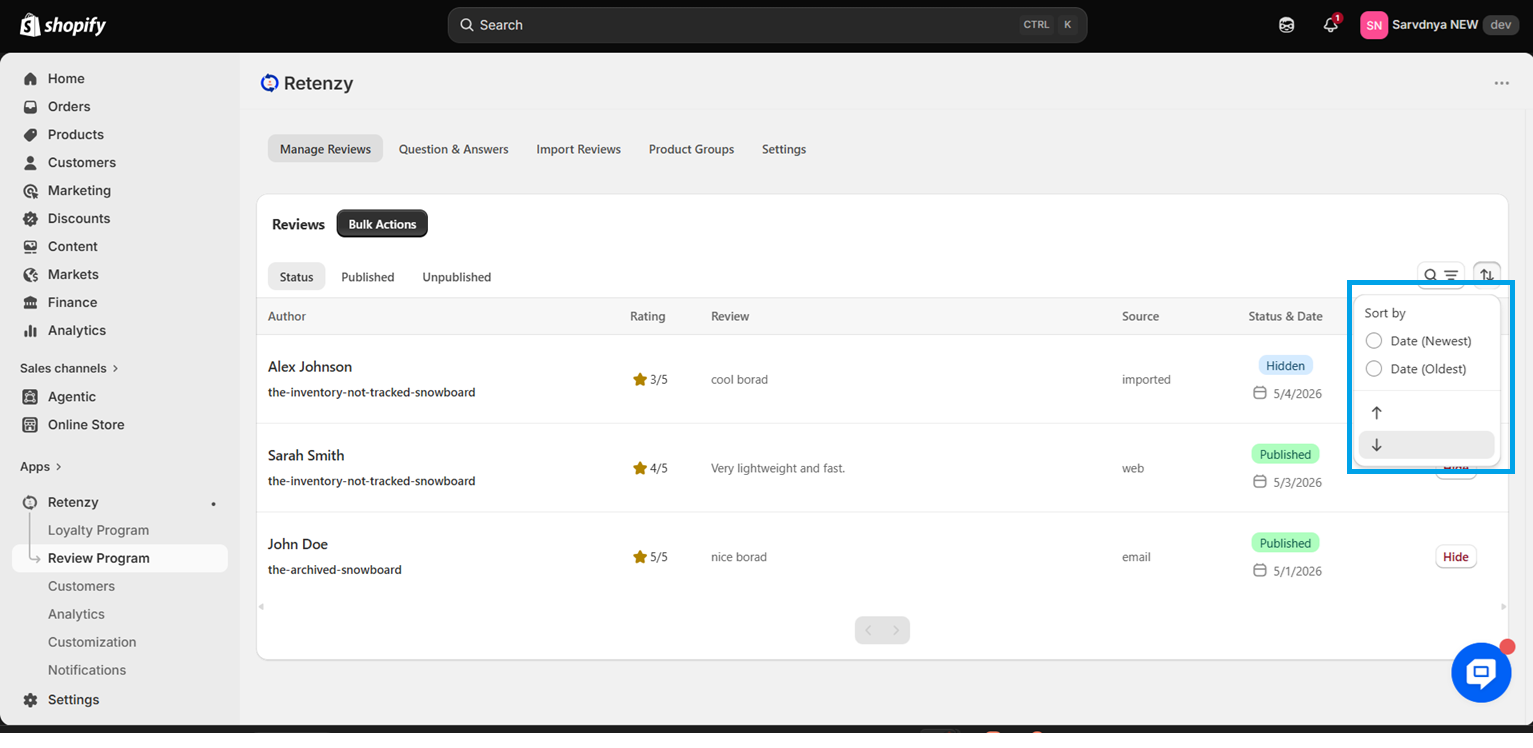
Review Date (Asc): Shows reviews starting from the oldest to the newest.
Review Date (Desc): Shows reviews starting from the newest to the oldest.