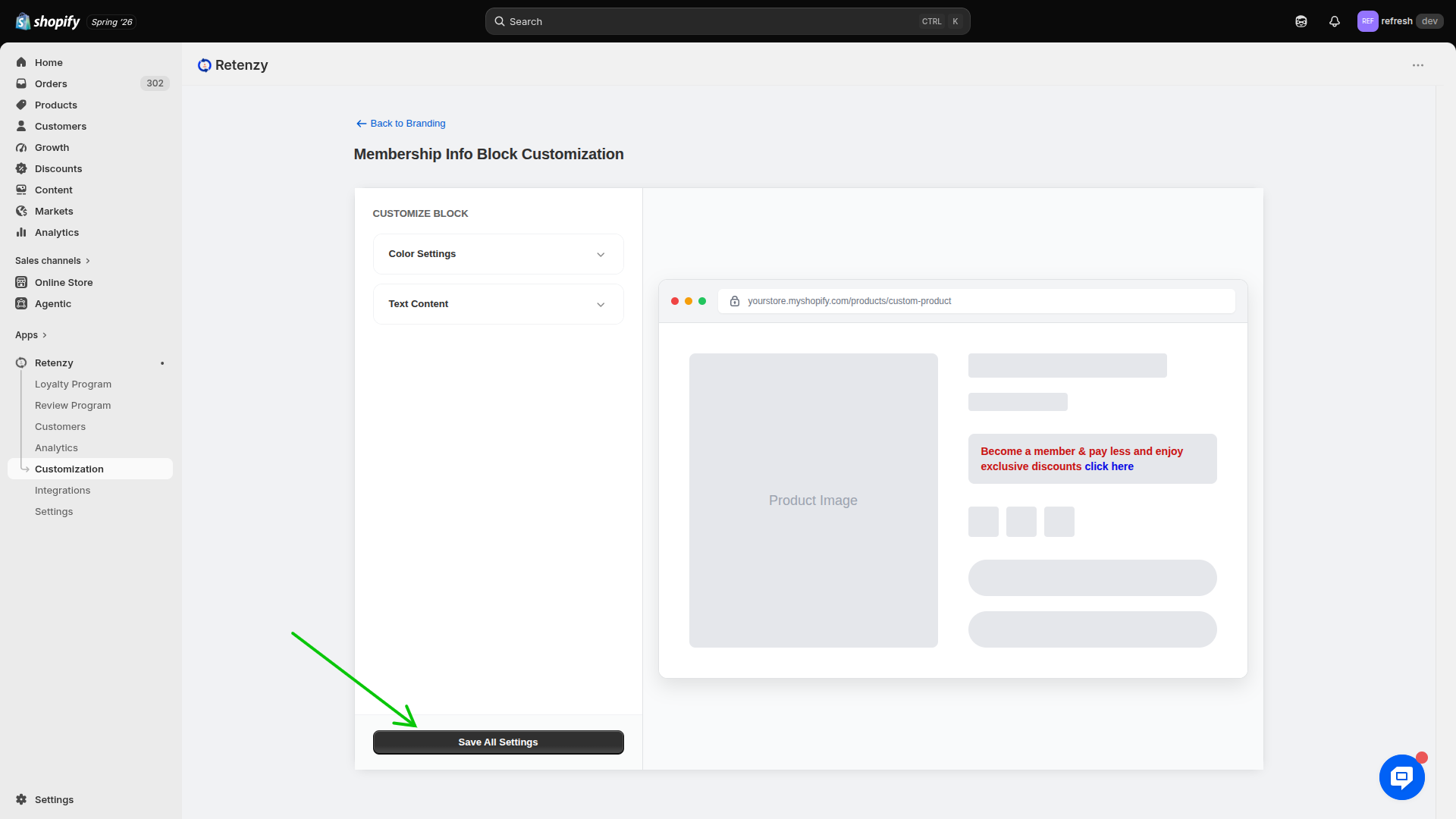
Step 1: Open the Retenzy Dashboard
- Log in to your Retenzy dashboard to access your store settings.
Step 2: Navigate to the Customization
- From the dashboard, click on Customization
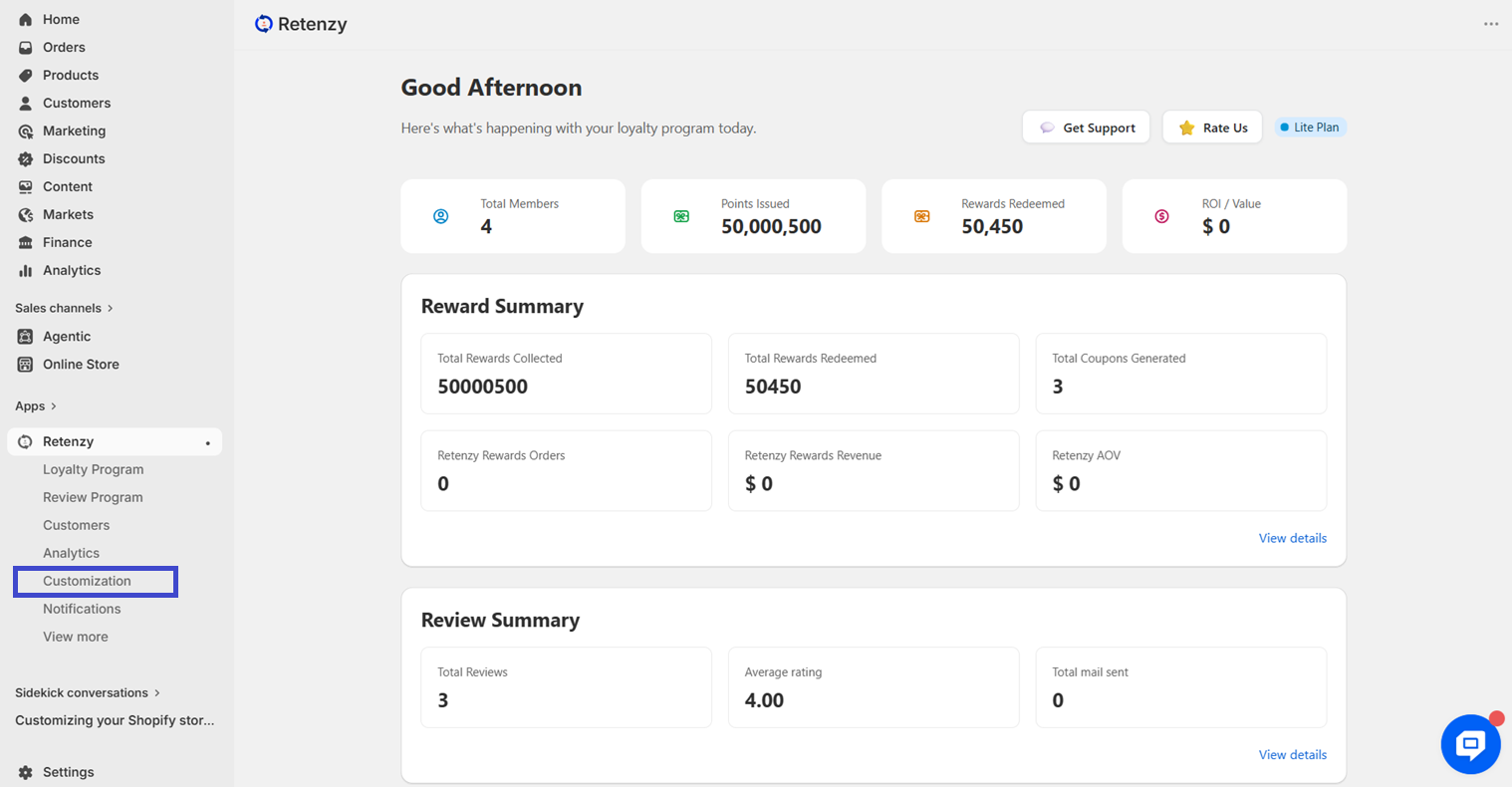
Step 3: Open the Rewards Section
- In the Customization page, navigate to the Rewards section.
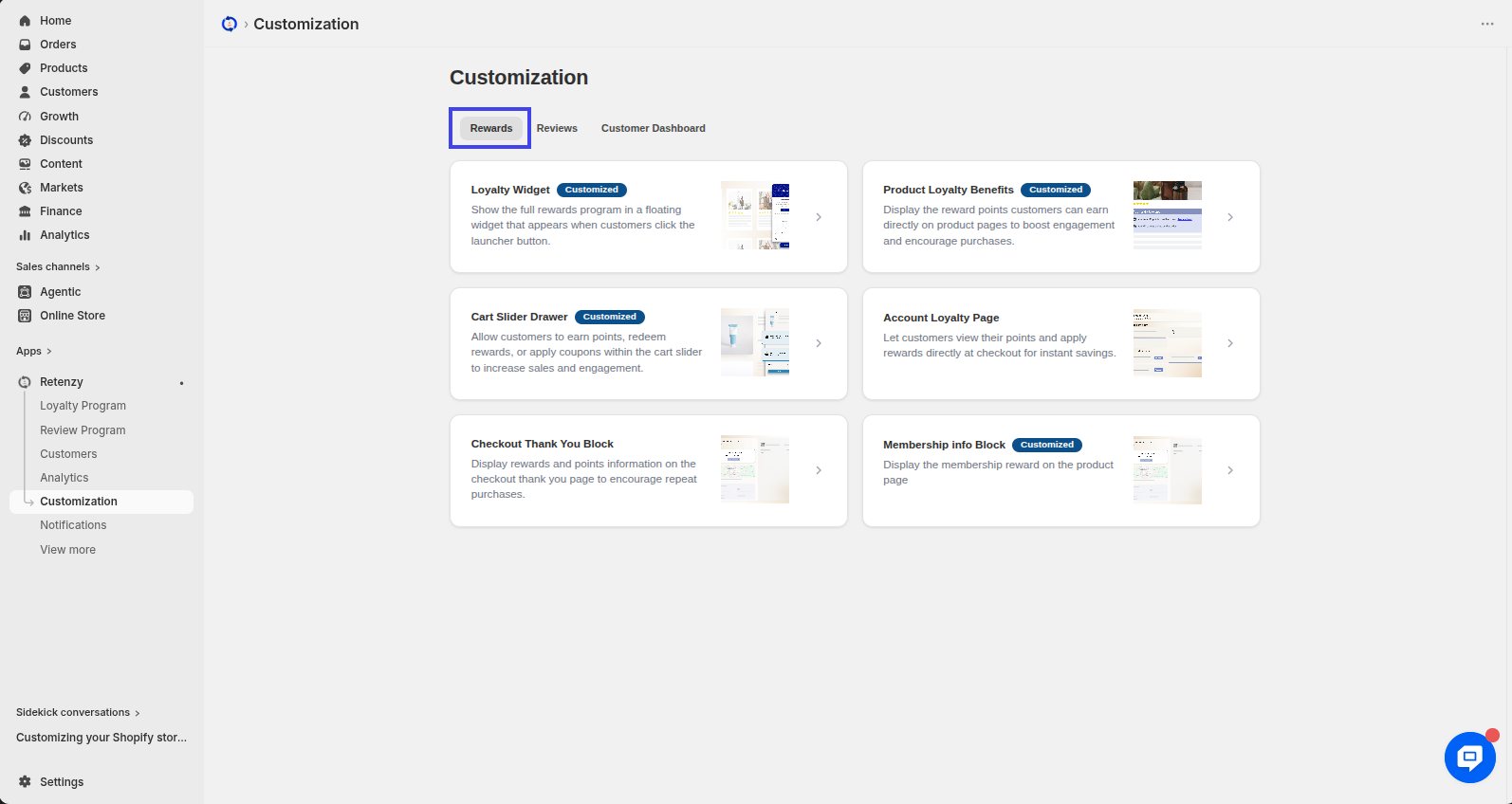
Step 4: Open the Loyalty Widget
- Within the Rewards section, click on the Membership Info Block
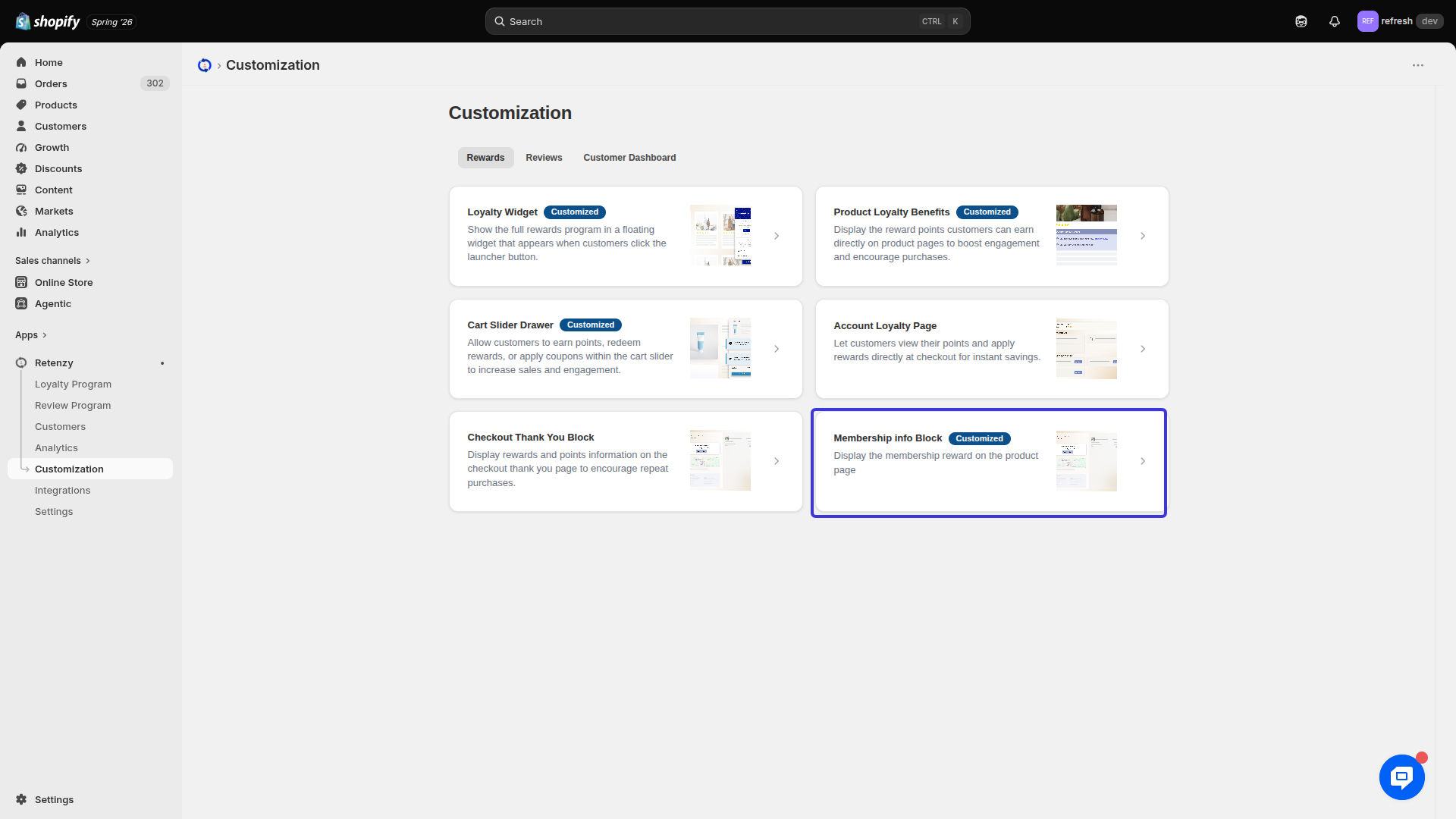
Step 5: Customize the Membership Info Block
Scroll down to the Membership Info Block Customization section.
Here, you can customize the appearance and content of the membership information block displayed to your customers.
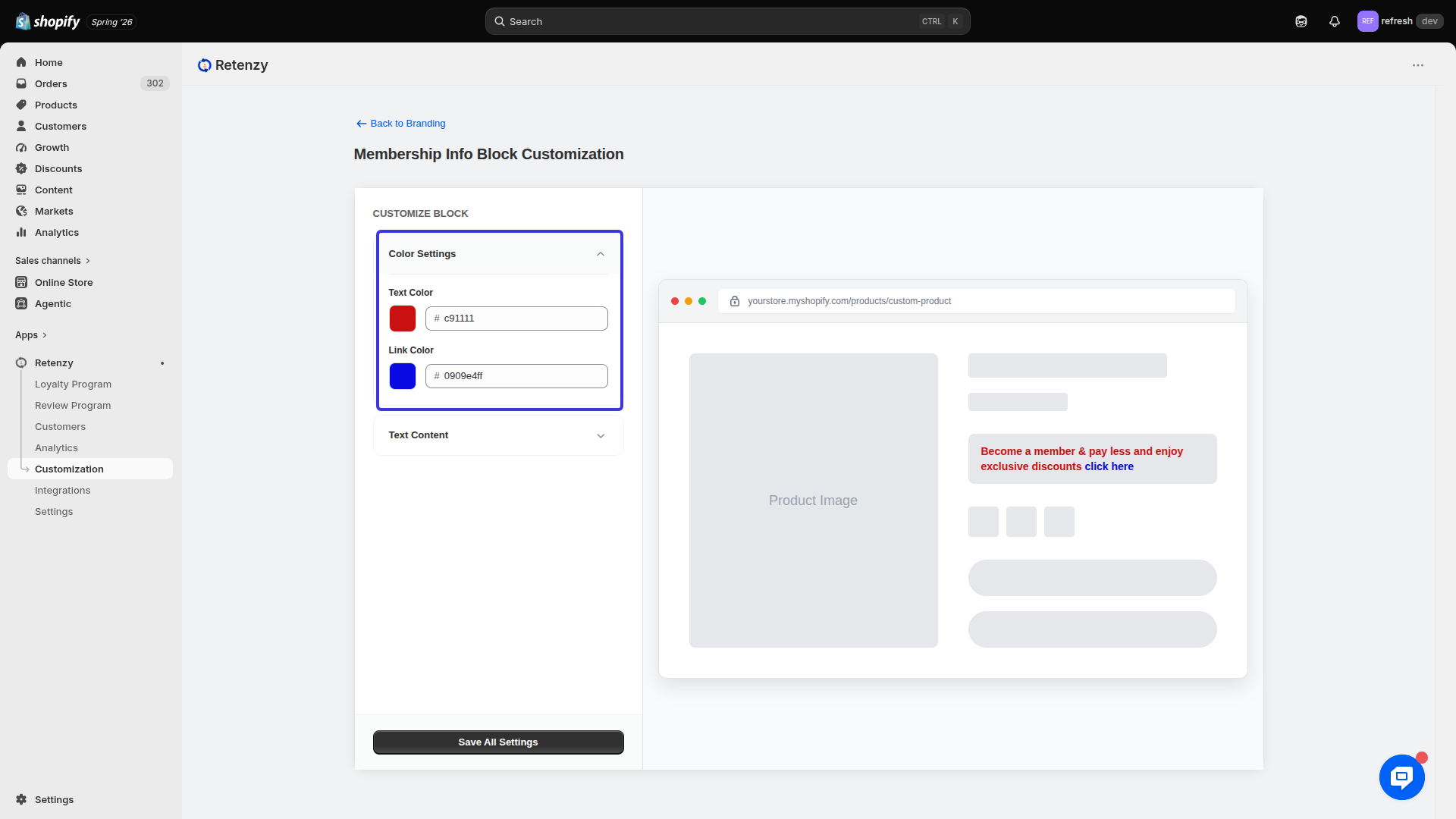
Customize Block
Color Settings
Configure the following color options:
-
Text Color
-
Link Color
Choose colors that match your store's branding and improve readability.
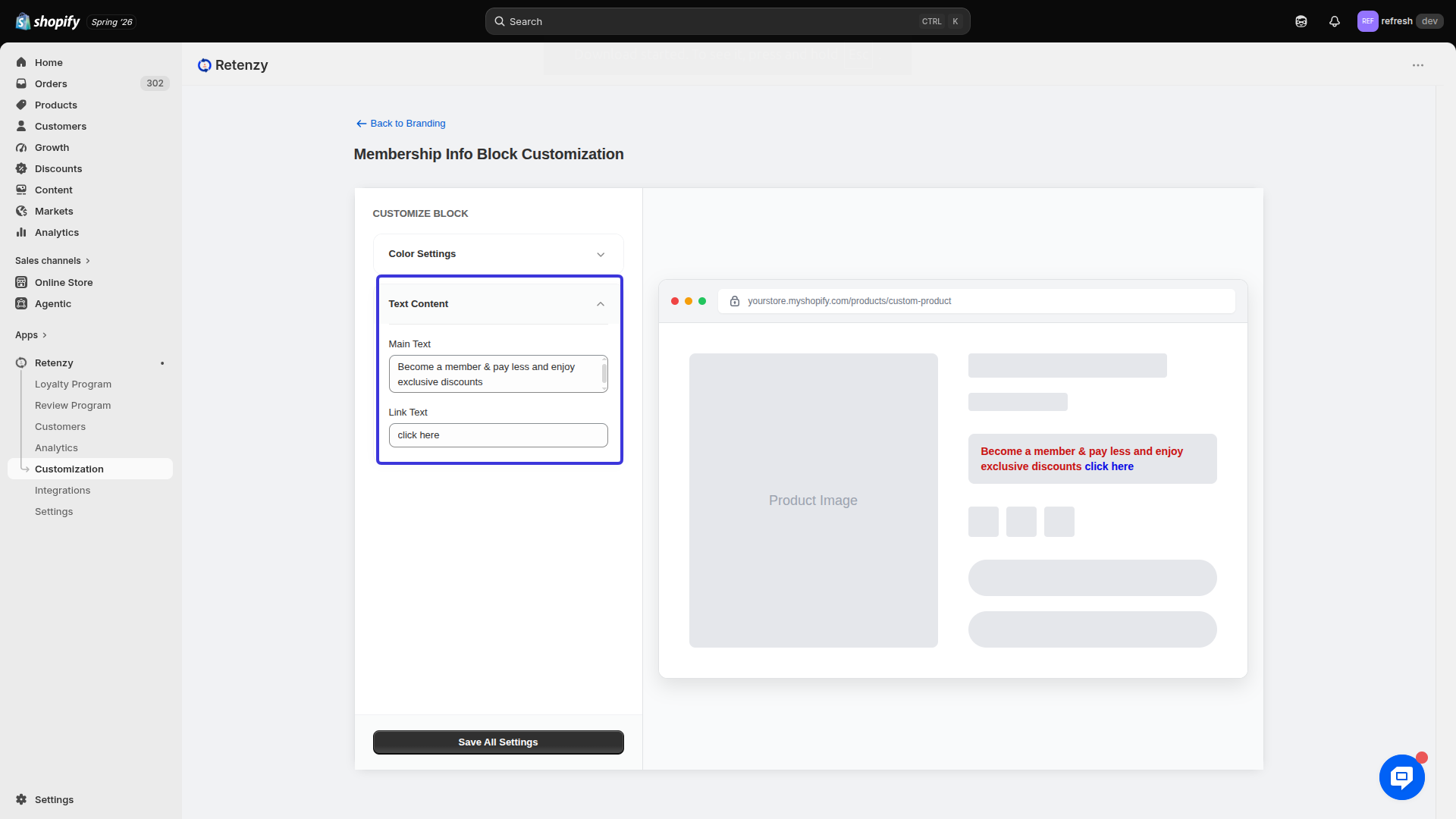
Text Content Settings
Customize the text displayed in the membership information block.
-
Main Text
-
Link Text
Example:
-
Main Text: Join our membership program and unlock exclusive rewards.
-
Link Text: Learn More
Step 6: Save All Settings
-
Review your customization.
-
Click Save All Settings to apply and save your changes.