Step 1: Open the Retenzy Dashboard
- Log in to your Retenzy dashboard to access your store settings.
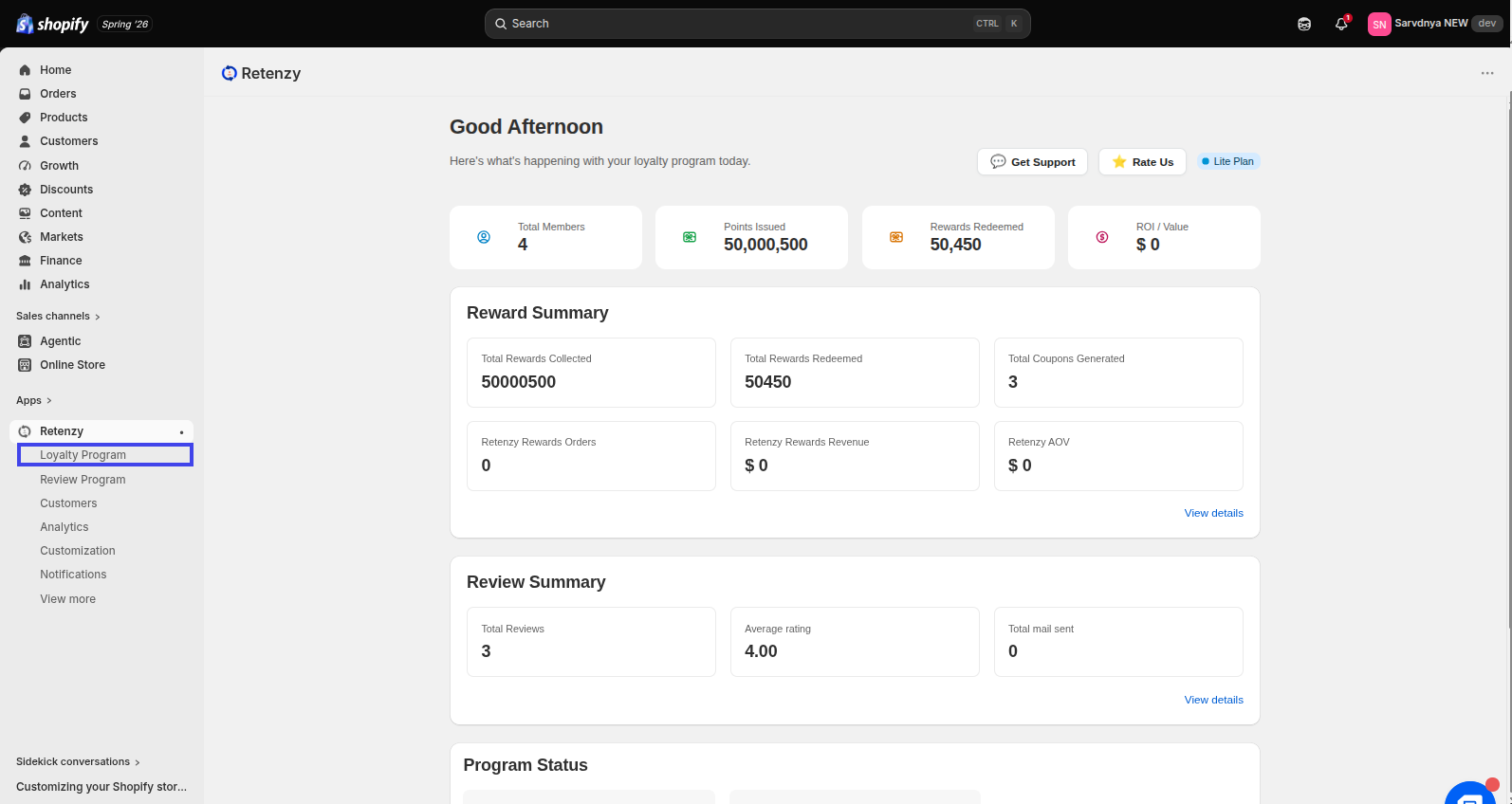
Step 2: Navigate to the Loyalty Program
From the dashboard, click on Loyalty Program.
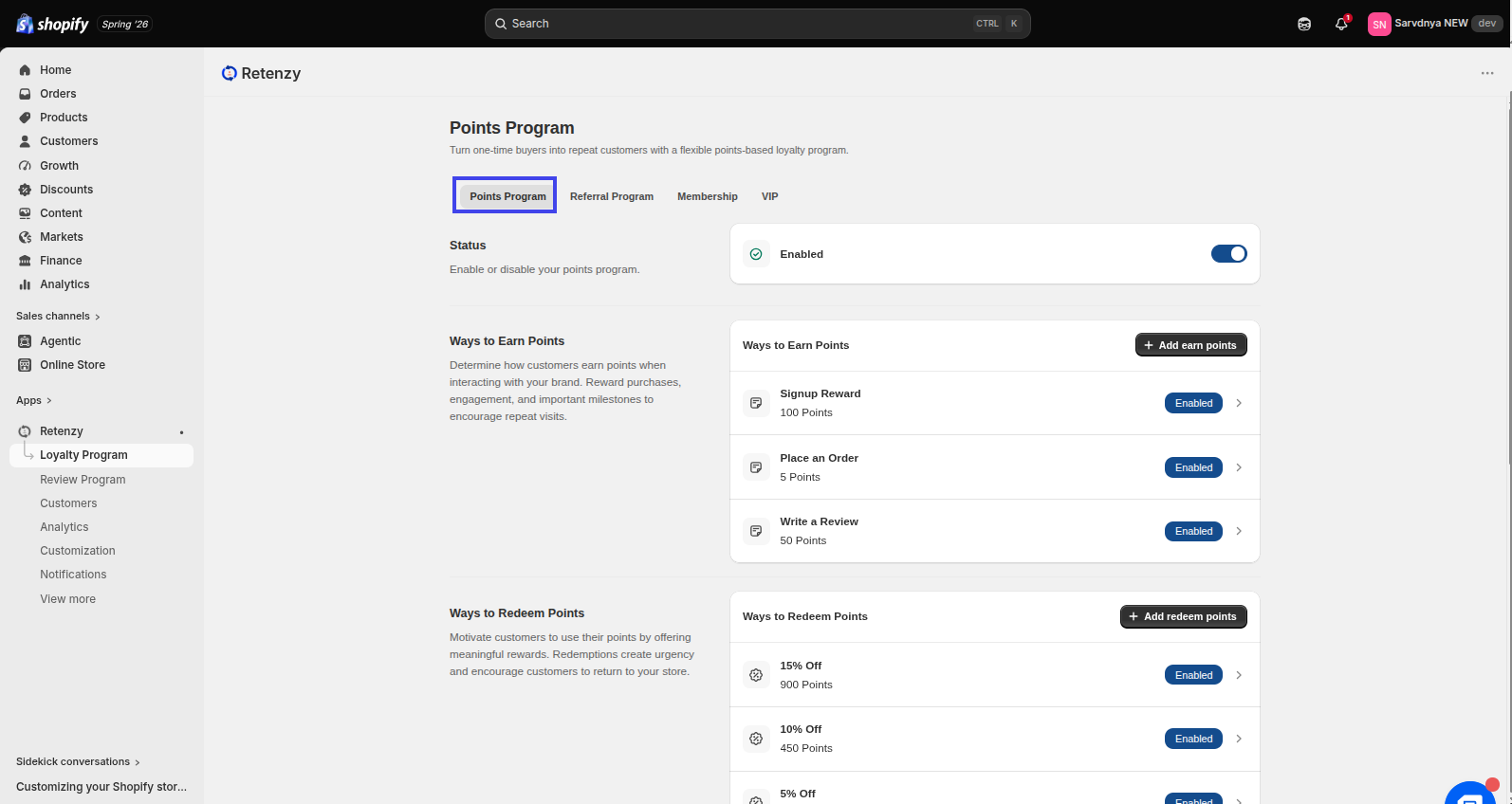
Step 3: Open Loyalty Program
Within the Loyalty Program,click on the points program tab and scroll down to Points Branding.
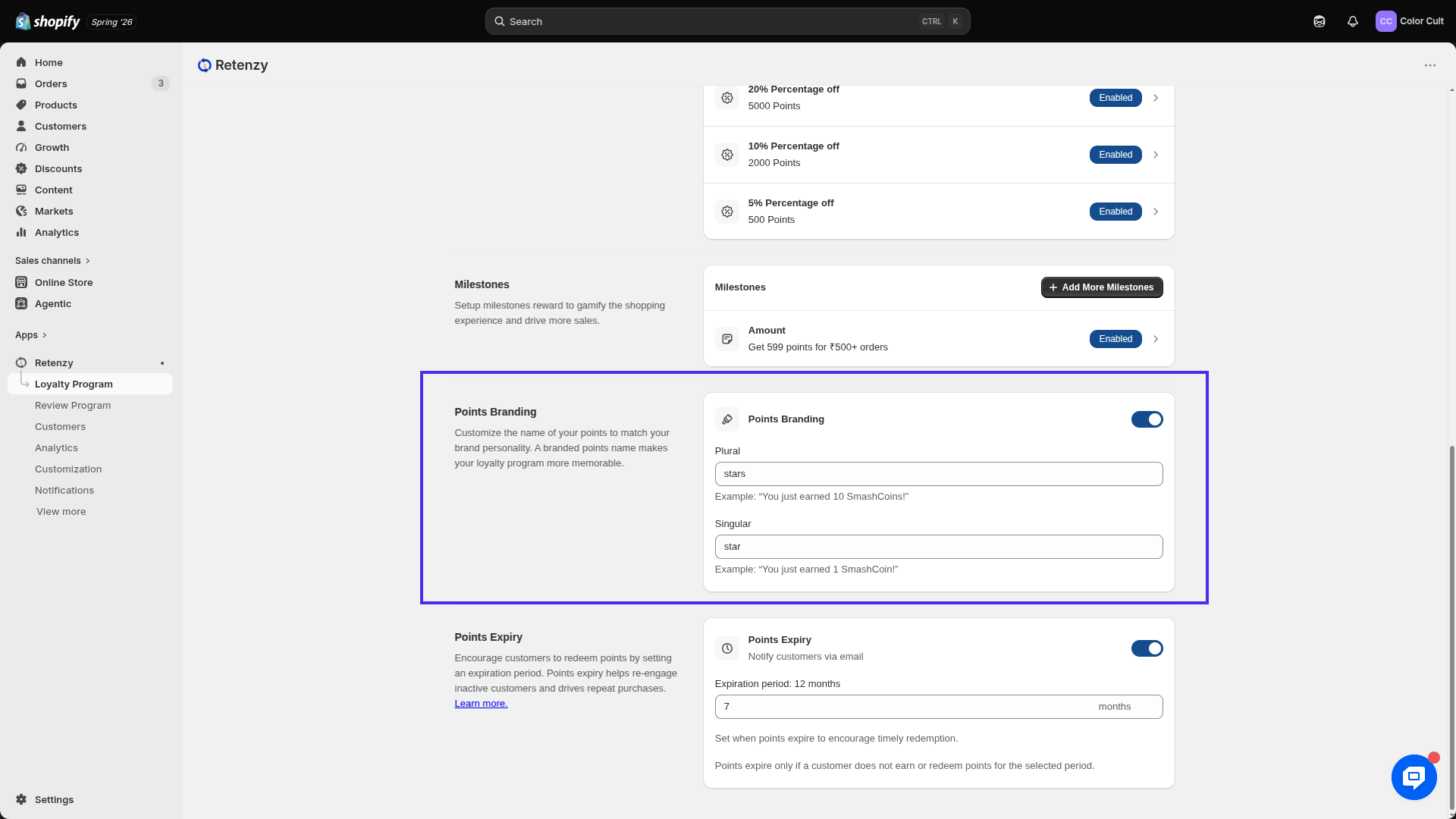
Step 4: Configure Points Branding
Customize how reward points are displayed to your customers.
- Plural – The name used when customers have multiple points (e.g., Stars).
- Singular – The name used when customers have a single point (e.g., Star).
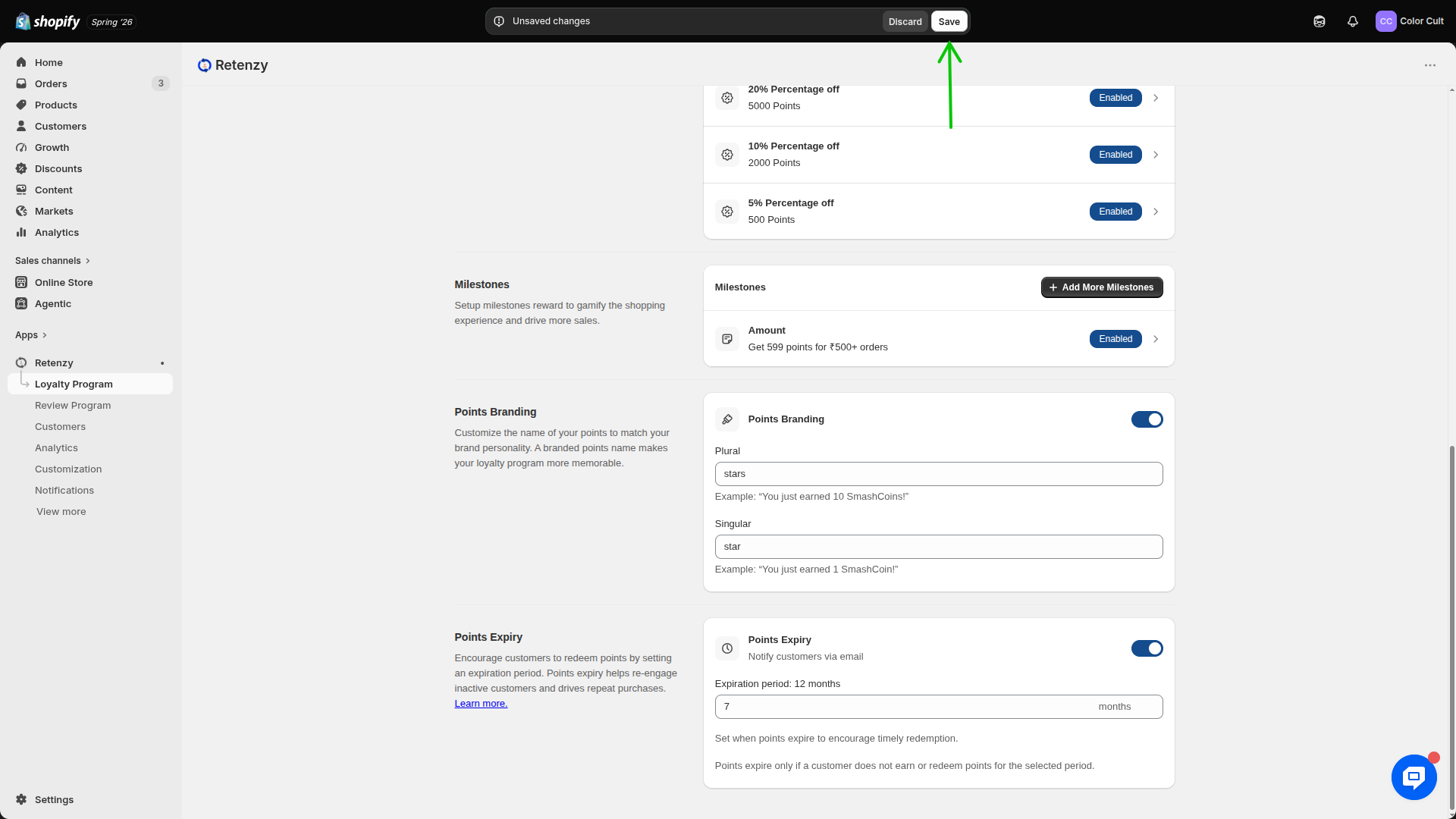
Step 5: Save Your Changes
Click Save to apply the updated points branding. The new branding will be reflected throughout your loyalty program wherever reward points are displayed.