Step-by-Step Guide: Membership Point Program
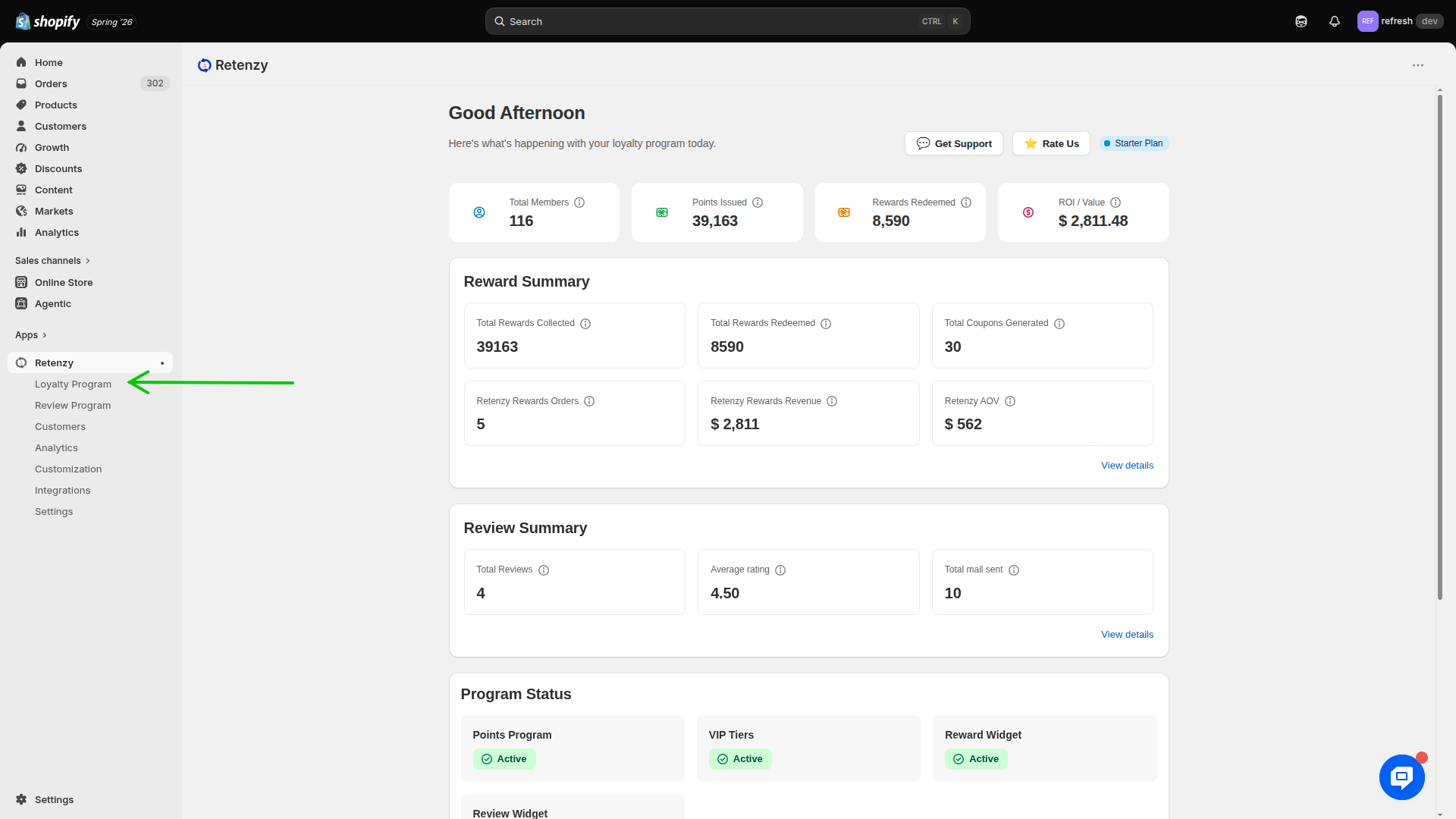
Step 1: Navigate to the Loyalty Program
-
Log in to your Retenzy Dashboard.
-
From the left-hand navigation menu, click Loyalty Program.
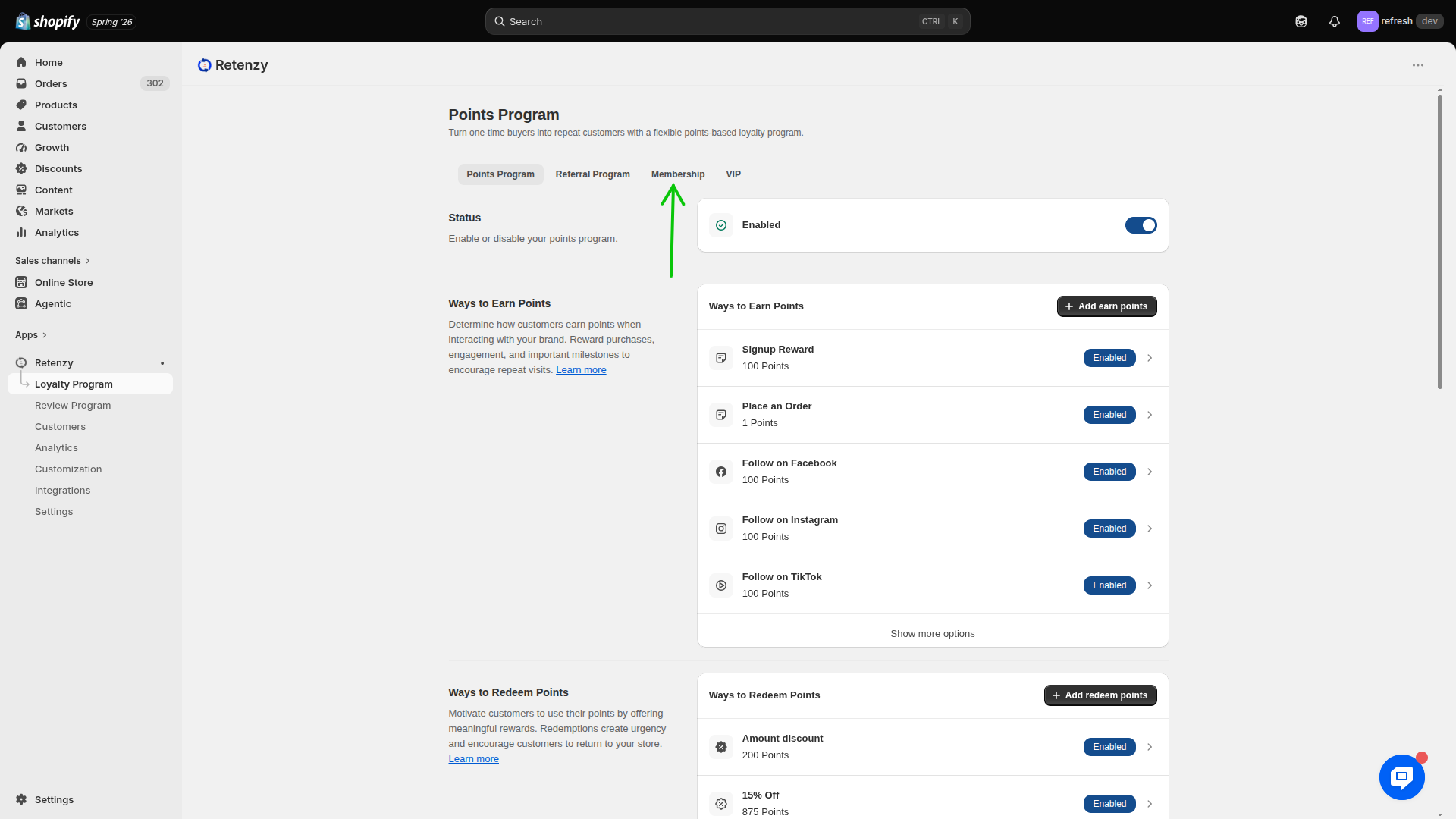
Step 2: Open the Membership Section
-
Under the Loyalty Program section, click Membership.
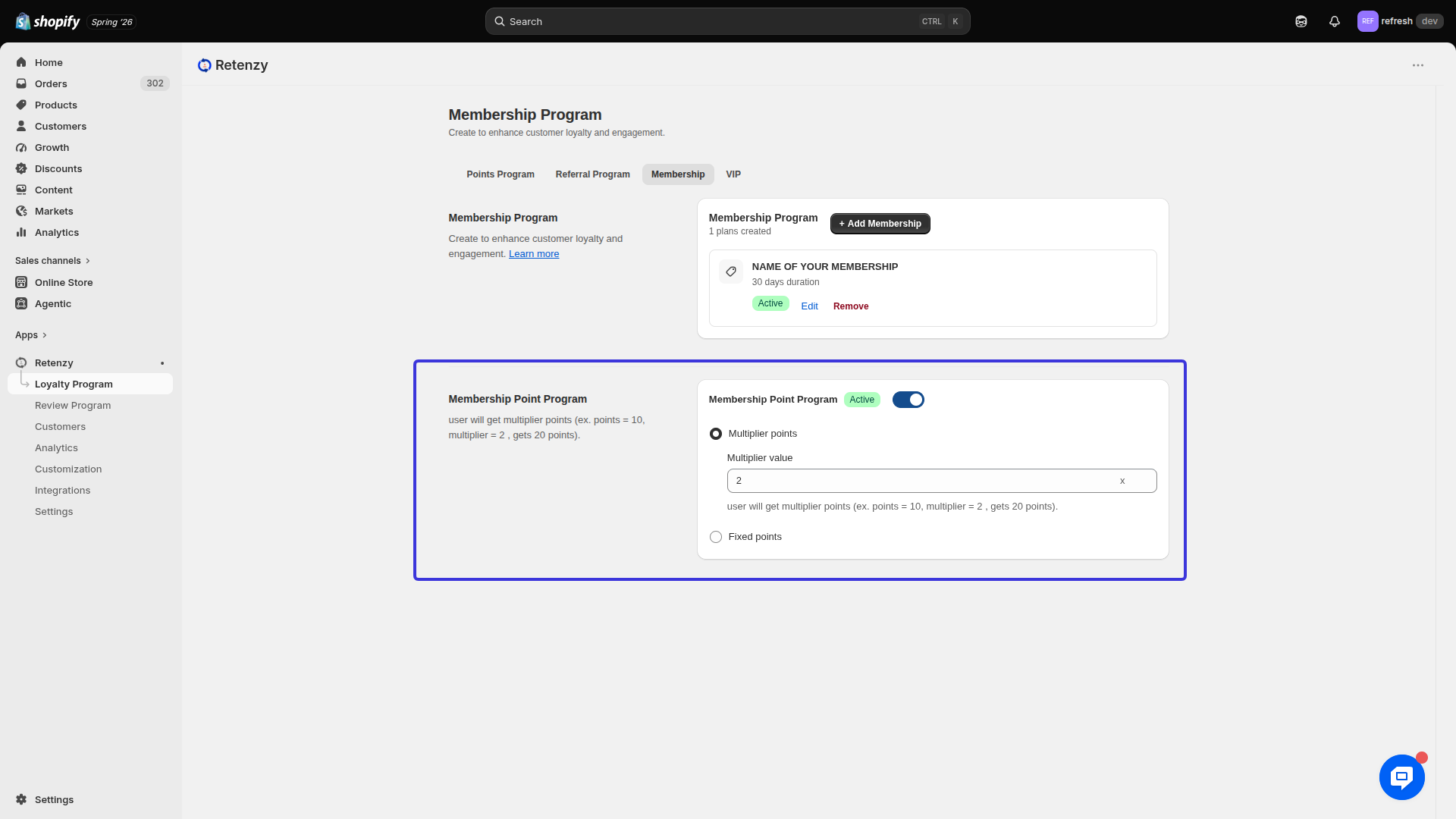
Step 3: Open the Membership Point Program
-
Scroll down to the Membership Point Program section.
-
Enable the Active toggle to activate the membership point program.
.png)
Step 4: Choose the Point Earning Method
Select how members will earn points from the available options.
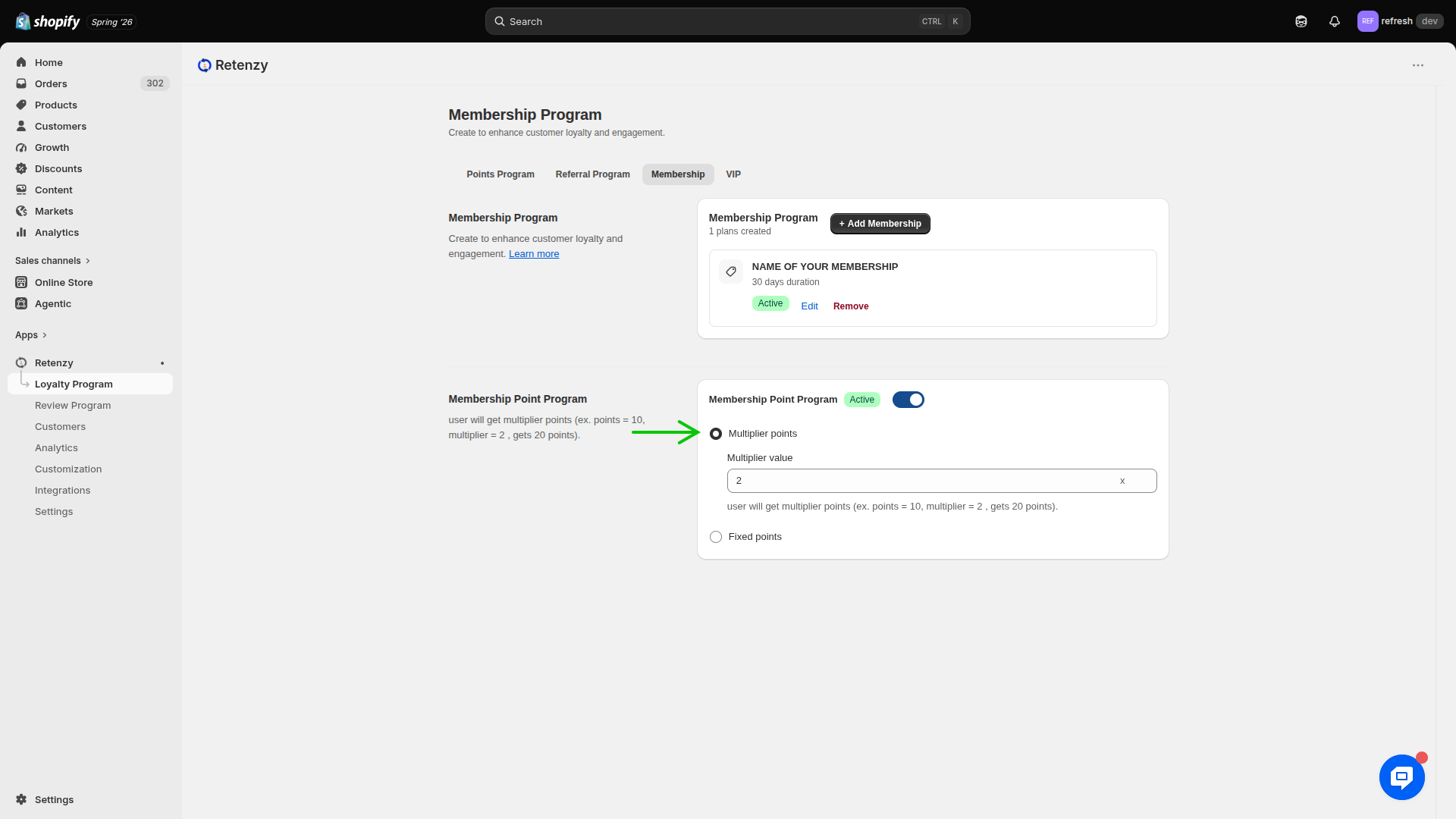
Option 1: Multiplier Points
Choose Multiplier Points if you want members to earn multiple times the normal points.
-
Enter the Multiplier Value.
Example:
-
Normal Points Earned: 10
-
Multiplier Value: 2
-
Member Receives: 20 Points
If the multiplier value is 3, a customer earning 10 points will receive 30 points.
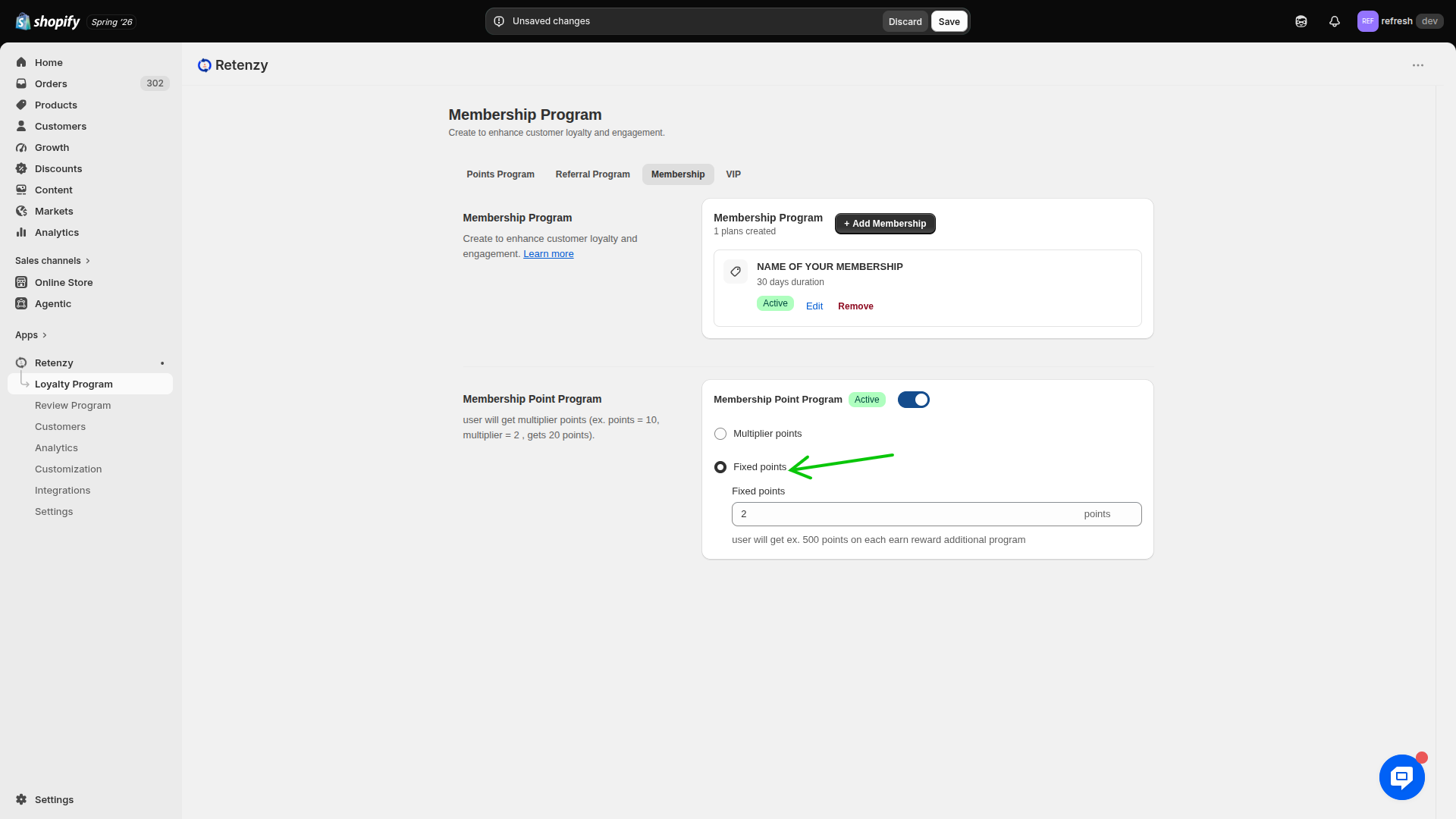
Option 2: Fixed Points
Choose Fixed Points if you want members to receive a fixed number of points regardless of the standard earning rules.
Example:
-
Fixed Points: 50
Every eligible purchase will award 50 points to the member.
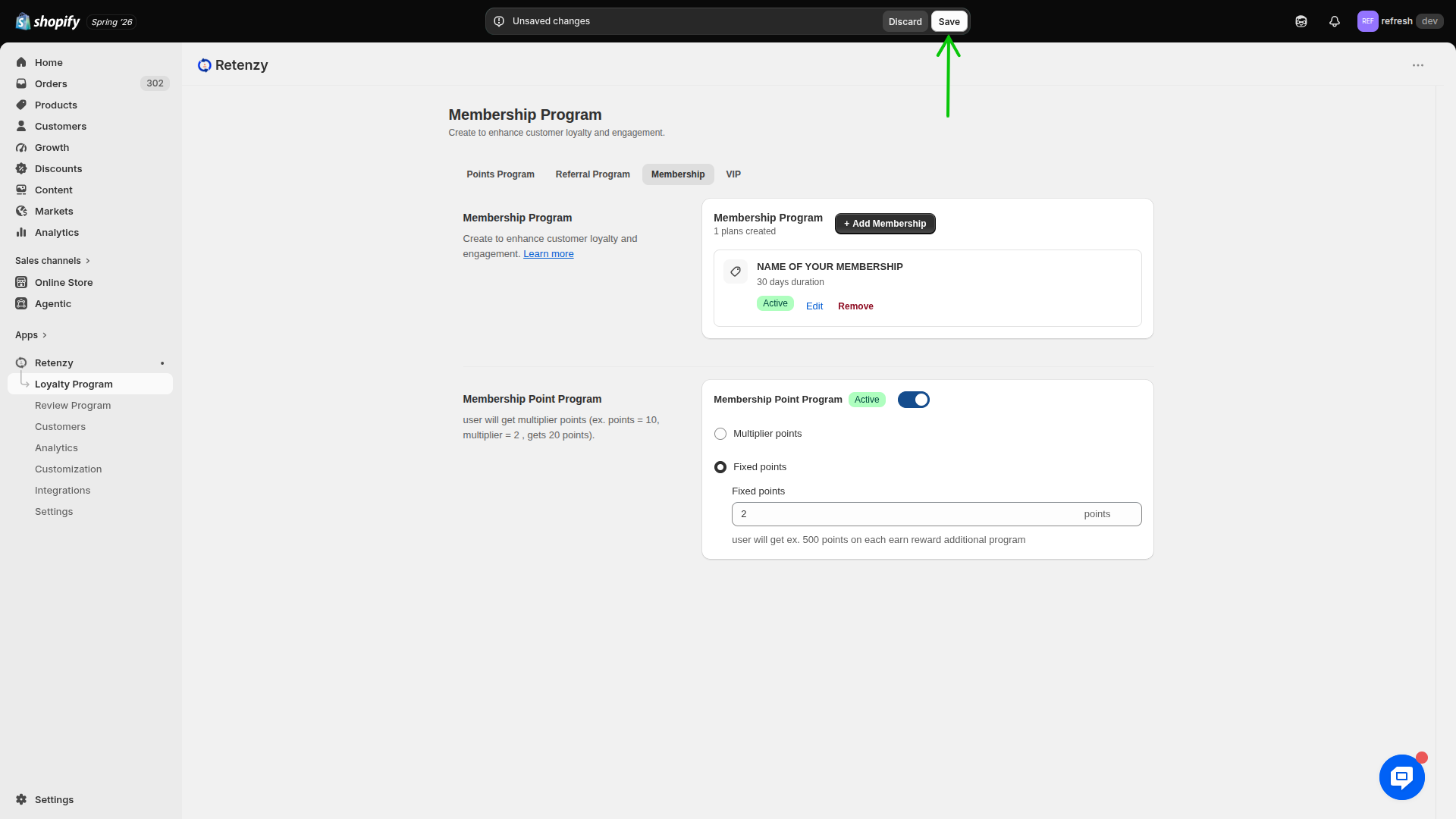
Step 5: Save the Membership Point Program
-
Review the selected point earning method and its configuration.
-
Click Save to apply the changes.