Step-by-Step Guide: Configure the Referrer Reward
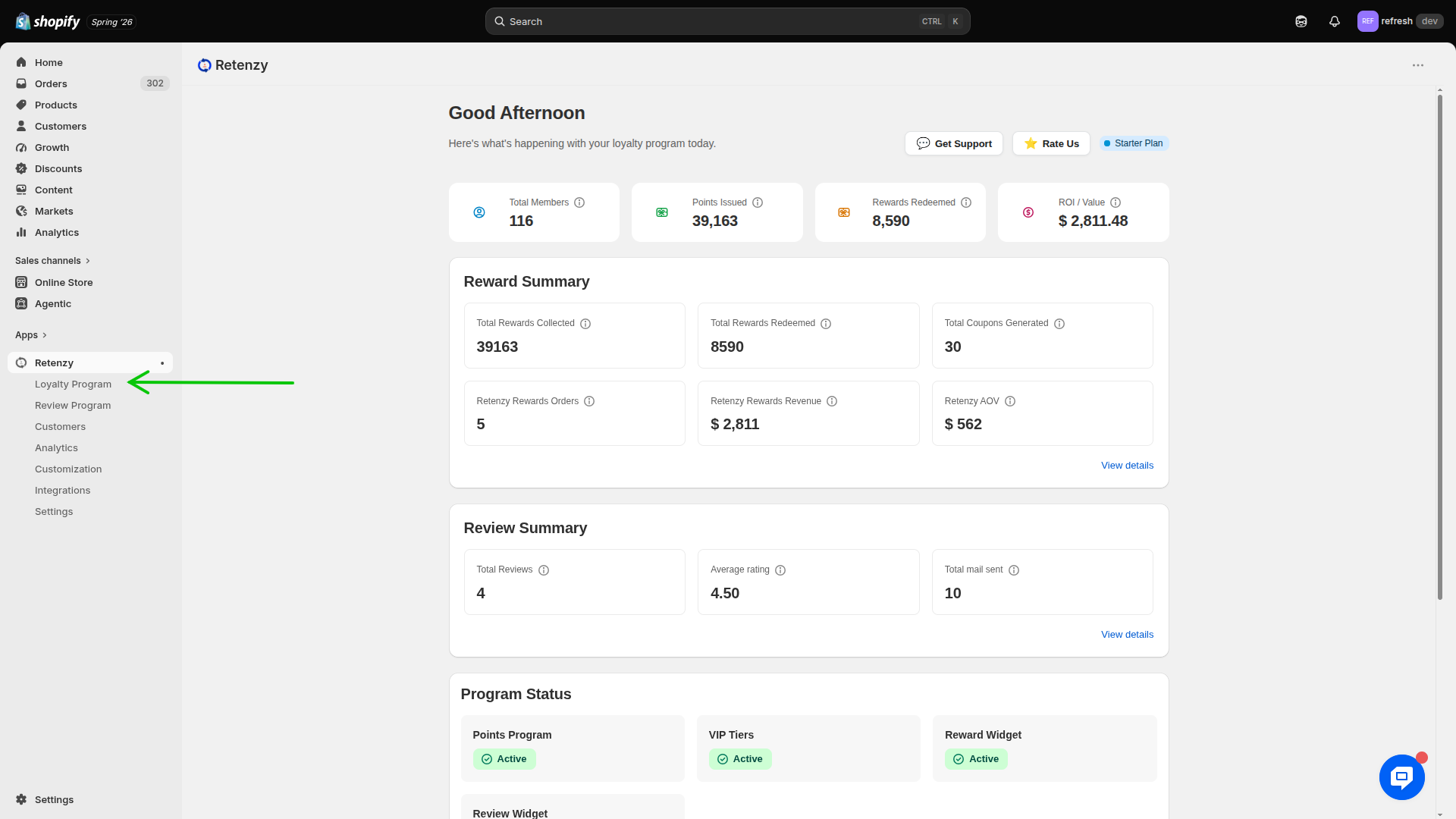
Step 1: Navigate to the Loyalty Program
- Log in to your Retenzy Dashboard.
- From the left-hand navigation menu, click Loyalty Program.
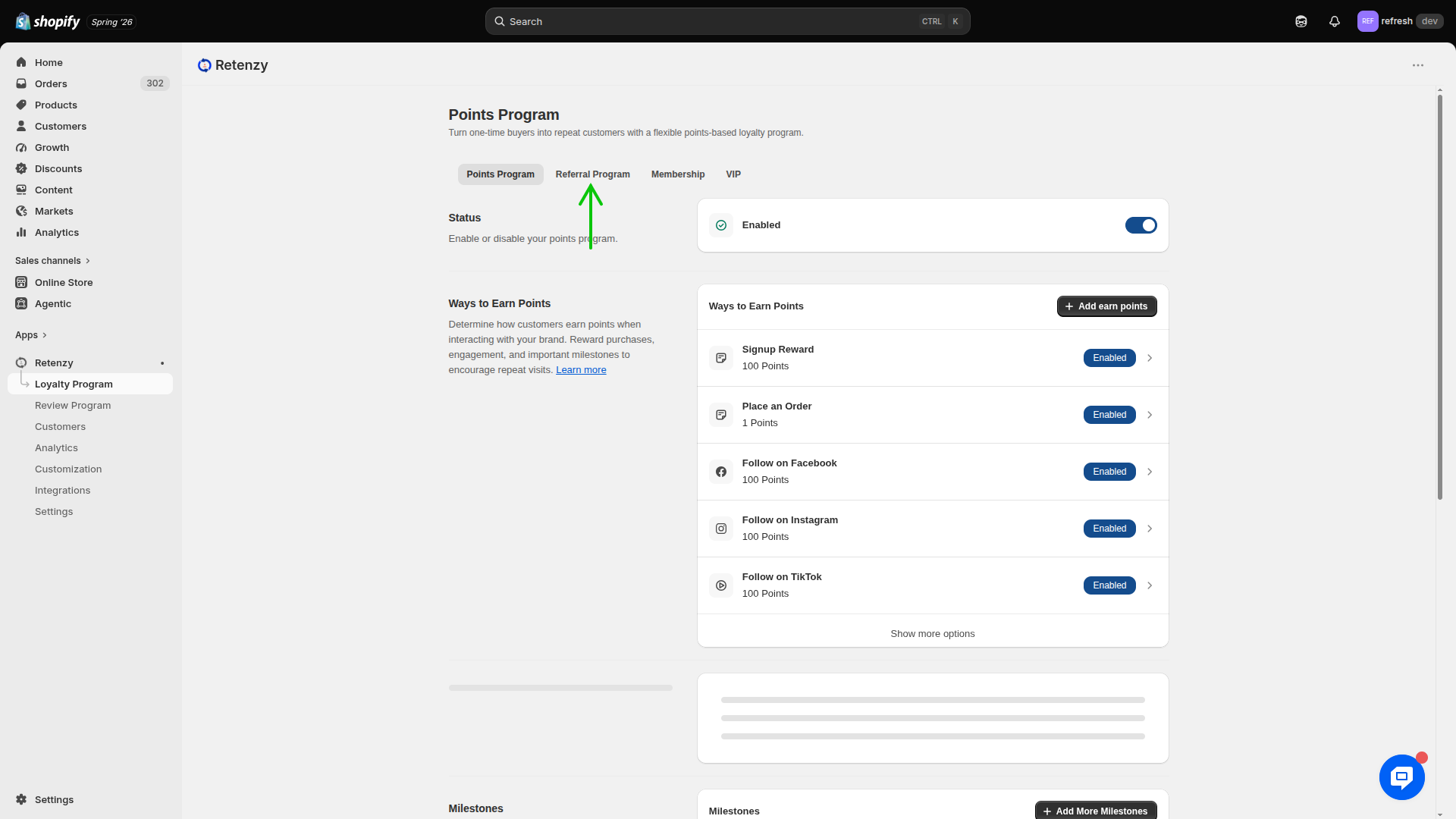
Step 2: Open the Referral Program
- Under the Loyalty Program section, click Referral Program.
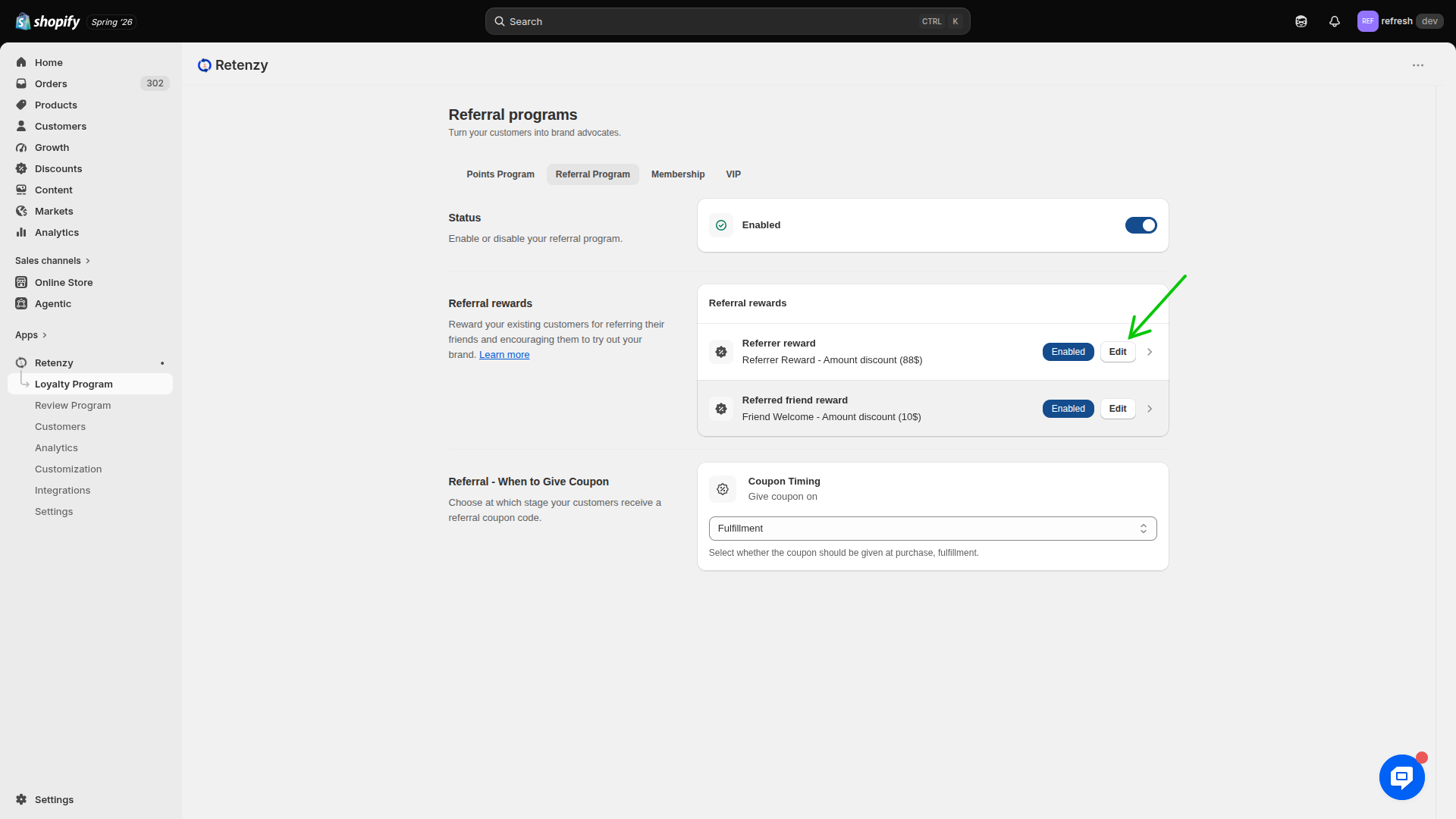
Step 3: Edit the Referrer Reward
- In the Referral Rewards section, locate Referrer Reward.
- Click Edit to configure the reward for customers who successfully refer a friend.
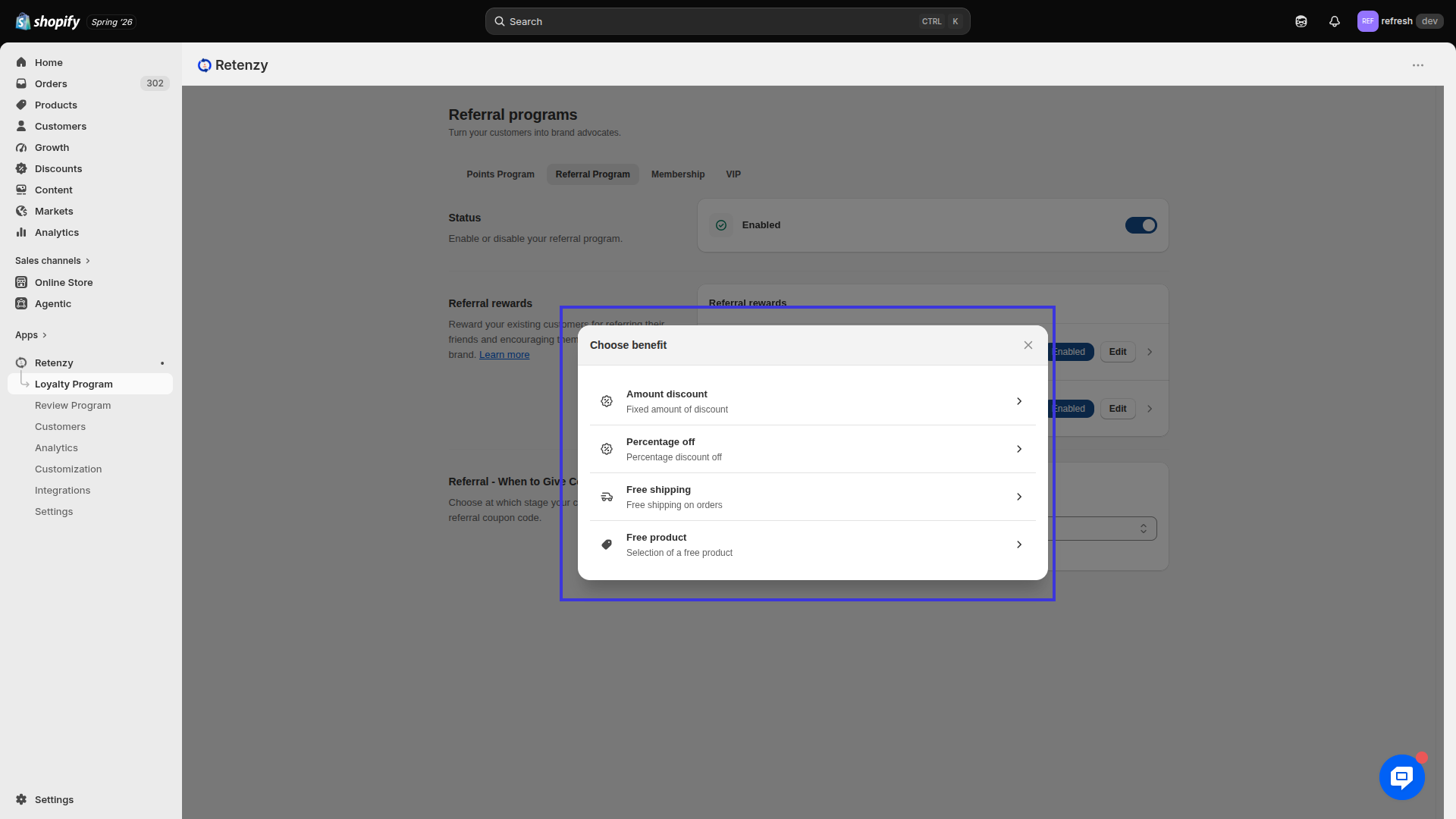
Step 4: Select the Benefit Type
- Choose the Benefit Type you want to offer as a referral reward.
Example:
- Amount Discount
- Percentage off
- Free Shipping
- Free product
Example: Select Percentage Discount to reward the referrer with 10% off on their next purchase.
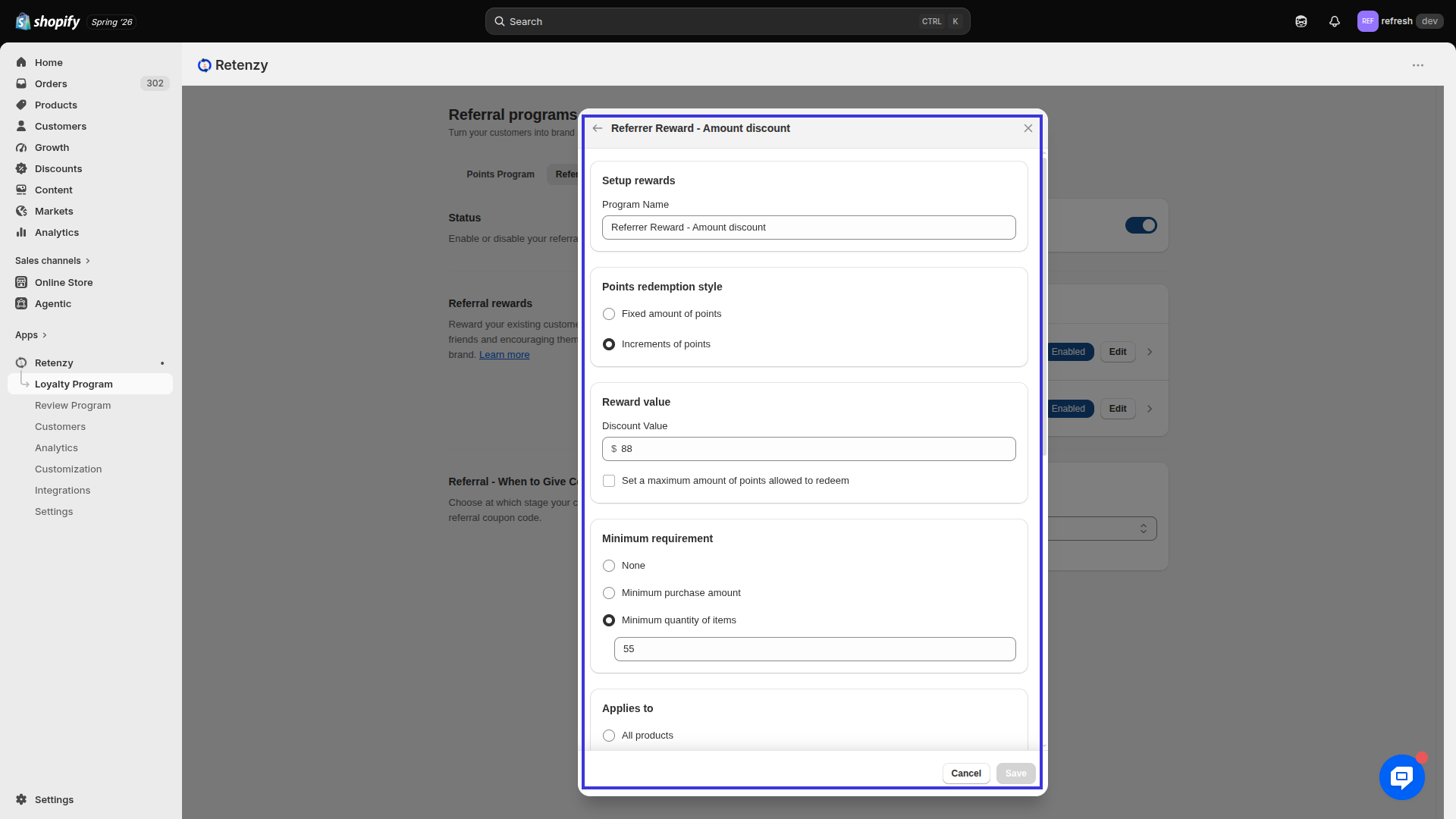
Step 5: Configure the Reward Settings
Complete the following fields based on your campaign requirements:
1. Reward Type
Choose the type of reward you want to provide.
Example: Percentage Discount
2. Points Redemption Style
Select how the reward will be redeemed.
Example: Automatic Redemption
3. Reward Value
Enter the reward amount.
Example: 10%
4. Minimum Requirement
Specify the minimum purchase amount required to use the reward.
Example: ₹1,000 minimum order value
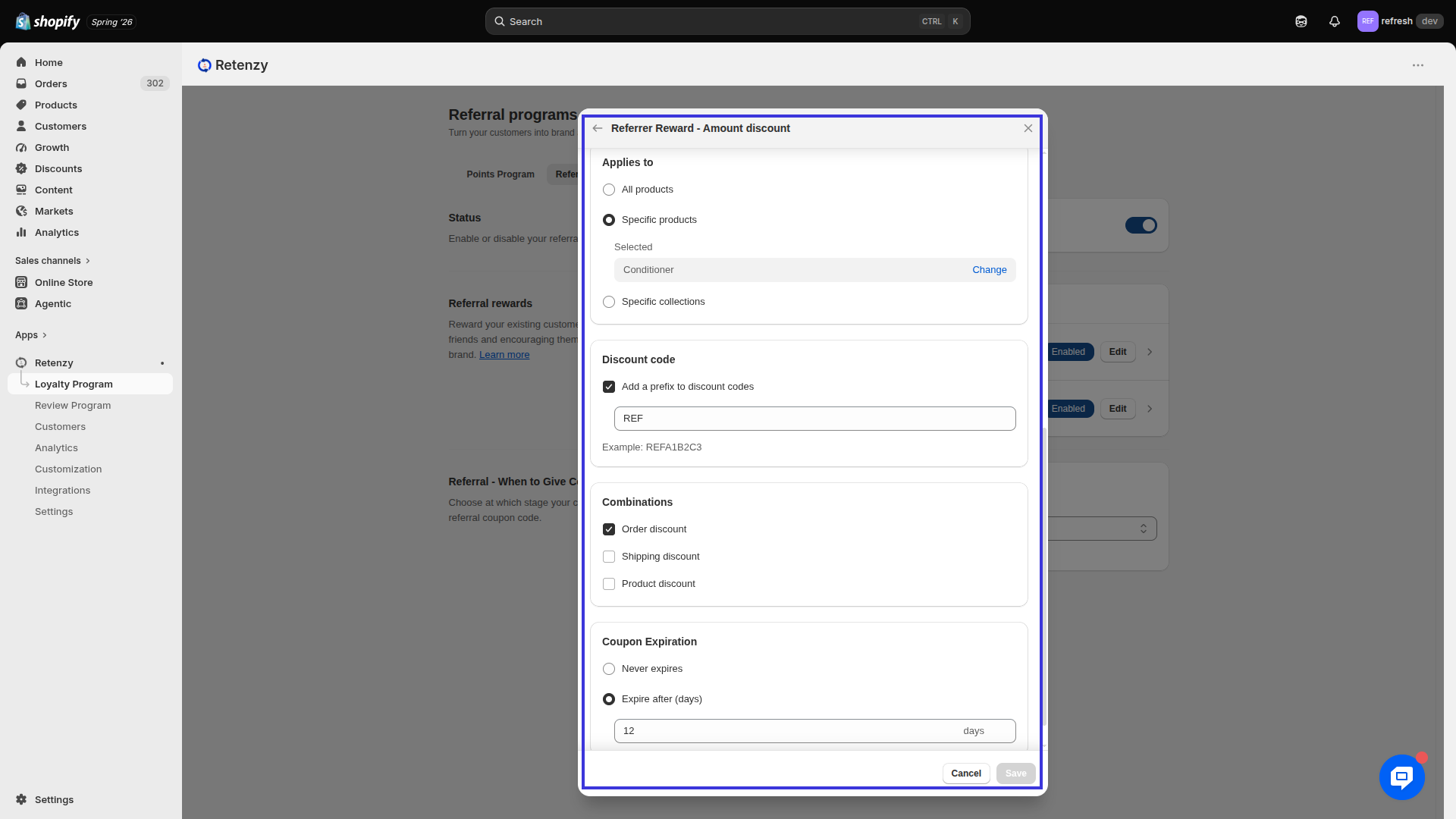
5. Applies To
Choose which products or collections the reward applies to.
Example: All Products
6. Discount Code Combination
Select whether this discount can be combined with other discount codes.
Example: Enabled
7. Coupon Expiration
Set the validity period for the coupon.
Example: Expires 30 days after it is issued.
Step 6: Save the Configuration
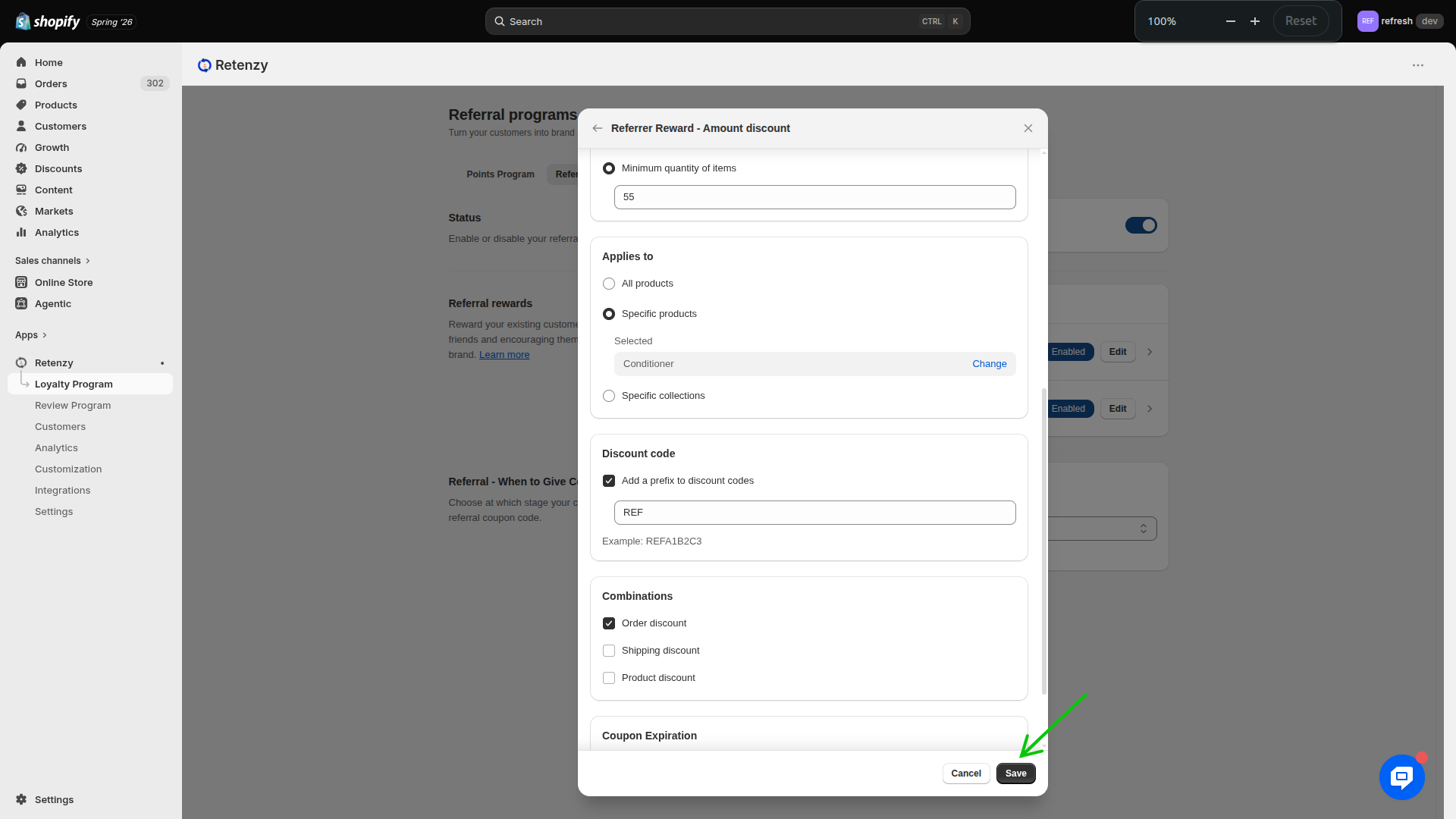
- Review all the configured settings.
- Click Save to apply the changes.
Didn't get it? No worries! Please refer to the video guide below for a step-by-step walkthrough of the complete process.
