Step 1: Open the Retenzy Dashboard
-
Log in to your Retenzy dashboard to access your store settings.
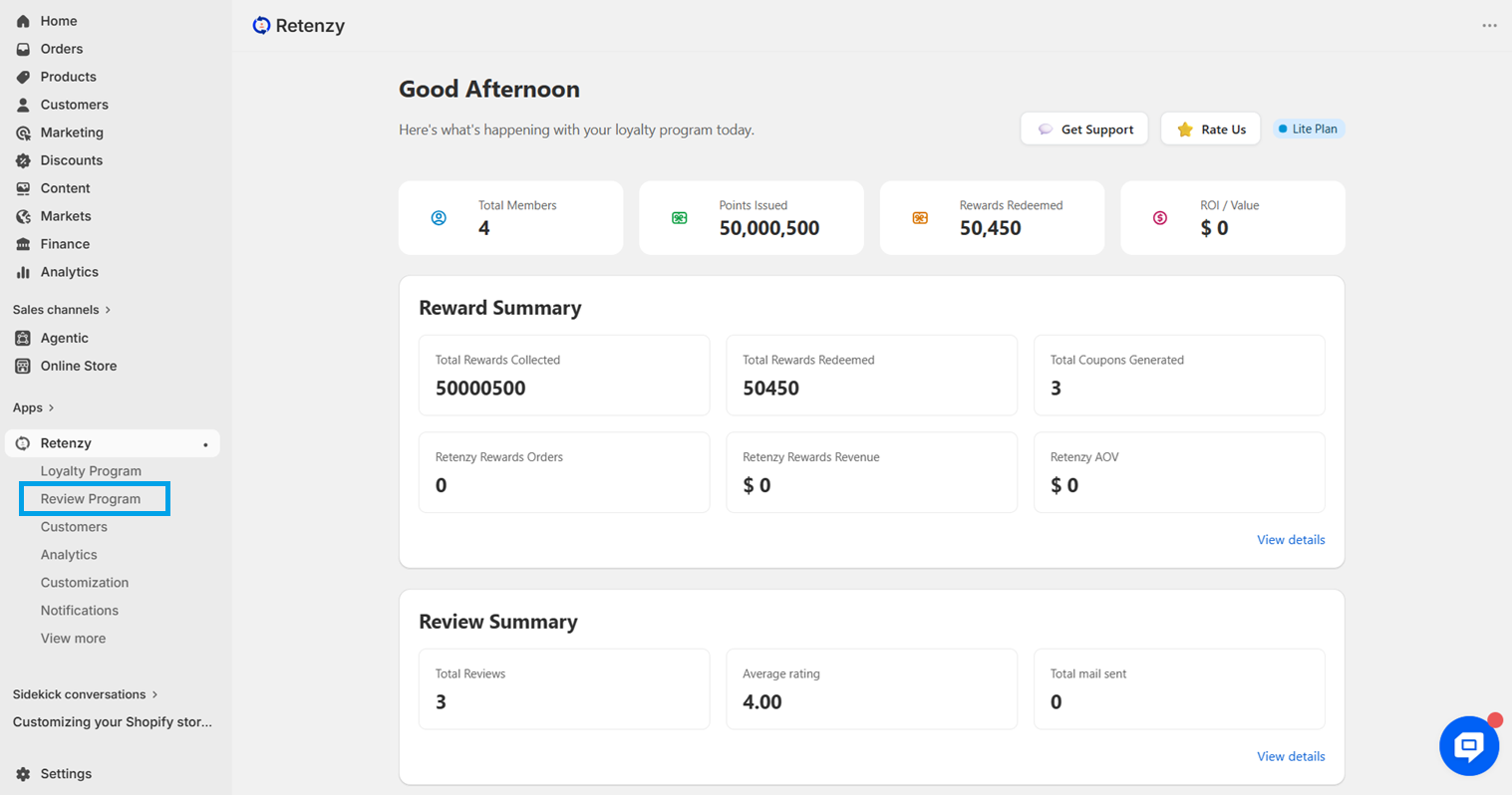
Step 2: Navigate to the Review Program
From the dashboard, click on Review Program.
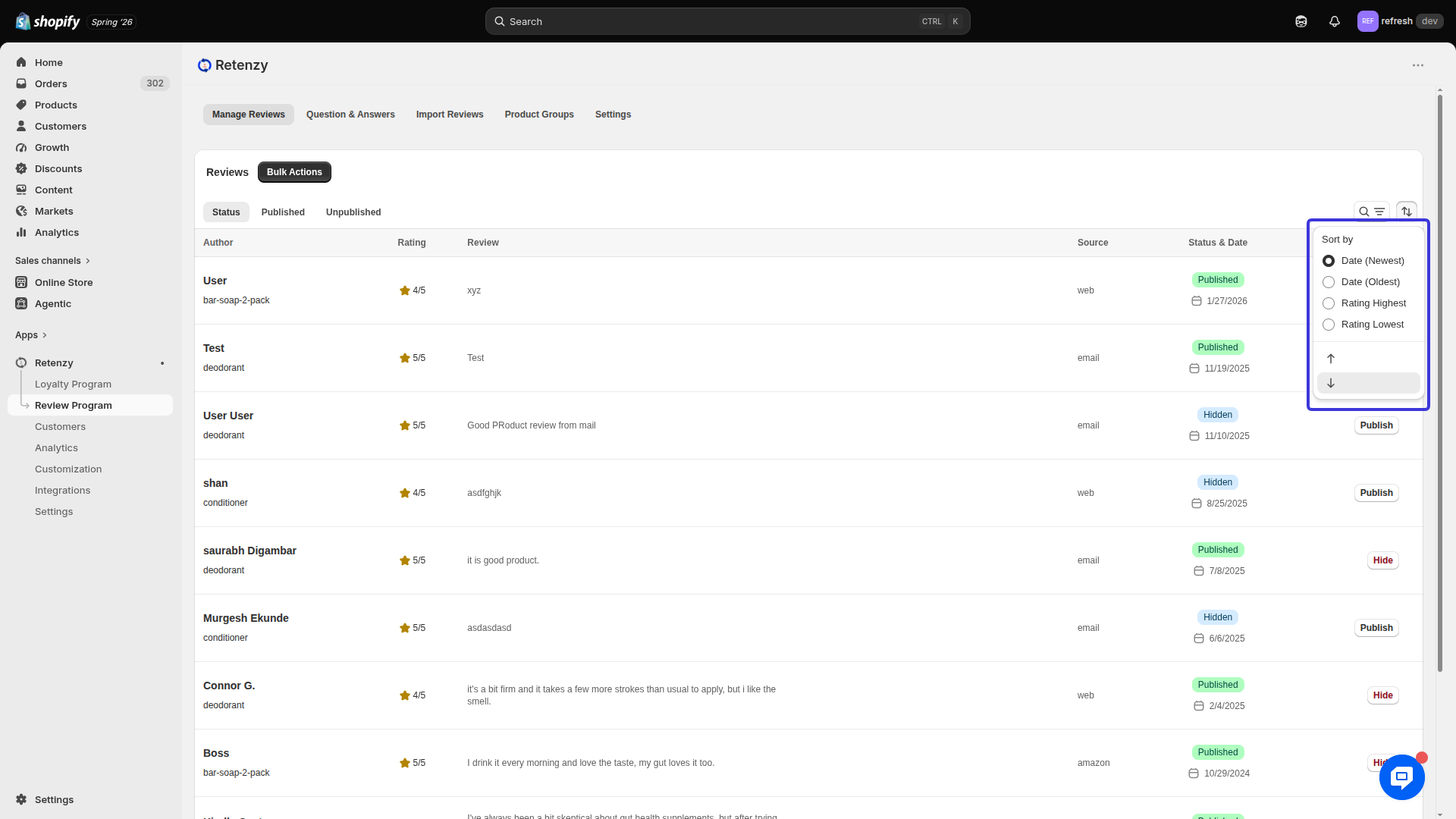
Review Date (Asc)
Shows reviews starting from the oldest to the newest.
Review Date (Desc)
Shows reviews starting from the newest to the oldest.
Highest Rating
Displays reviews with the highest ratings first.
Lowest Rating
Displays reviews with the lowest ratings first.