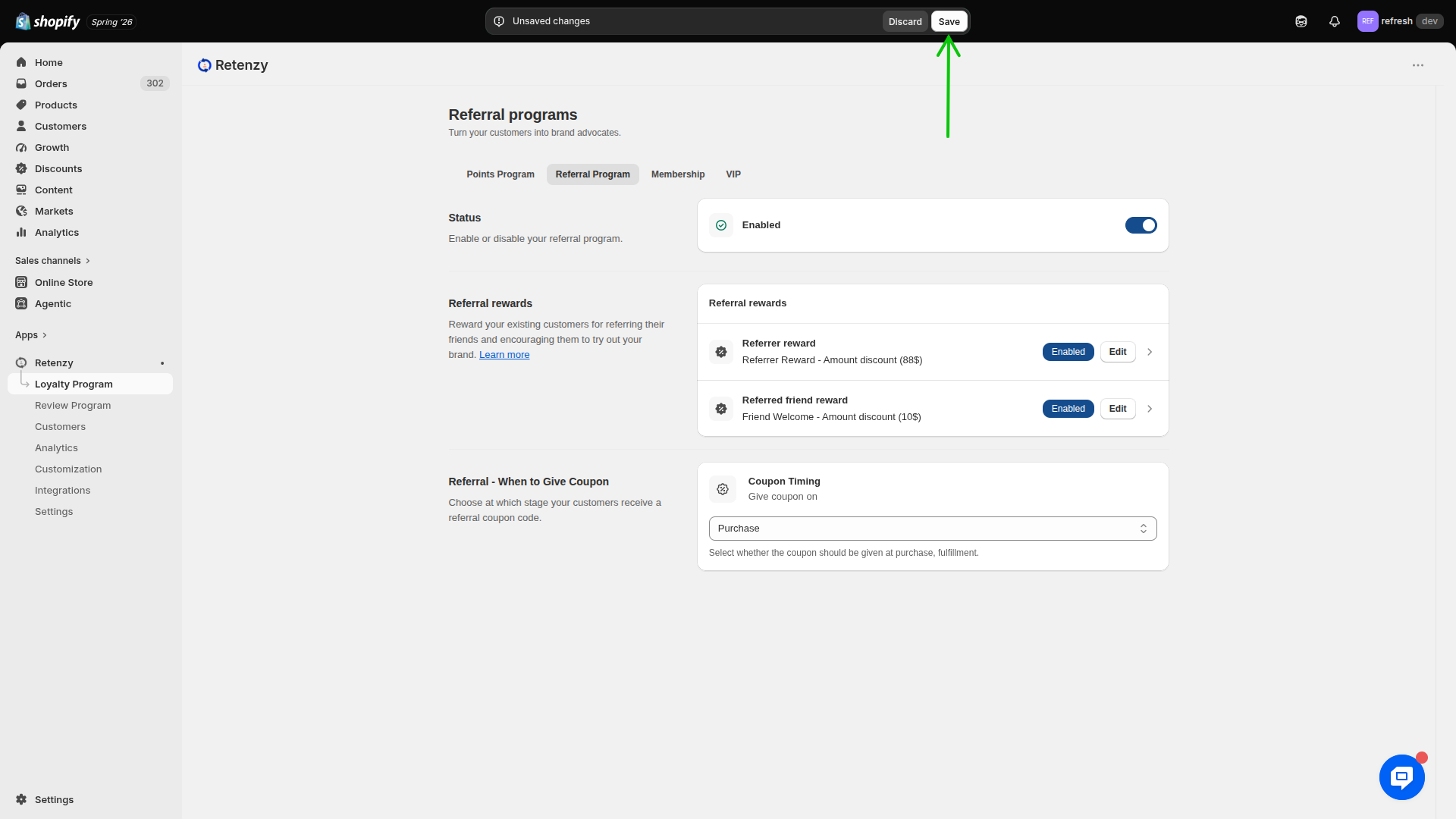
Step-by-Step Guide: Configure the Referrer Reward
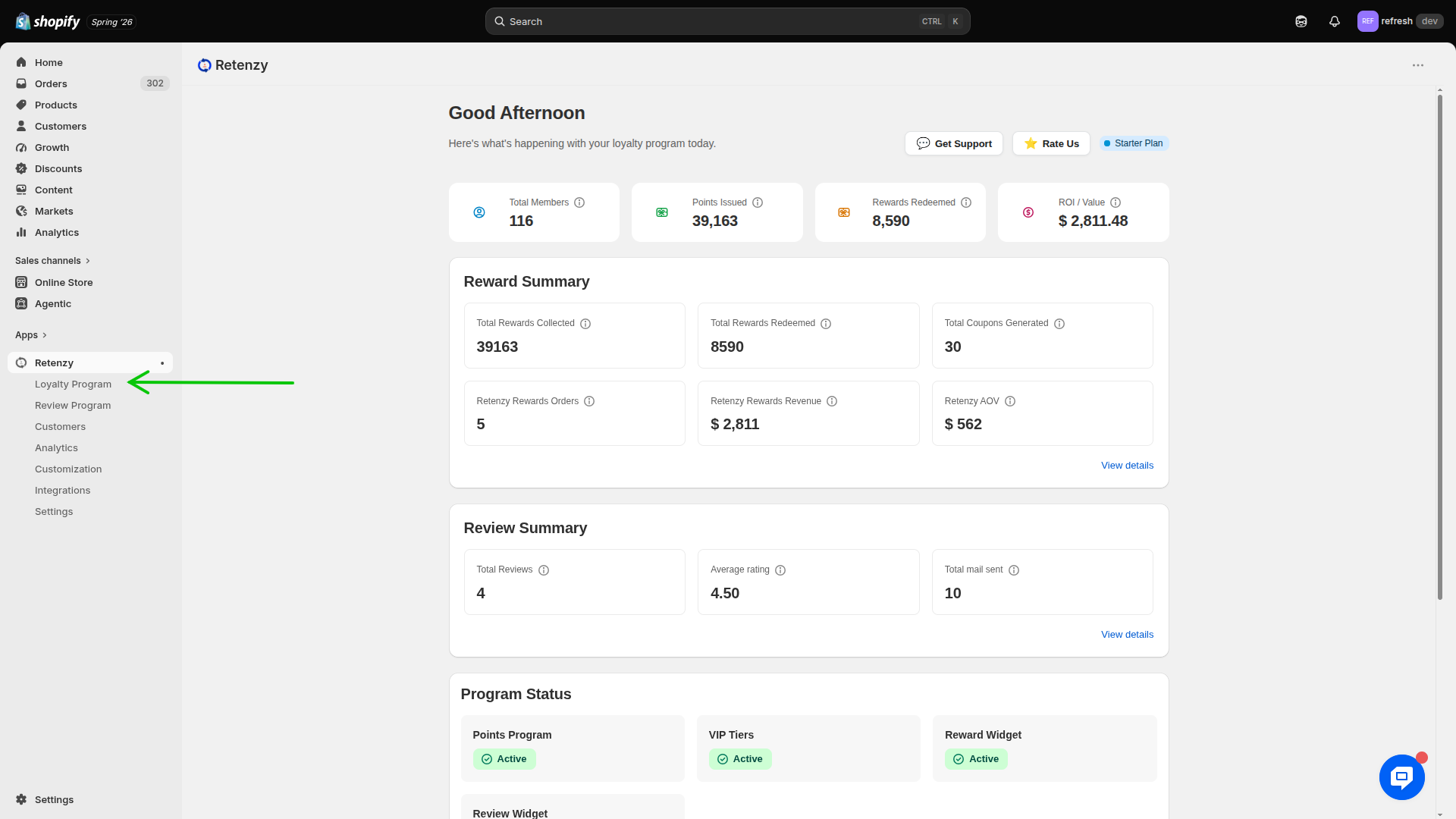
Step 1: Navigate to the Loyalty Program
- Log in to your Retenzy Dashboard.
- From the left-hand navigation menu, click Loyalty Program.
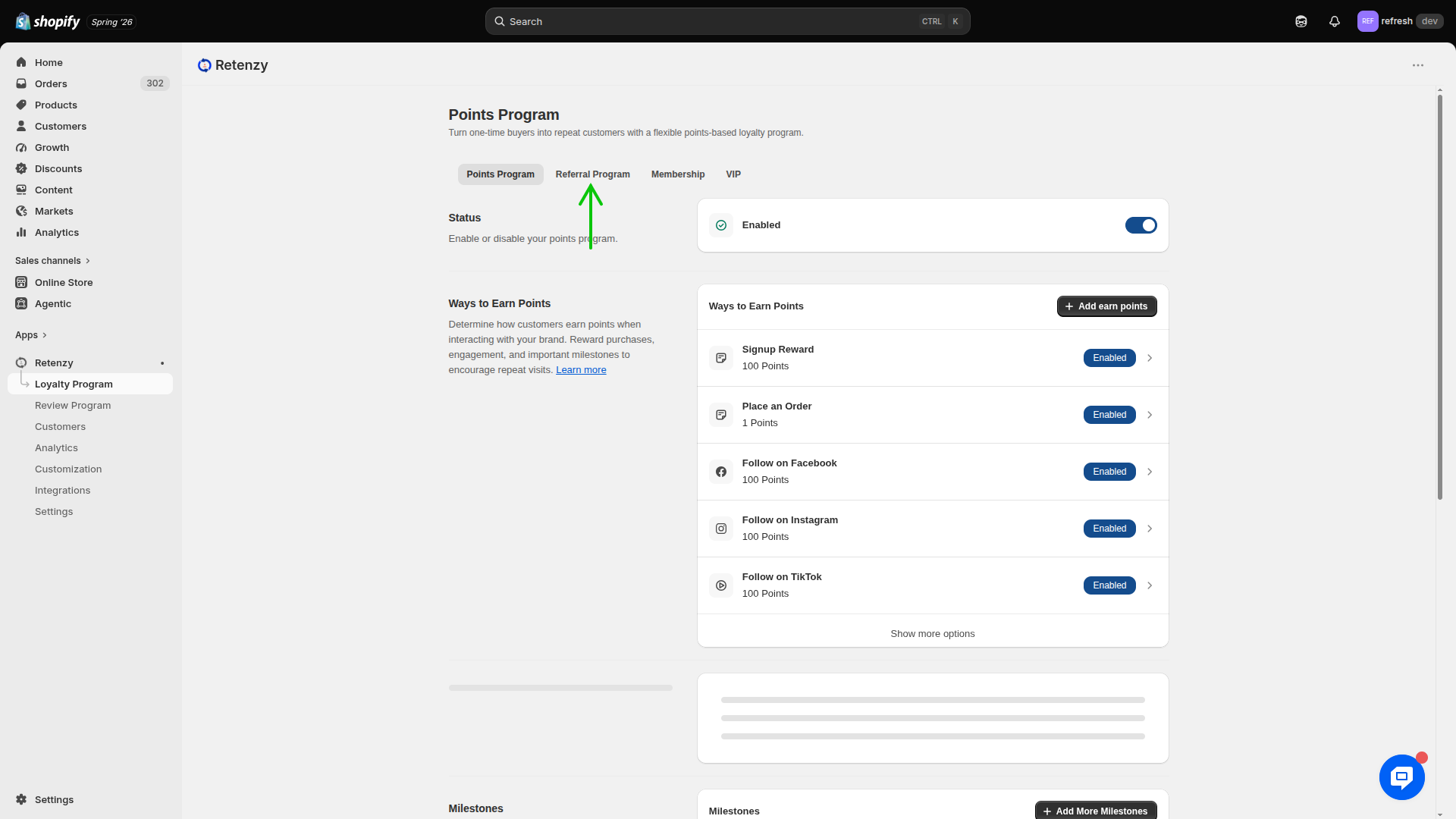
Step 2: Open the Referral Program
- Under the Loyalty Program section, click Referral Program.
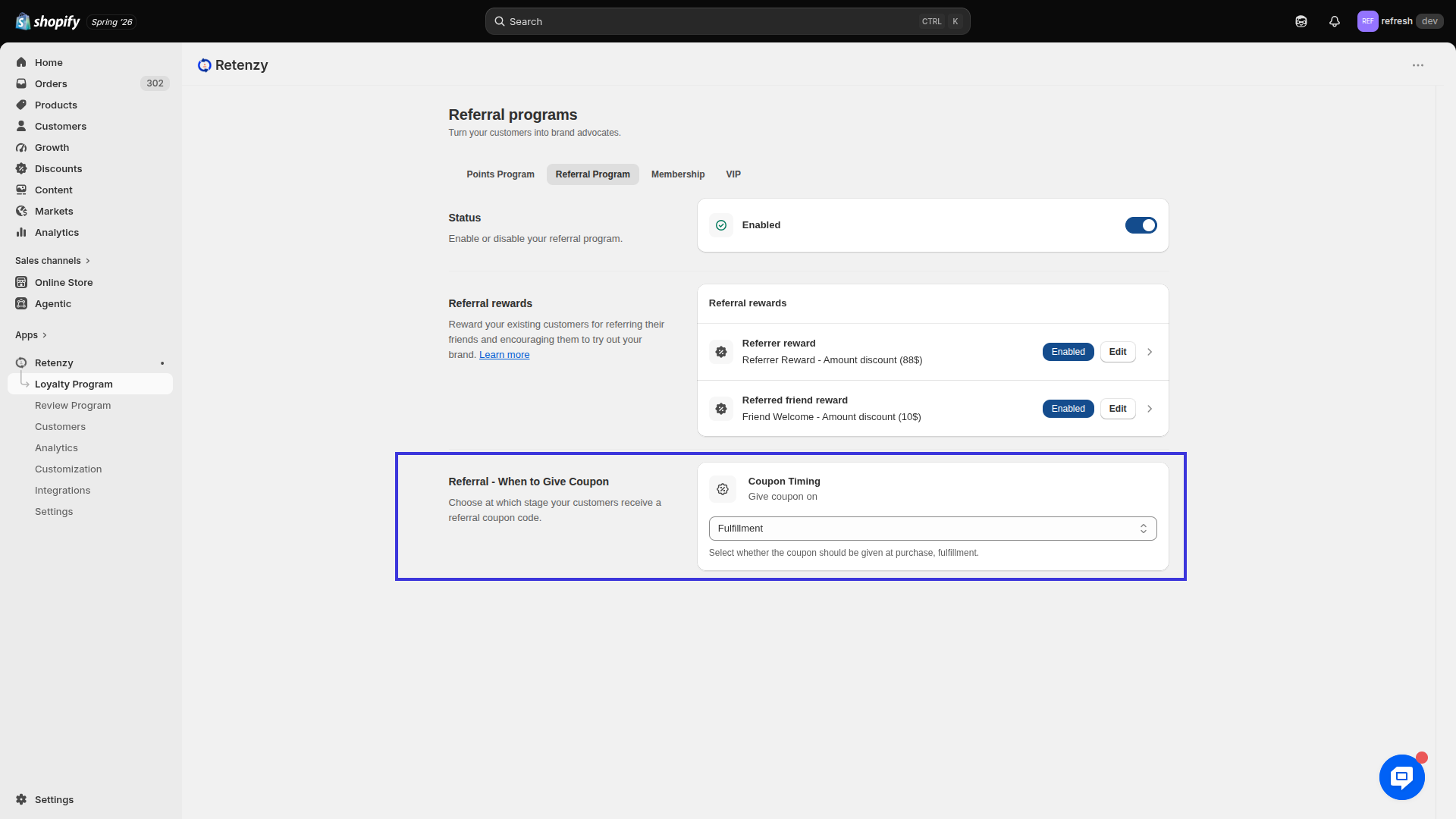
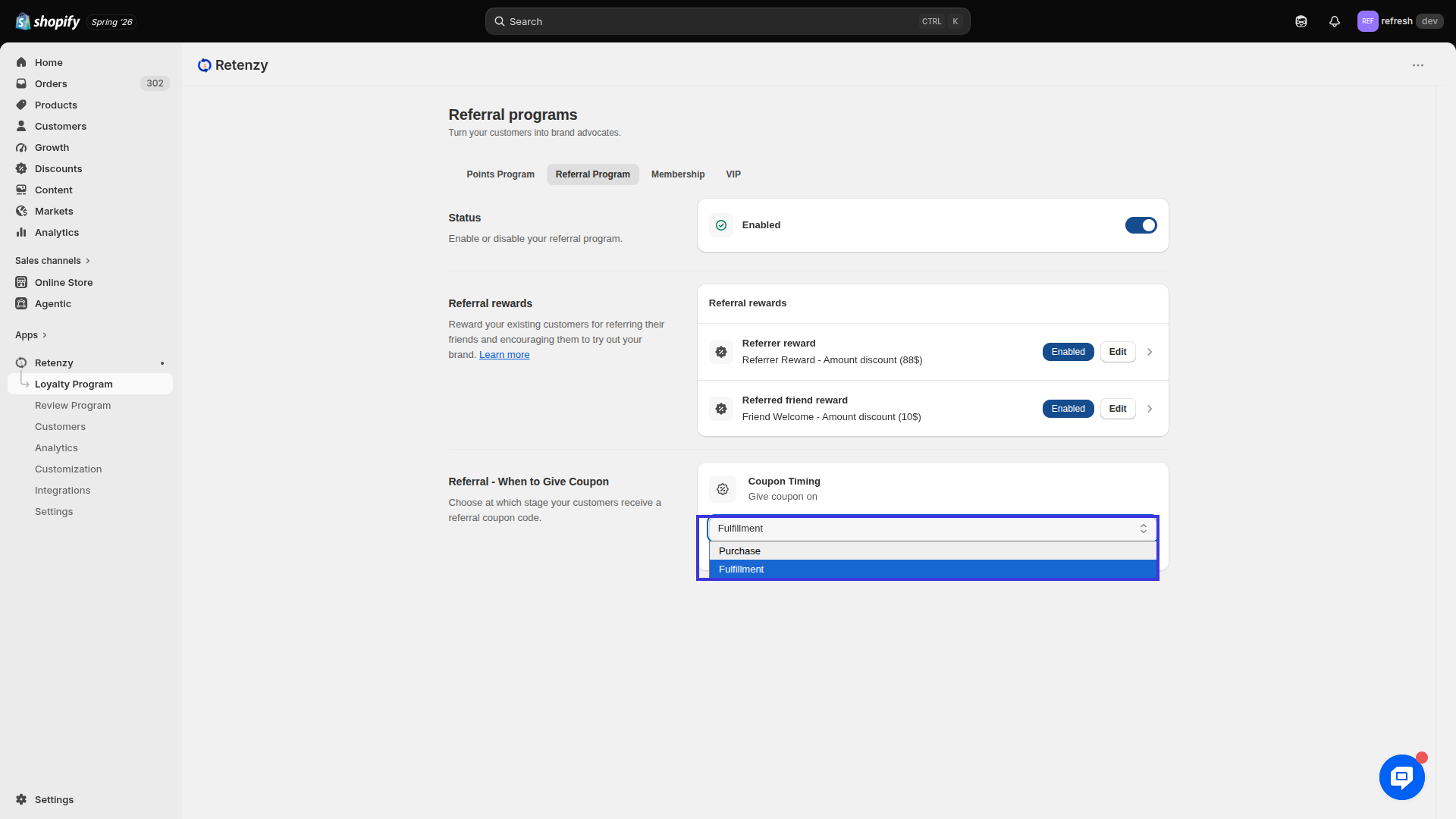
Step 3: Locate "Referral – When to Give Coupon"
-
Scroll to the Referral – When to Give Coupon section.
-
Here, you can choose when the referral coupon should be issued.
Step 4: Select the Coupon Timing
Choose one of the following options based on your business requirements:
1. Fulfillment
The referral coupon is generated and sent after the referred customer's order has been fulfilled.
Example:
If a customer places an order on Monday and it is fulfilled on Wednesday, the referral coupon will be issued on Wednesday.
2. Purchase
The referral coupon is generated and sent immediately after the referred customer successfully completes the purchase.
Example:
As soon as the customer completes the checkout and payment, the referral coupon is issued.
Step 5: Save the Configuration
-
After selecting your preferred coupon timing, click Save to apply the changes.