This rule allows customers to redeem their reward points for a specific product at no cost. For example, a customer can use 500 points to get a product worth ₹200 for free. This motivates customers to engage more with your program while promoting specific products.
Steps to Set Up Free Product Redeem Rule
Step 1: Open the Retenzy Dashboard
- Log in to your Retenzy dashboard to access your store settings.
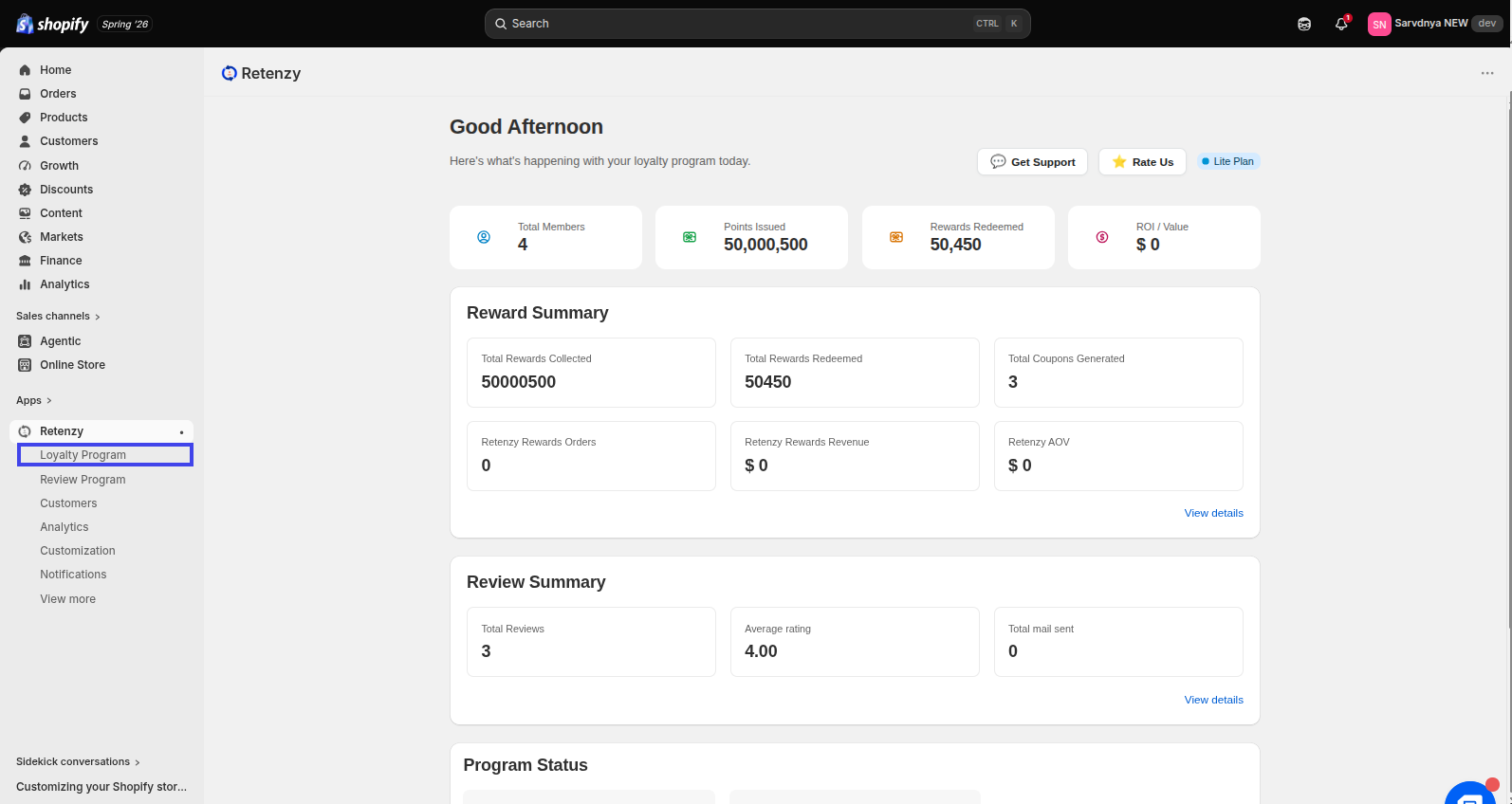
Step 2: Navigate to the Loyalty Program
- From the dashboard, click on Loyalty Program.
Step 3: Open the Points Program
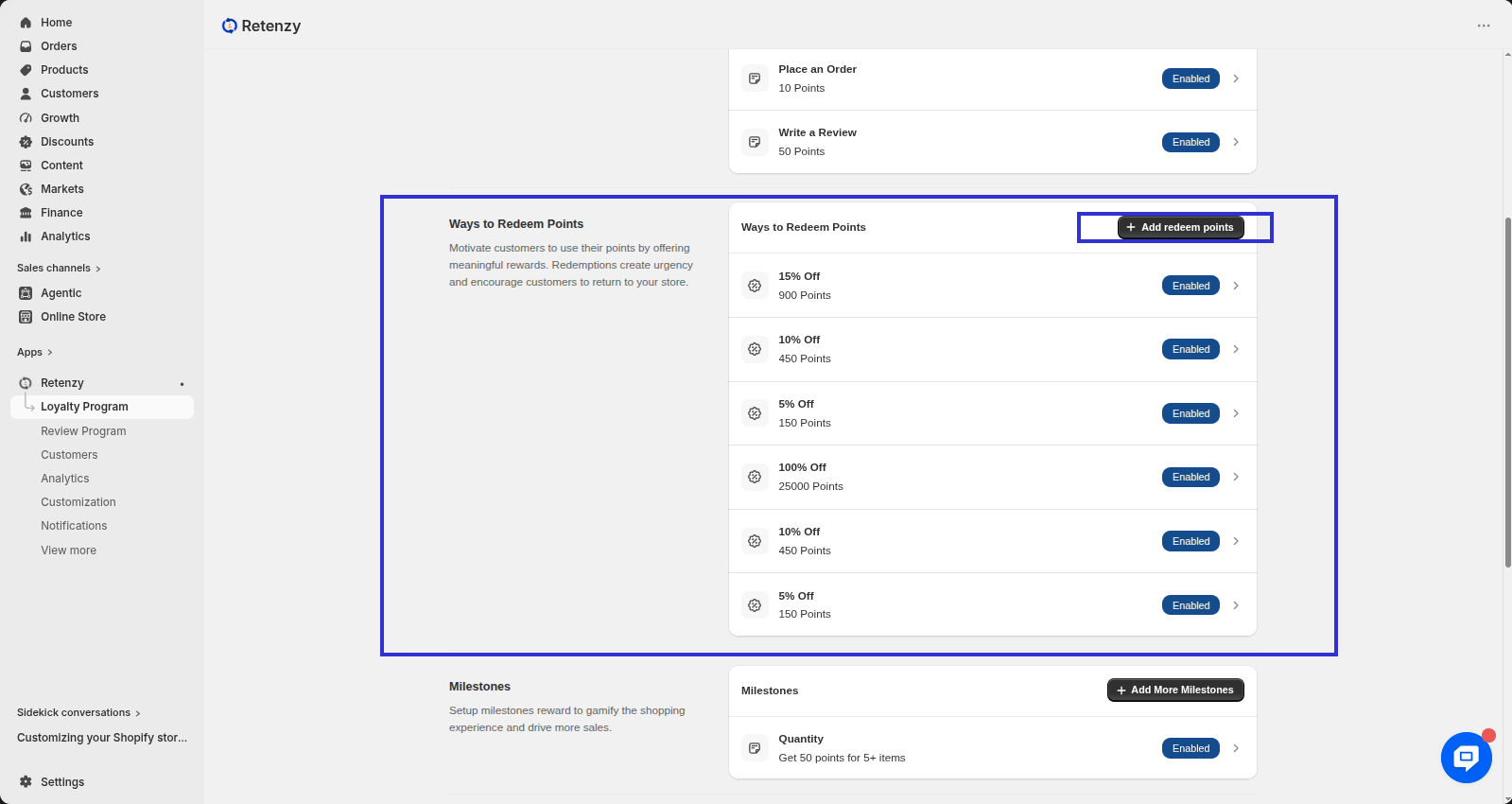
- Within the Loyalty Program, click on the Points Program tab. Under the Ways to Redeem Points section, you will find the Add redeem point option.
Step 2: Select Free Product
-
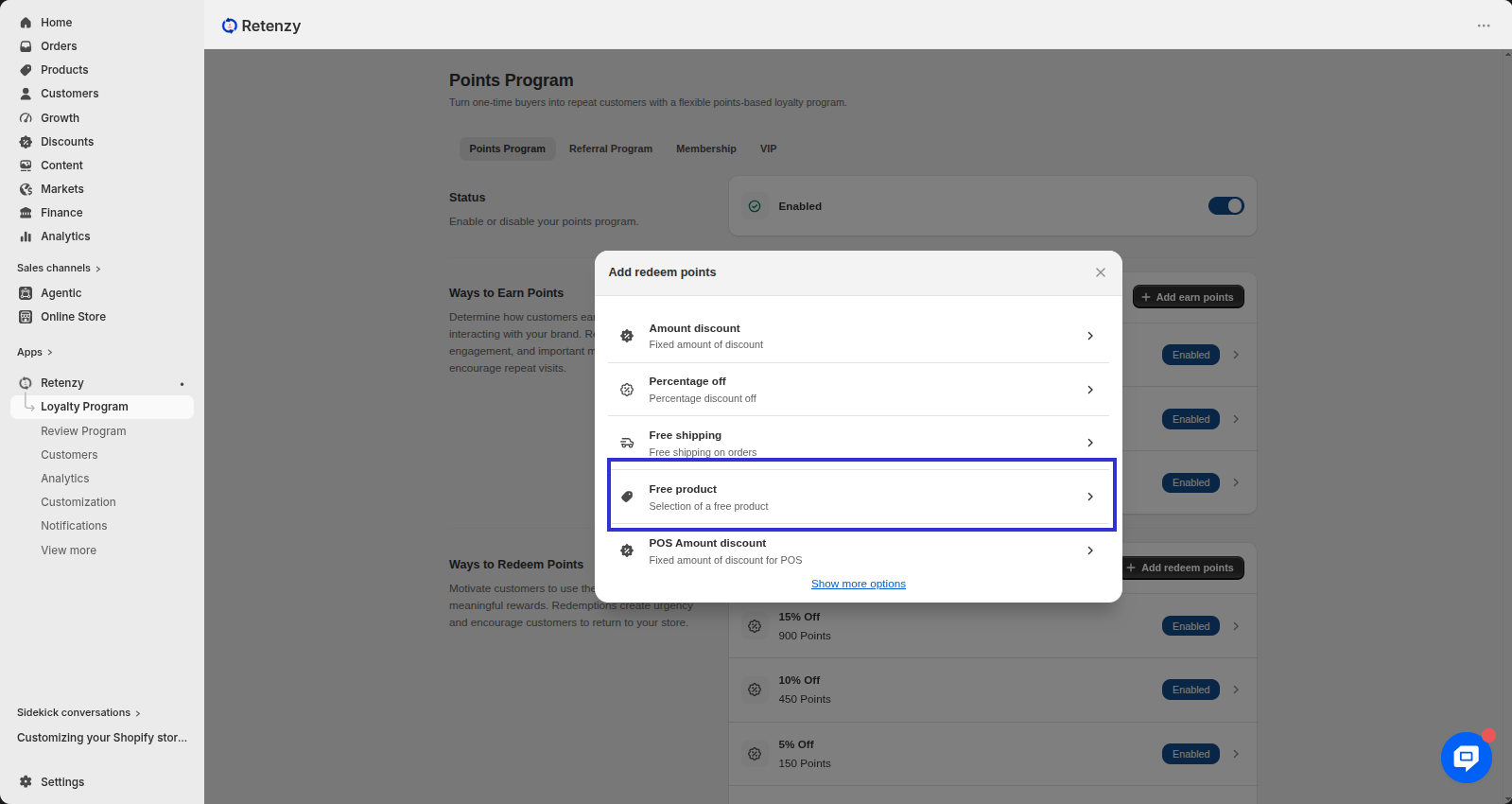
From the Ways to Redeem pop-up, Click Create Free Product Reward.
Step 3: Set Up Reward
-
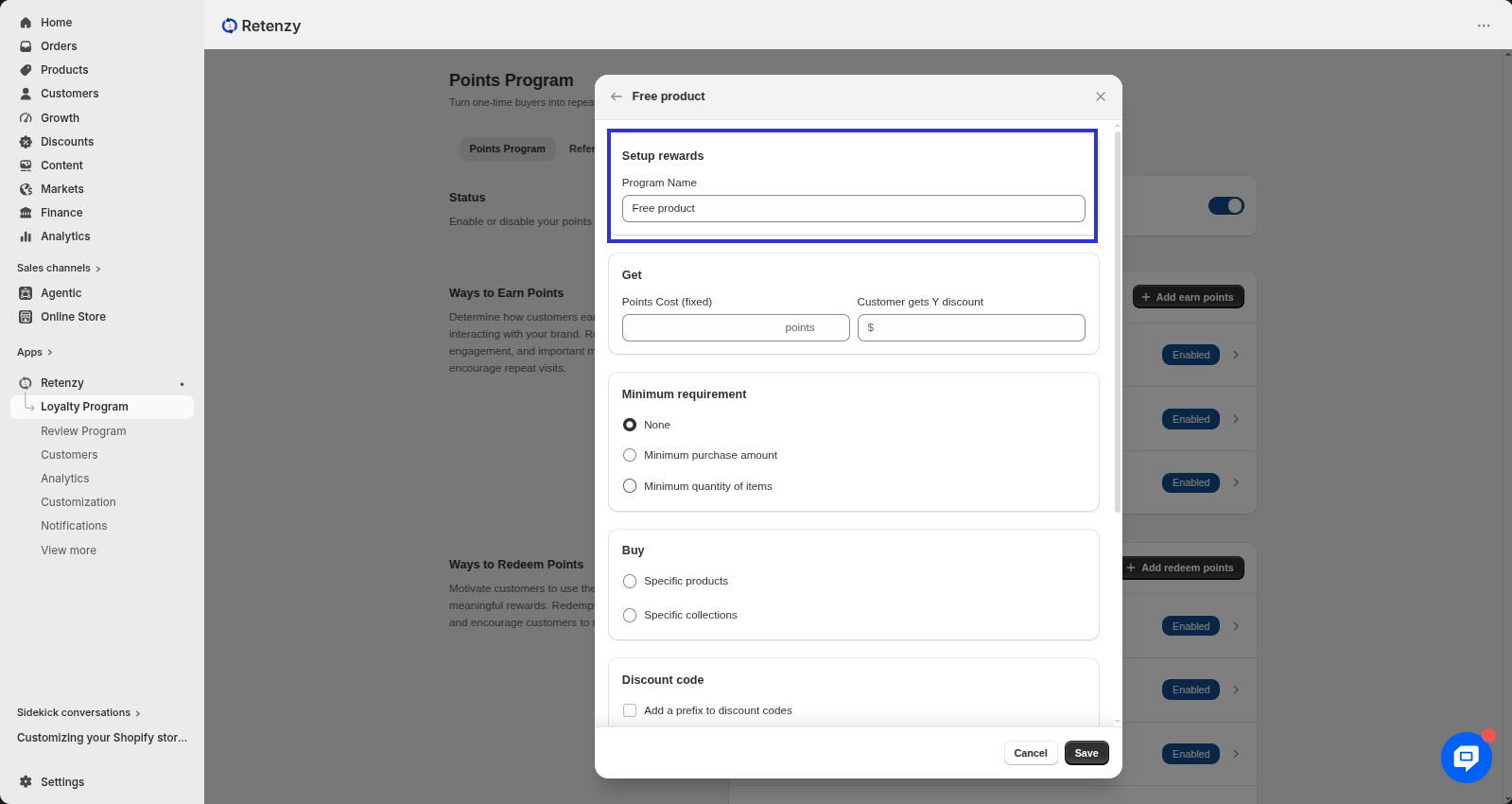
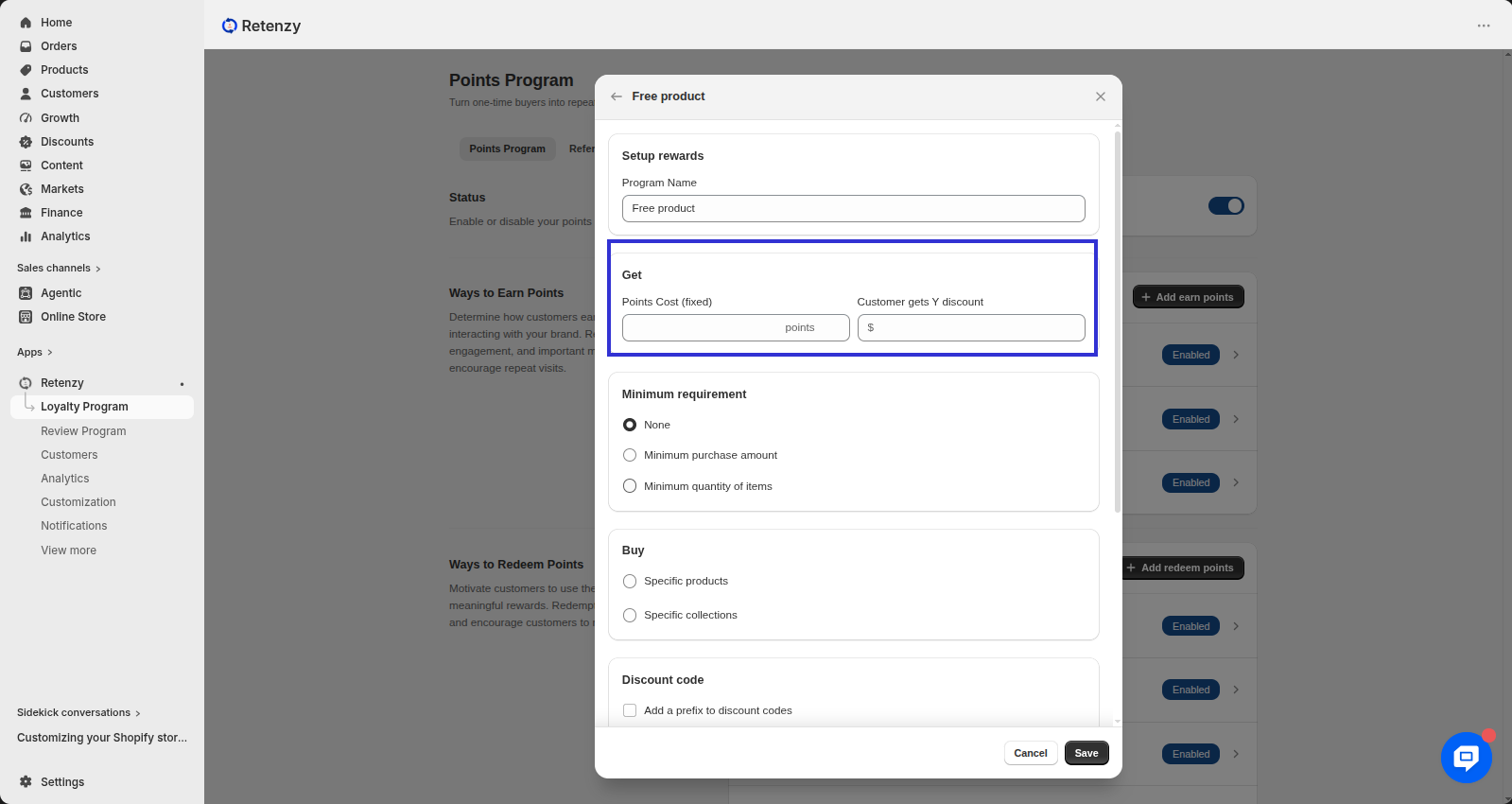
Enter your program name under Setup Rewards.
Step 4: Get Reward Value
-
Specify how many Points Cost (fixed) (X) are required to redeem.
-
Enter the value (Y) of the free product customers will get.
Step 5: Configure Additional Options
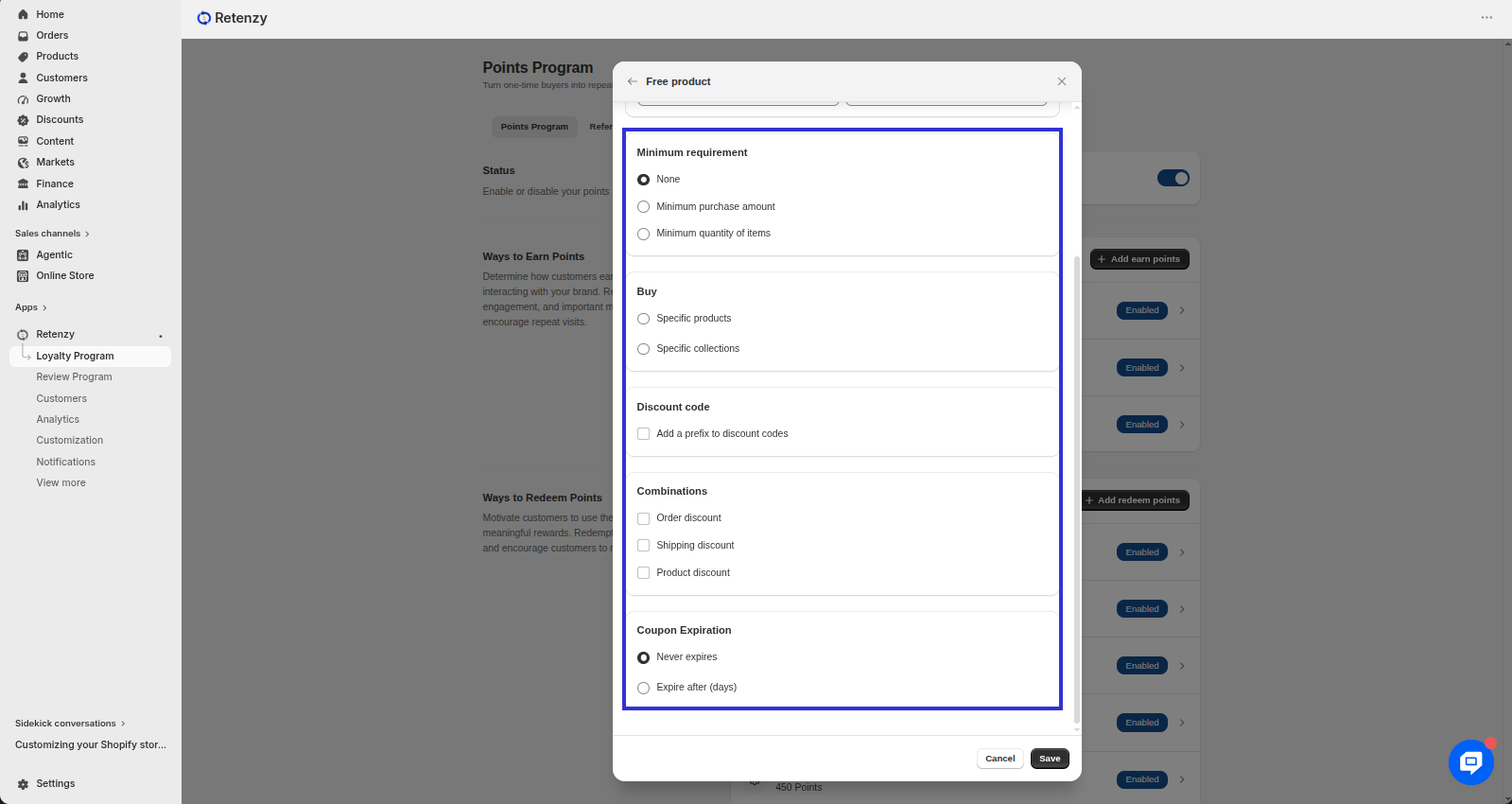
- Minimum Requirement: Choose whether customers need a minimum purchase amount or item quantity to redeem.
-
Buy : Specific products Specific collections
-
Discount Code (Optional): Add a prefix for auto-generated discount codes.
-
Combinations: Decide if the free product can be combined with order, shipping, or product discounts.
-
Coupon Expiration: Choose if the coupon never expires or set a custom expiration (e.g., 30 days).
Step 6: Publish Rule
-
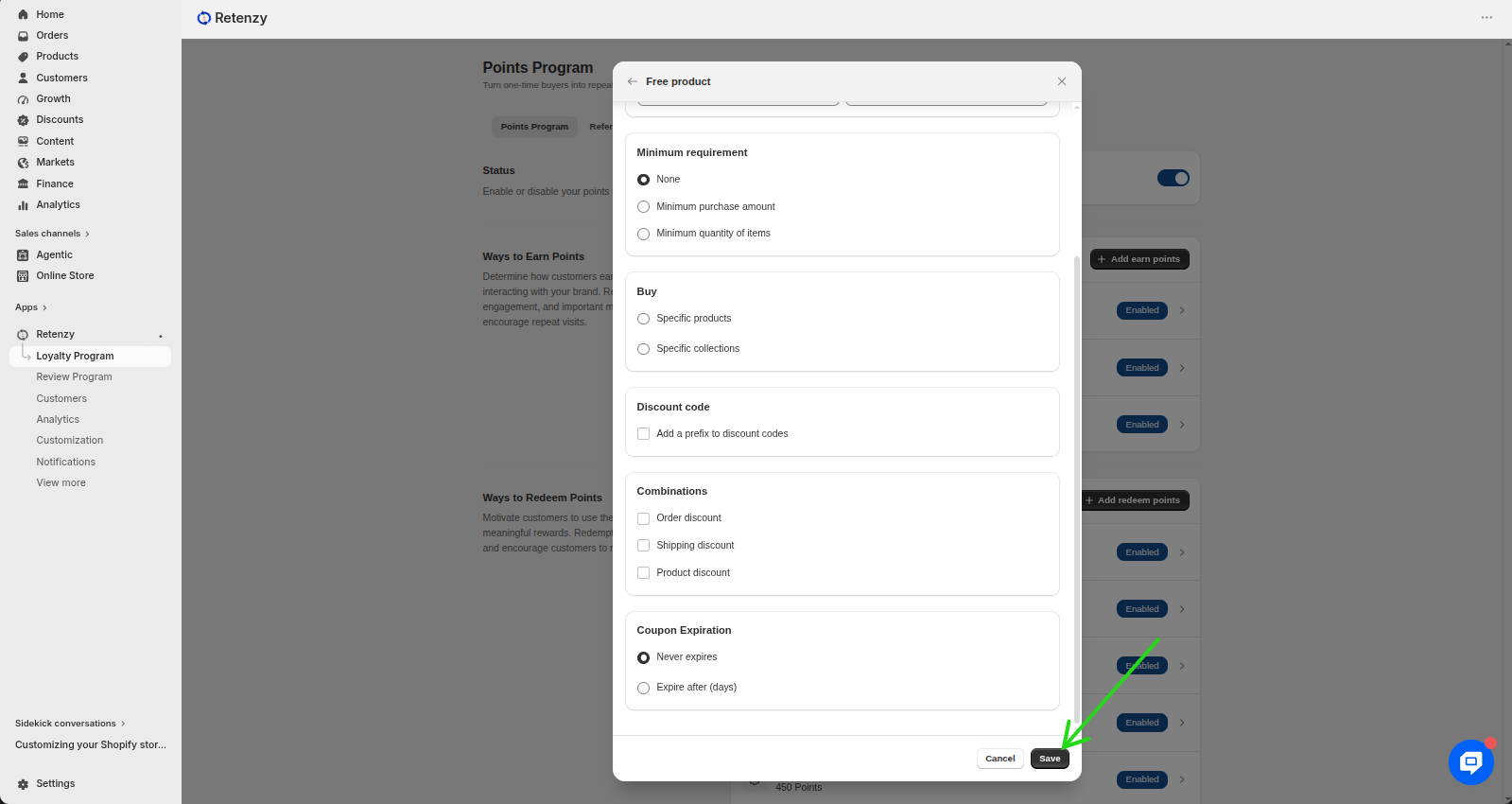
Click Publish to activate the rule.
Customers can now redeem their points for free products as per your setup.
Need a visual walk through? If any of the steps weren't clear, watch the video tutorial to see the entire process demonstrated step by step.
