This rule allows customers to redeem their points for a percentage-based discount instead of a fixed amount. For example, a customer may use 100 points to get 10% off their order. This encourages higher engagement since customers feel rewarded with flexible discounts that scale with their purchase amount.
Step 1: Open the Retenzy Dashboard
- Log in to your Retenzy dashboard to access your store settings.
Step 2: Navigate to the Loyalty Program
- From the dashboard, click on Loyalty Program.
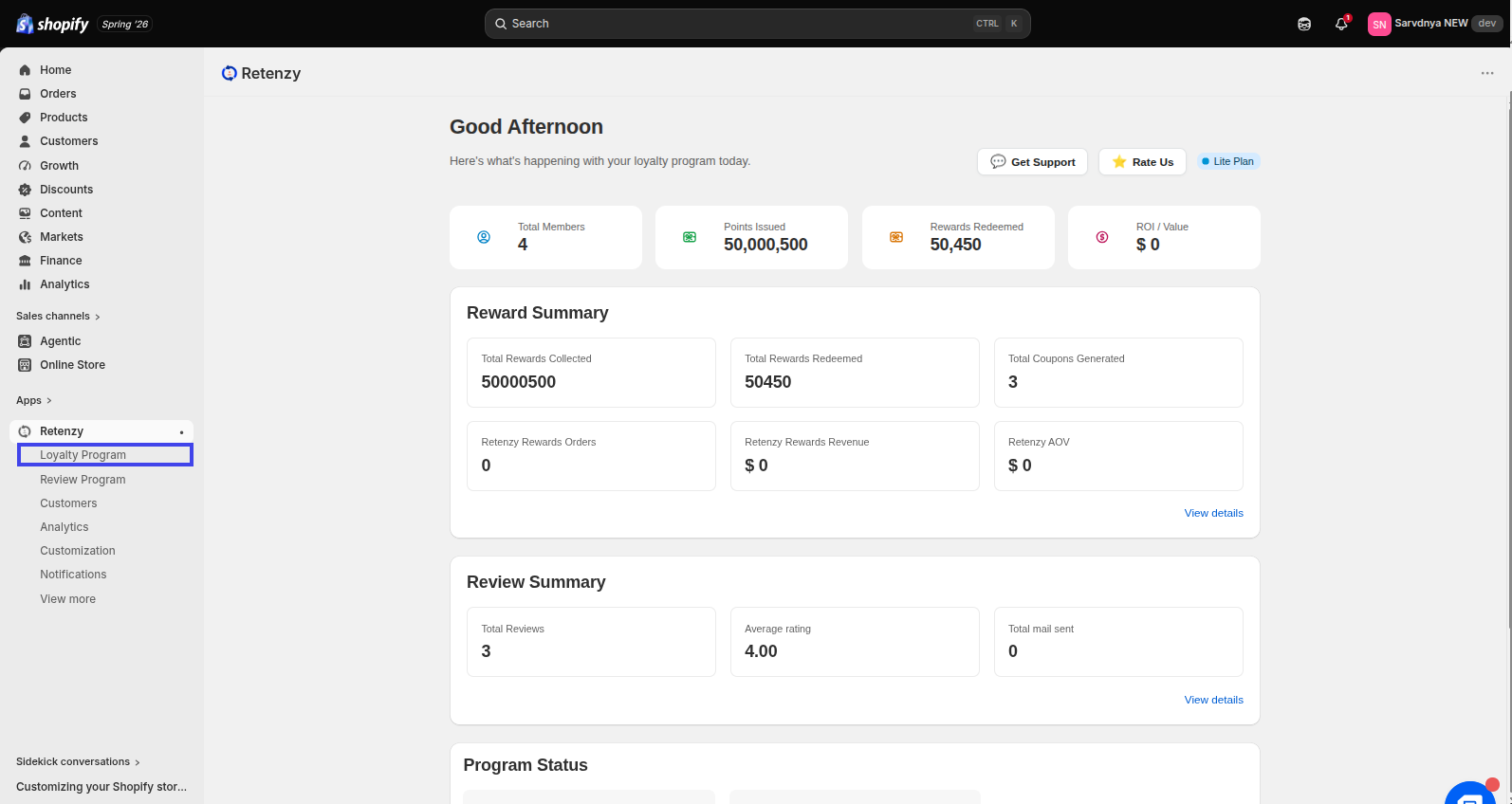
Step 3: Open the Points Program
- Within the Loyalty Program, click on the Points Program tab. Under the Ways to Redeem Points section, you will find the Add redeem point option.
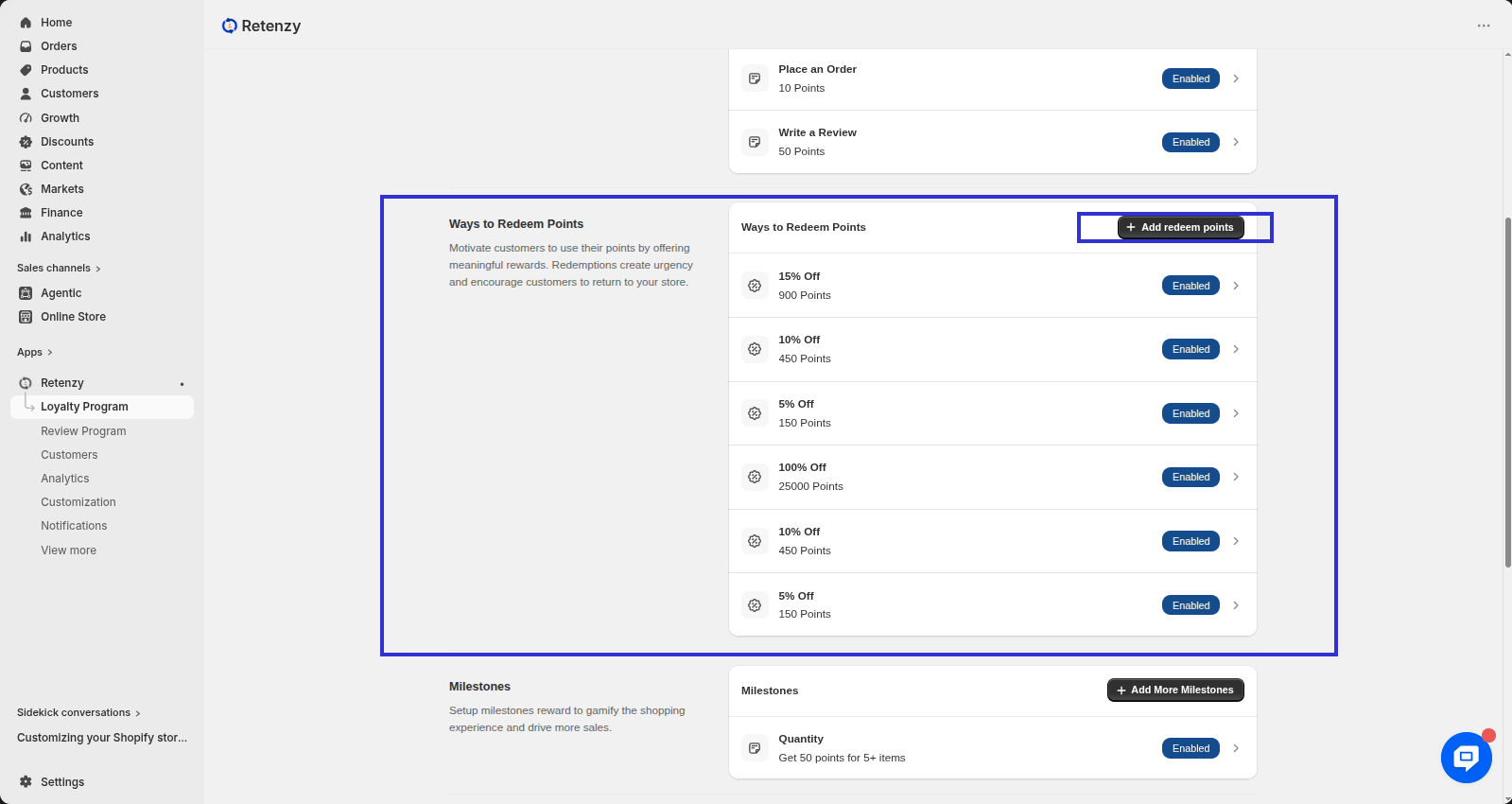
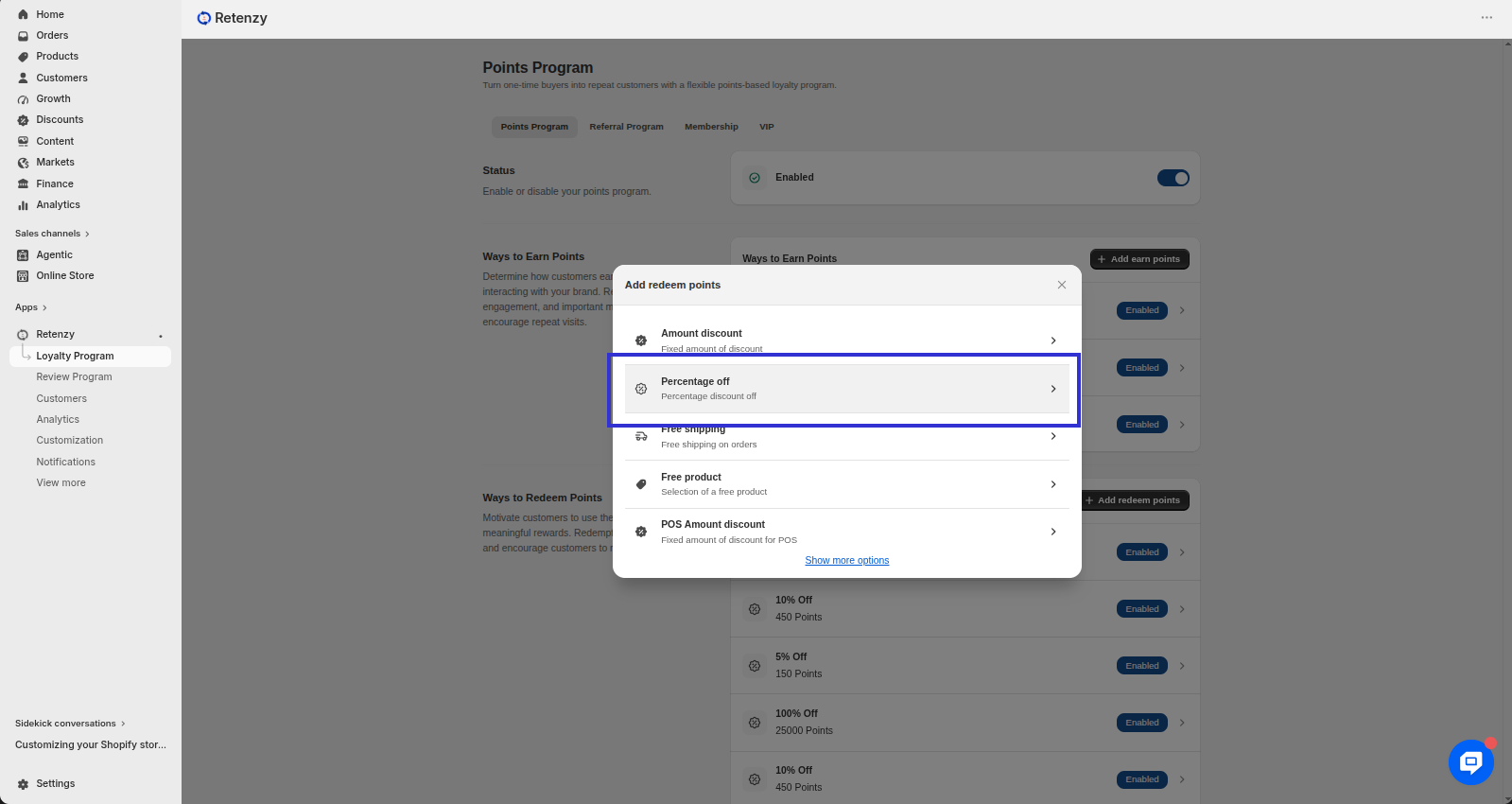
Step 4: Select Percentage off
-
A pop-up will open when you click on Ways to Redeem.
-
Click Create on Percentage off.
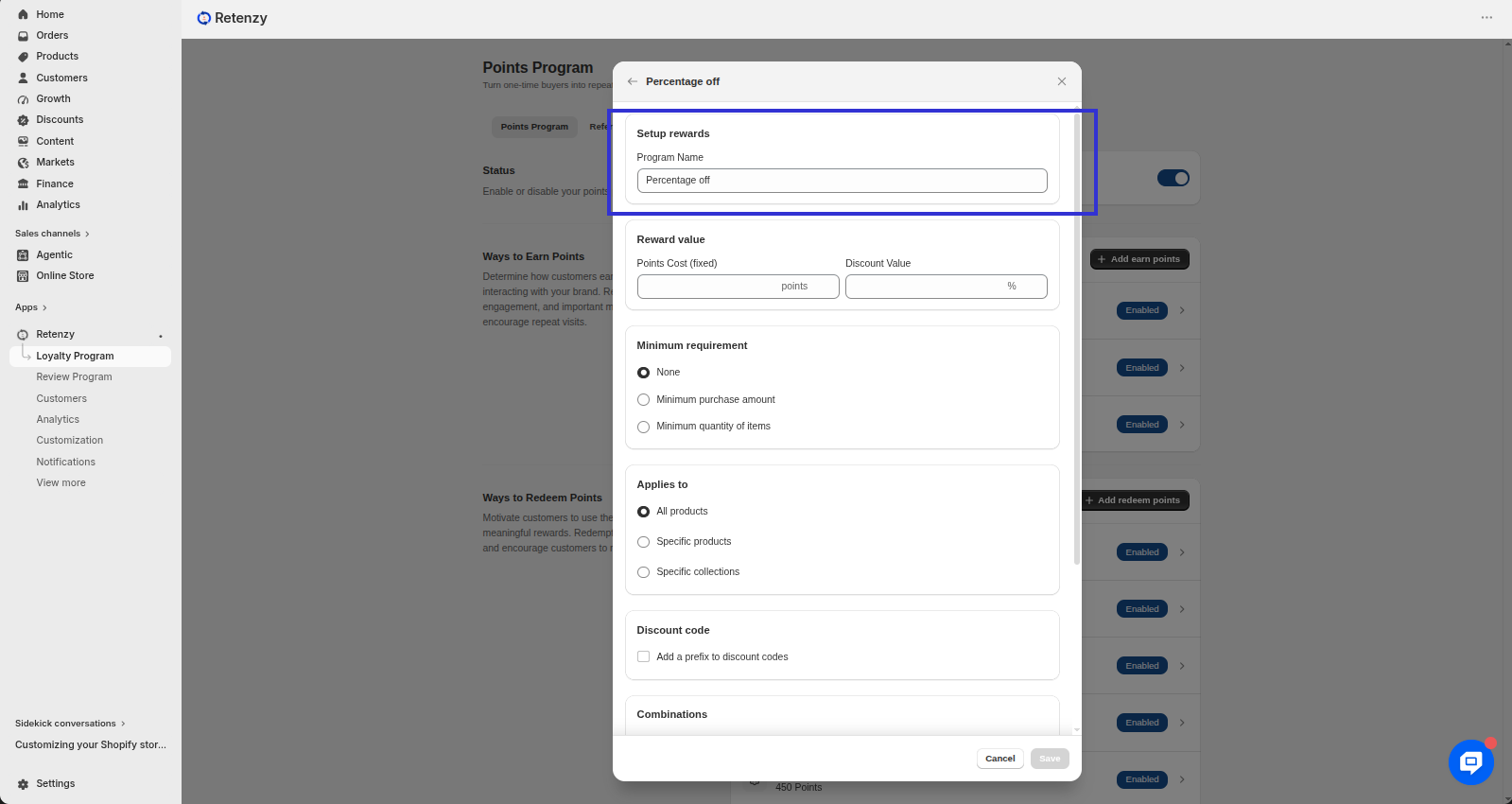
Step 5: Set Up Reward
-
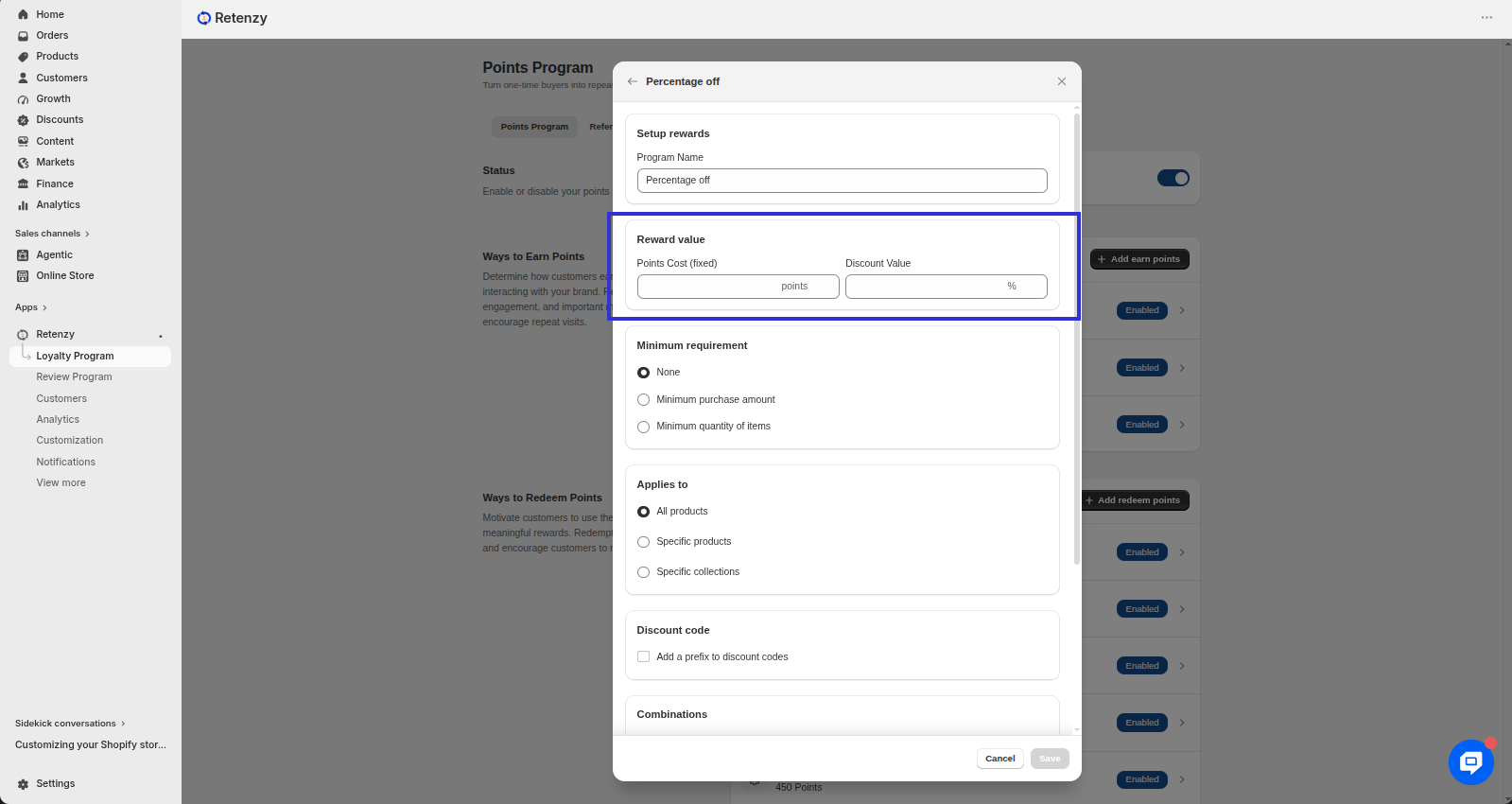
On the Percentage Discount page, enter your program name under the Setup Rewards section.
Step 6: Define Reward Value
-
Enter how many points (X) a customer needs to redeem for a discount.
-
Set the percentage discount (Y%) they will get.
-
Example: 100 points = 10% discount.
Step 6: Configure Additional Options
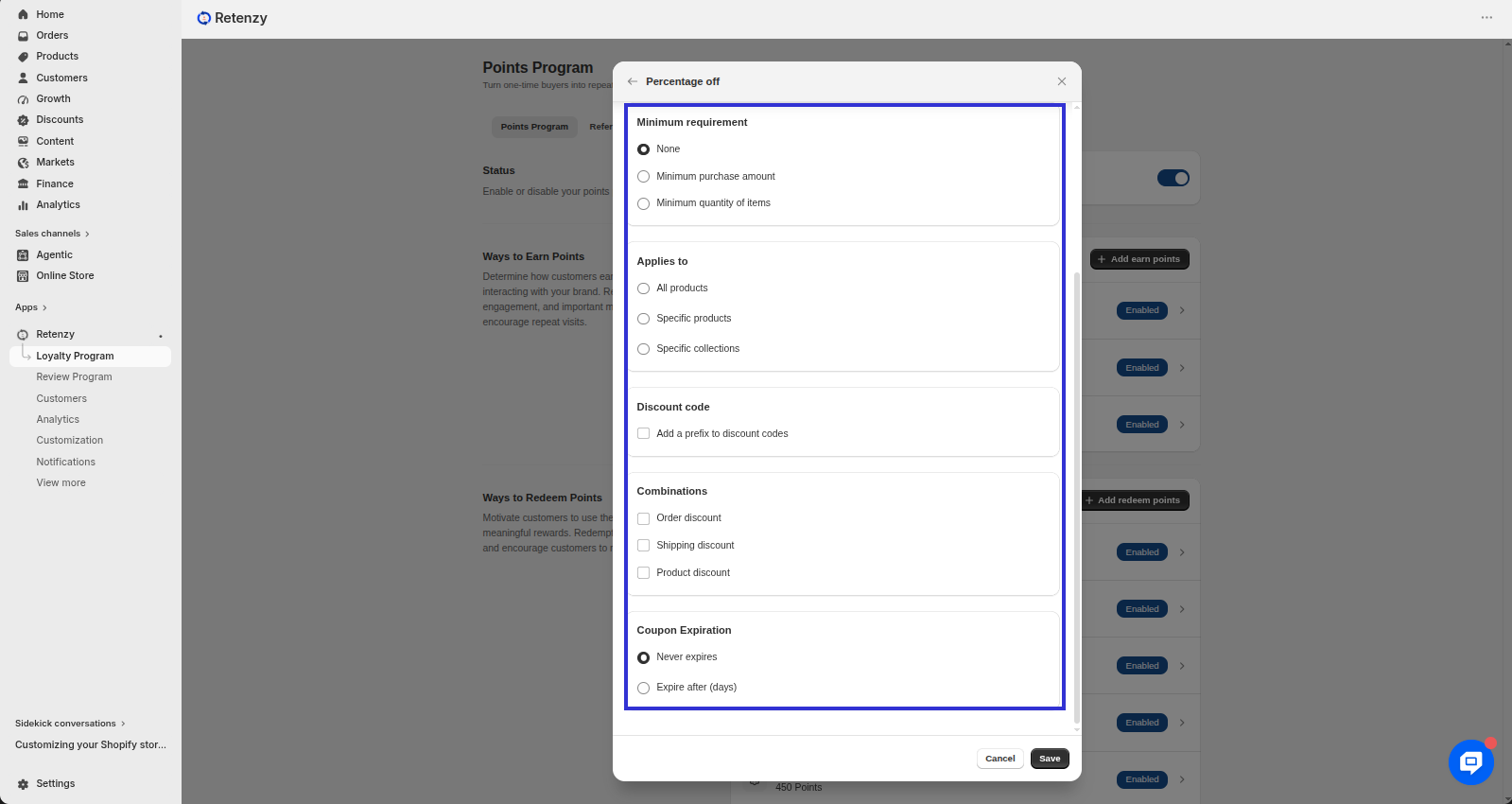
- Minimum Requirement: Define if a minimum spend or minimum items are required.
-
Applies to: Choose if the discount applies to all products or specific ones.
-
Discount Code (Optional): Add a prefix for auto-generated unique discount codes.
-
Combinations: Decide if the discount can be combined with order, shipping, or product discounts.
-
Coupon Expiration: Set expiry duration (e.g., 30 days).
Step 7: Publish Rule
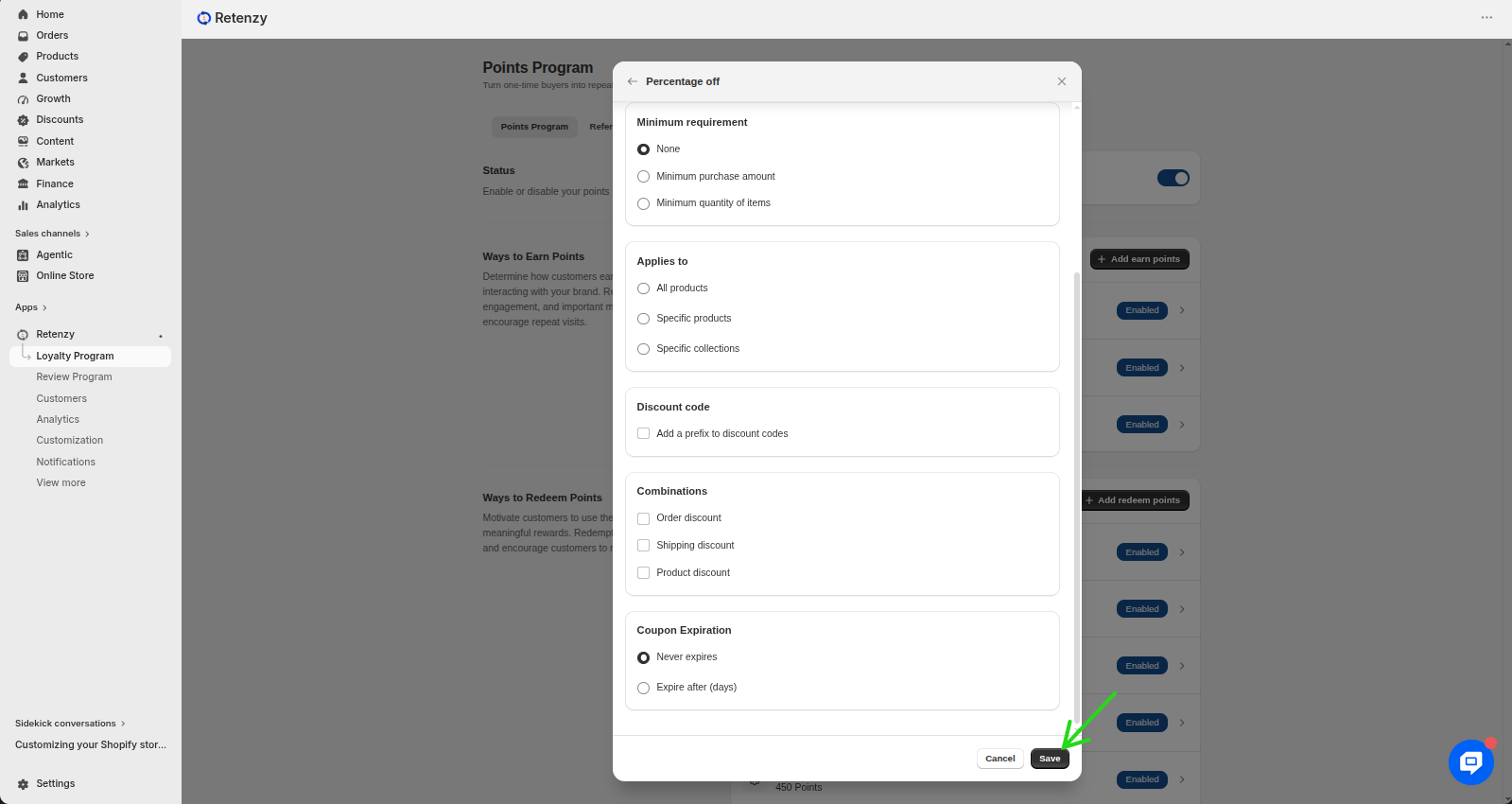
-
Click Save to activate the rule.
Customers can now redeem points for percentage-based discounts at checkout.
